

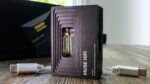























Hiby W4 Review
Intro
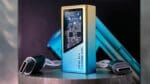
Hello, this review and feature covers the latest from the audio brand Hiby, named the Hiby W4 ($99). The Hiby W4 is a portable Bluetooth dac/amp coming from a brand that is very experienced in crafting source devices. I think we can all agree that having an under $100 serious audio device which can be played over Bluetooth is always a positive thing to see. As of right now, I am awaiting the W4 in the mail but have had time to peruse the Hiby website and from what I have gathered, the Hiby W4 has some cool little practical personal use additions to this device which is great to see (I’ll explain those later). Furthermore, it appears that Hiby didn’t skimp on the hardware either. In fact, the W4 looks very nice … from pictures. The color screen, the cool looking square design and modern aesthetic, the quality of build as well as nice internal components too, I see nothing to complain about here. Of course, there’s always some downsides to everything. I suppose we will find out.
Table Of Content
- Intro
- Hiby
- A Nice Device
- Non-Affiliated Purchasing Links
- Packaging / Accessories
- Unboxing
- Magsafe
- Belt Clip
- 📄 HiBy W4 — Full Specifications
- General
- Audio & Formats
- Outputs & Power
- Battery & Charging
- Connectivity & Features
- Physical
- Build / Aesthetic / Internals / Controls / Screen
- Build Quality
- Aesthetic
- Internals
- Controls
- UI & Ease of Use
- UI Cont…
- Screen
- Features
- Dac Chips
- Driving Power (Amp Sections)
- Gain Switch
- USB dac mode
- Uncharge
- SOC Chip
- Bluetooth Audio Codecs
- Pairing
- Battery/Charging
- EQ Preset Profiles
- PCM Sound Filters
- Volume Lock
- Car Audio Support
- Sound Impressions
- Source Devices
- What’s It Sound Like?
- Influence
- Certainly not Flat
- Pairs Well
- Bass Region
- Midrange
- Mids cont…
- Treble Region
- Technicalities
- Downsides to the Hiby W4 Sound
- Last Words on the Hiby W4
- Not Perfect?
- The Why…
- That Sound
- W4 Pros
- W4 Cons
- Conclusion
- Other Perspectives
Hiby
One thing I did not know previous to this review was that Hiby actually got their start, their genesis, as a software company which focused primarily on embedded systems for OEM daps. From what I’ve read it was a slow rise for Hiby that evolved into a full consumer brand. In fact, Hiby got their start over 15 years ago in 2011 and have really become a powerhouse Chinese audio brand. Over time Hiby eventually would branch out creating a sister or “sub-brand” named Hiby Digital. Now, I think we can all agree that Hiby’s main focus and the core of their expertise is in daps (digital audio players) and other source devices. However, Hiby also has two enormously popular software pillars in the community in their Hiby Music Player app (Android/IOS) as well as their Hiby OS which is a Linux based OS featured on many non-Android daps. I won’t go through everything they’ve ever done as that’d be extremely boring for both of us. Though, I can say that Hiby has never lost its edge and always produces quality products for the consumer at solid and competitive prices. I can certainly attest to that as I have actually reviewed a handful of Hiby devices and iems over the course of the last couple years as well as owned many of their products. So, I have some very intimate knowledge of Hiby’s products. You can check out some of those reviews below:
Hiby Zeta, Hiby R6 Pro II, Hiby Yvain, Hiby R3 II, Hiby Digital Zeno, Hiby Yacht 10, Hiby R3 Pro II, Hiby R6 Pro II 2025
A Nice Device
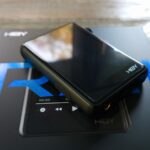
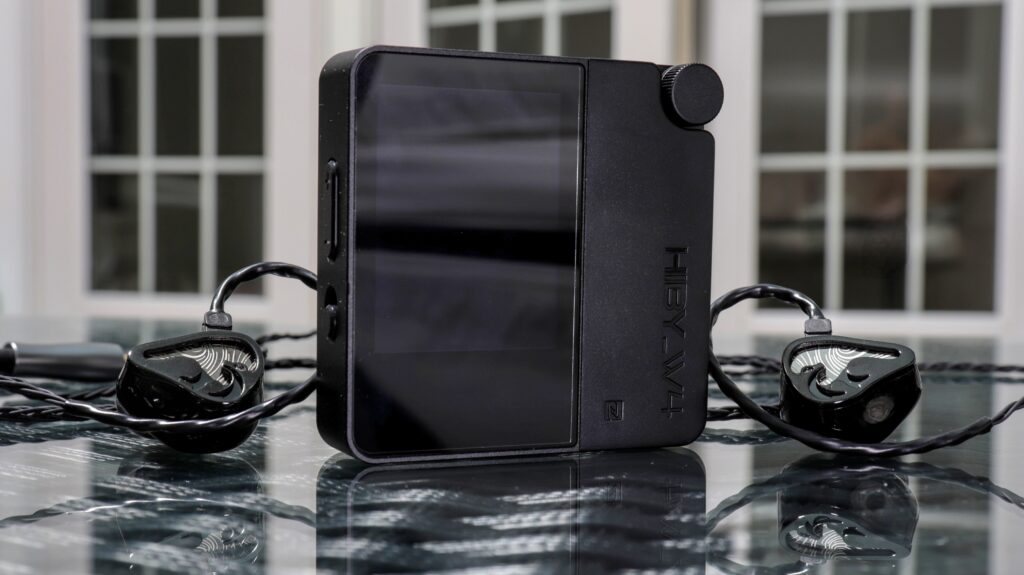
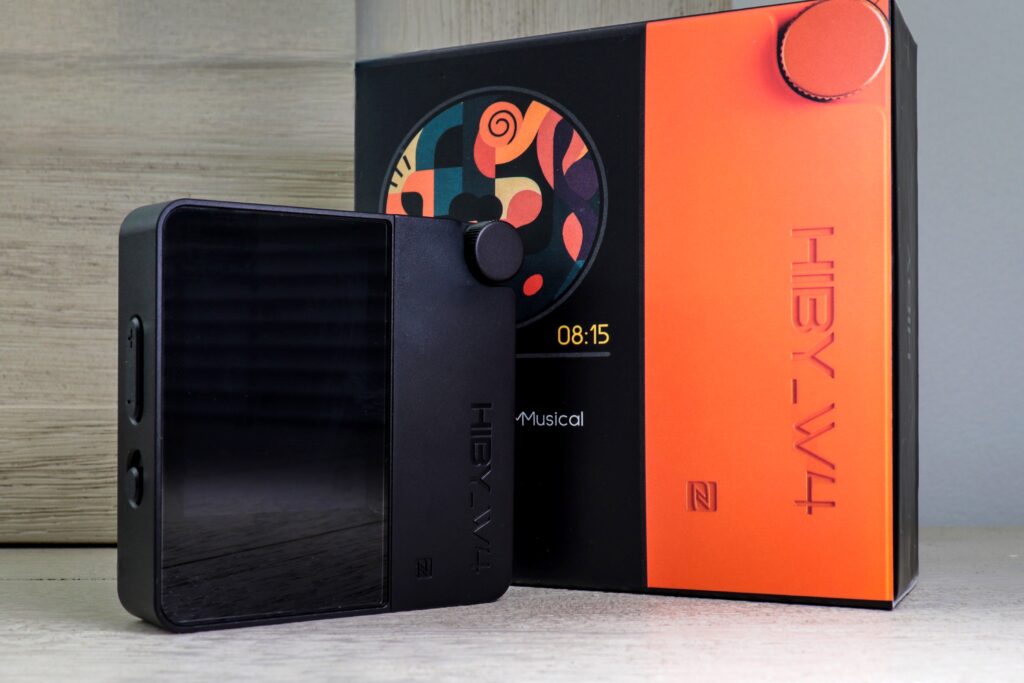
The Hiby W4 arrived a couple days ago and I instantly loved the form factor. Such a cool little square device with a very nice and vibrant screen. However, I have to say that I was out-off right away as there is a volume issue out-of-the-box. So that Hiby could keep the volume at safe levels they send the W4 with only 15 volume steps which… isn’t a lot at all. Very low volume. However, there is a way to go into the W4’s settings and go into Developers Mode and disable the volume safety measure. After which the W4 is plenty loud, and I am getting its full power. So please, remember to do this if you want to hear this device in all of its glory. Friends, I am nothing but impressed with the W4 thus far. I’ve used it constantly over the last couple days and I imagine that won’t stop anytime soon. Again, great form factor, an awesome neutral sound, the screen shows album art, it’s vibrant, and the W4 has many nice features. For $99 I am very happy with it. I will now let the W4 play on its own for a few days, give it a little run-in, and then begin critical listening. See you in about three weeks. With that said, let’s get into this folks, the Hiby W4…
Non-Affiliated Purchasing Links:
–Hiby
Packaging / Accessories
Unboxing
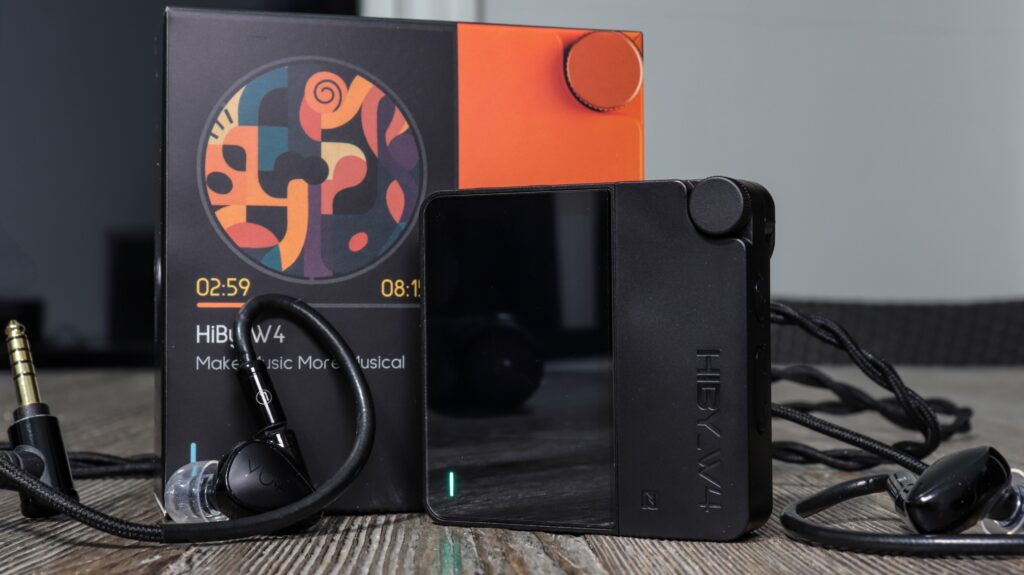
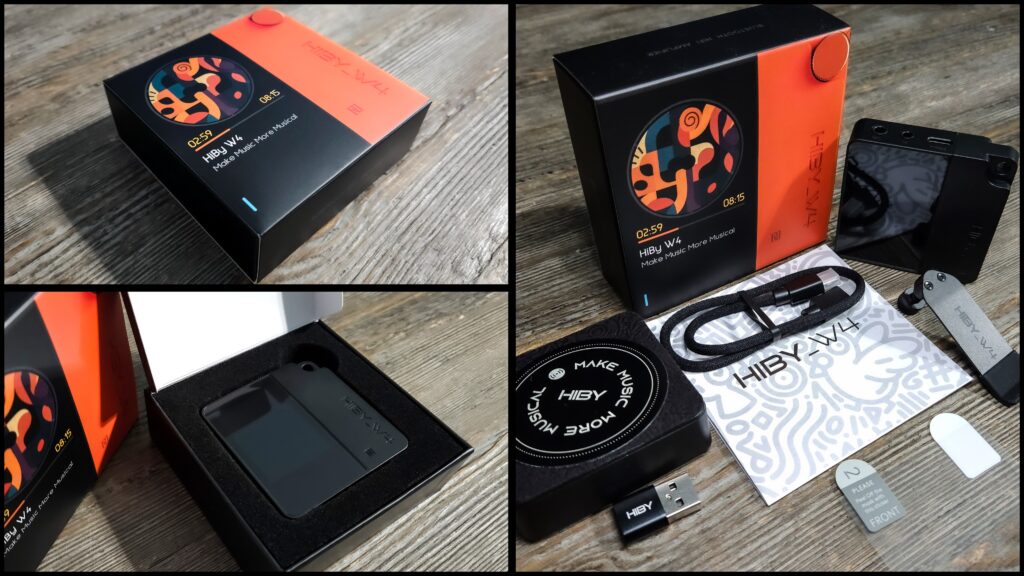
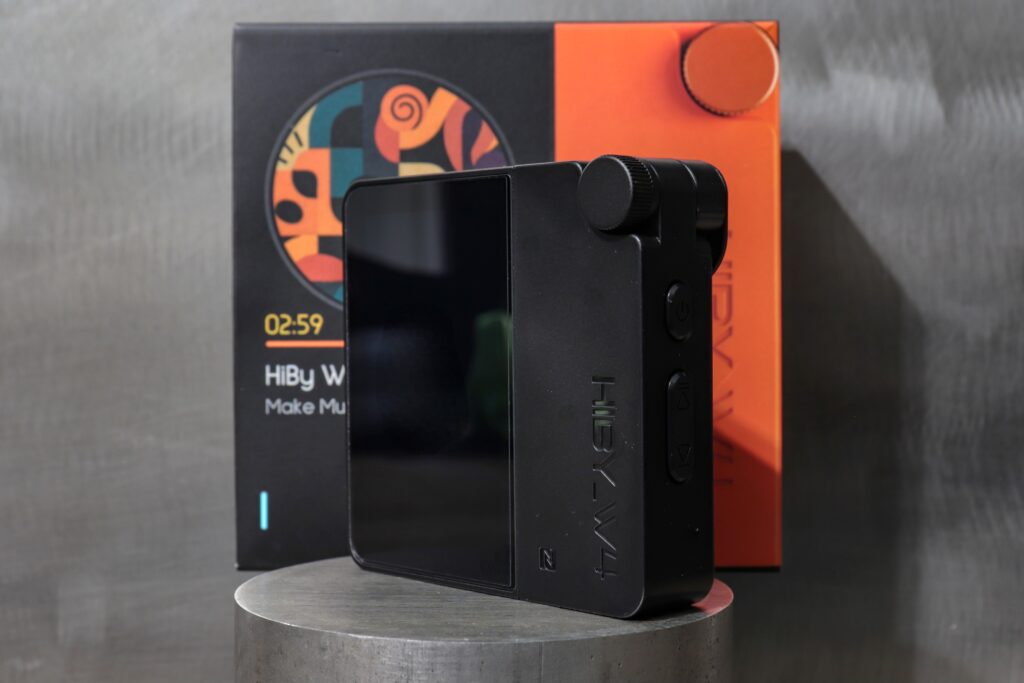
The Hiby W4 arrived at my home in a small box, nothing wasteful at all. I should note that nobody should expect a whole lot out of a source device unboxing. Anyways, the box is shaped like the W4 itself with a visual of the W4 on the cover. Open the box and right away you’ll see the W4 sitting in foam cut-outs. Underneath the W4 are all the accessories. Granted, there really isn’t much in the original “Standard” box. Of course, Hiby sent me the magsafe case too, which was very considerate of them. So, inside of the box you’ll find a screw-on clip (very useful), a USB-A to USB-C adapter, a USB-C TO USB-C Data and charging cable, #2 protective films (screen protectors), and some reading material. So not a lot, which should be expected. Again, not a lot but perfectly fine for a $99 source device. Just so you know, at Purchasing you can order what Hiby sent to me and it’ll cost you $109 (at Hiby) which comes with the magsafe case. I think that is more than worth it. I used it quite a lot and feel it really helps the overall experience for any IOS device or a capable Android device. So, there are tiers to what you can order online. Just so you are aware.
Magsafe
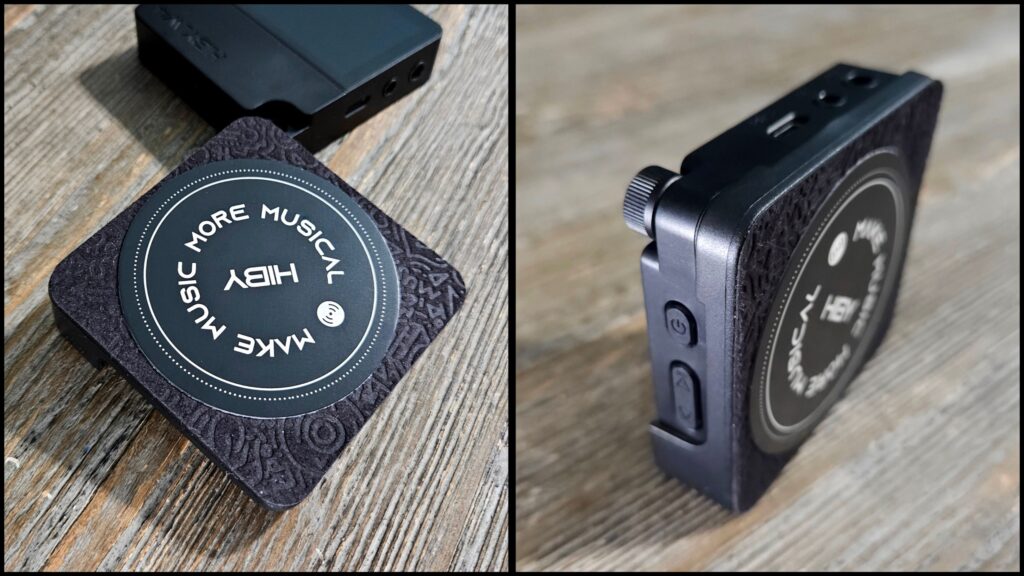
Once again, I was sent the magsafe case which is also screwed-on very simply and is extremely helpful if you want to use the W4 as a dongle dac. Shoot, if you just want a nifty way to hold the W4 you can use the magsafe magnetic holder and it is quite nice. You see, the W4’s chassis actually has a magnetically active backplate which is very much compatible with any magsafe accessories. Very cool. Of course, my everyday carry phone is the Samsung Galaxy Z Fold 5 which doesn’t allow me to use this regularly. However, I did use with an older Android phone (LG V60) which I added magsafe parts and pieces to work with the W4 and used that every now and again. I can certainly see how it is totally worth it. I wish my Fold 5 would be able to make use of such a thing. Once again, the Magsafe case is only “optional” at purchasing although there may be some bundles which come equipped with it. You’ll have to figure that out when you are deciding what you want to buy.
Belt Clip
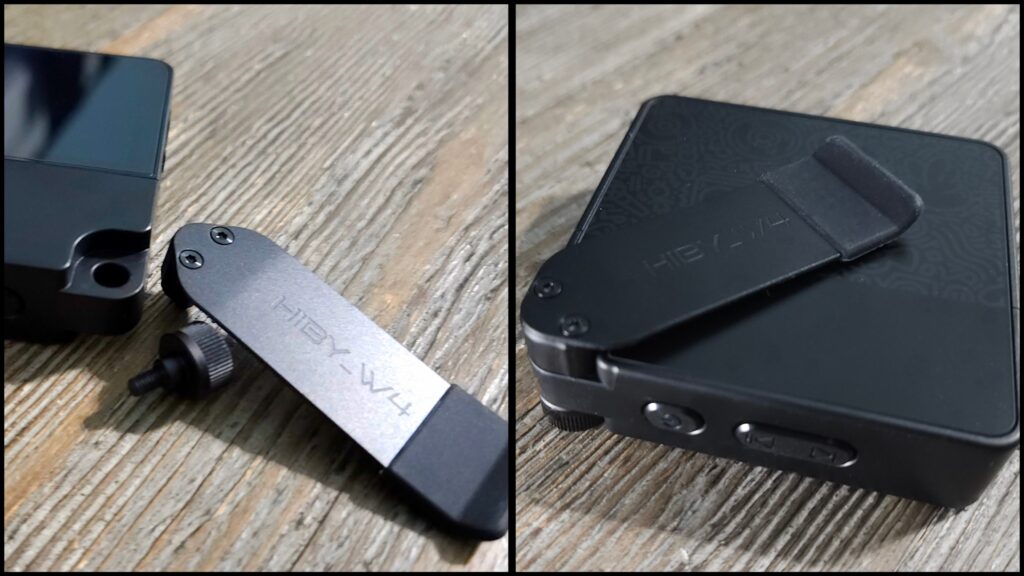
Now, the most useful accessory for me was the belt clip, which I use very regularly. Again, just screw-on the clip with the built-in threaded connection on the W4’s chassis. Very easy to do and works like a charm. I will say, the little rubber piece in the end of the clip likes to come off on me, but I won’t hold that against them. All-in-all, the clip makes life much easier and is very nice to have for this device. It has enough clamping strength to easily hold its place in whatever I am clipping it too.
📄 HiBy W4 — Full Specifications
General
Model: HiBy W4
Product Type: Portable Bluetooth DAC & Headphone Amplifier
Bluetooth Version: 5.4
Bluetooth Chipset: Qualcomm QCC5181
DAC Chips: Dual Cirrus Logic CS43198
Operating Modes: Bluetooth Receiver / USB DAC (with UnCharge mode)
Display: 2.0″ full-color touchscreen
Control Methods: Touchscreen + physical buttons + voice prompt
Body Materials: Aluminum Alloy + ABS
Audio & Formats
Supported Bluetooth Codecs: aptX Adaptive, aptX Lossless, aptX HD, aptX, LDAC, AAC, SBC
Wired Audio Formats: PCM up to 768 kHz / 32-bit, DSD512 natively
Dual DAC Architecture: Independent left & right decoding
Clock: Dual femtosecond-grade oscillators for low jitter
: ~20 Hz–90 kHz
Outputs & Power
3.5 mm Single-Ended Jack: Standard audio out
4.4 mm Balanced Output: Balanced headphone output
Output Power (3.5 mm): ~125 mW
Output Power (4.4 mm): ~475 mW
Noise / SNR / THD: High fidelity spec (e.g., SNR ~125–126 dB)
Battery & Charging
Overall Battery Capacity: 1500 mAh
Battery Life (Bluetooth / AAC): • 3.5 mm: ~6.3 h • 4.4 mm: ~5 h
Supports Playback While Charging: Yes
UnCharge Mode: Uses internal battery during USB connection to reduce noise & phone drain
Connectivity & Features
USB-C Input: Yes – digital audio & power
Bluetooth Range: ~10 m
NFC Pairing: Yes
Mic Support: Through 3.5 mm with cVc noise reduction
Remote Control Support: Via 3.5 mm jack
Power Follow Mode: Yes
Album Art Display (Bluetooth): Yes
Car Audio Optimized Mode: Yes
Physical
Dimensions: 66.15 × 65.1 × 21.5 mm (excluding clip)
Weight: ~93.3 g
Color Options: Black, White, Orange, Yellow, Green, Cyan (varies by region)
Accessories: USB-C cable, USB-A adapter, screen protectors, removable clip (variations by seller), magsafe case/cover can be added at purchasing
Build / Aesthetic / Internals / Controls / Screen
Build Quality
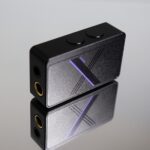
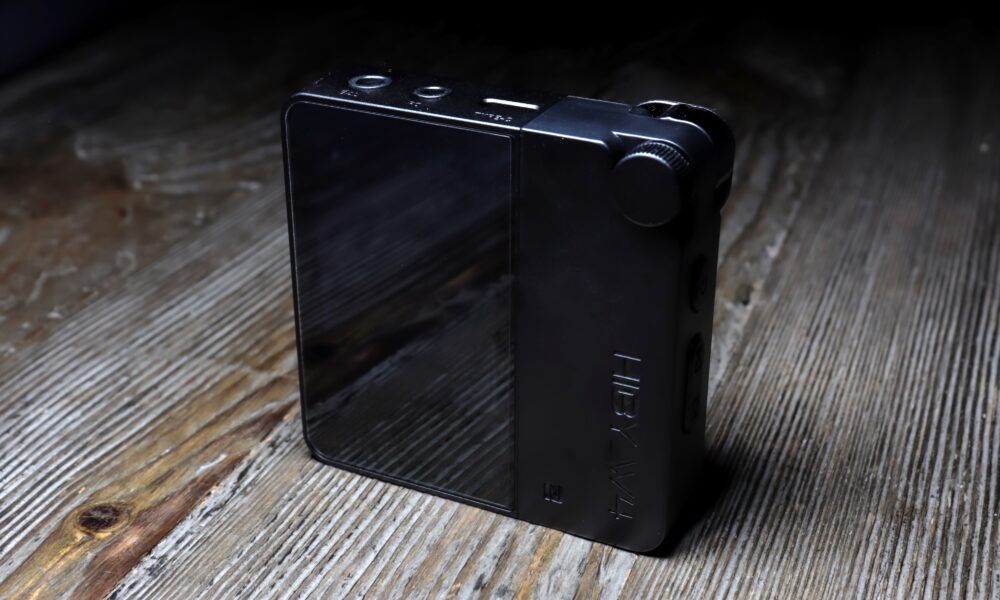
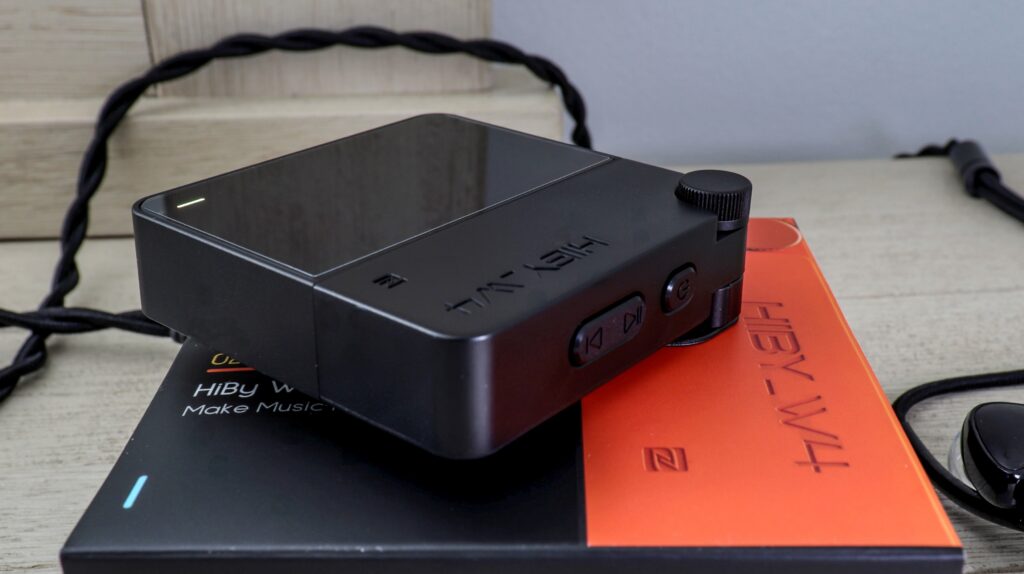
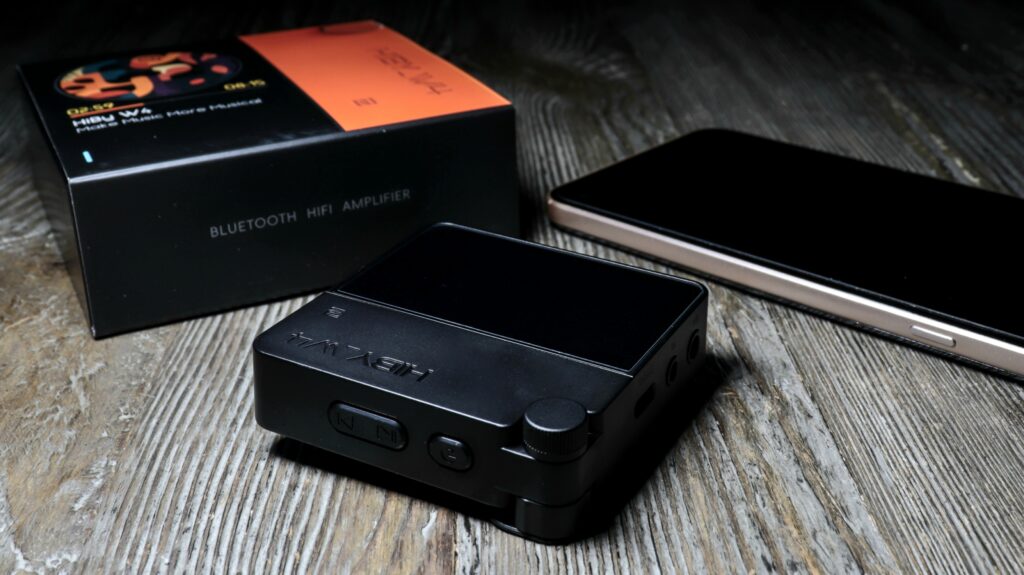
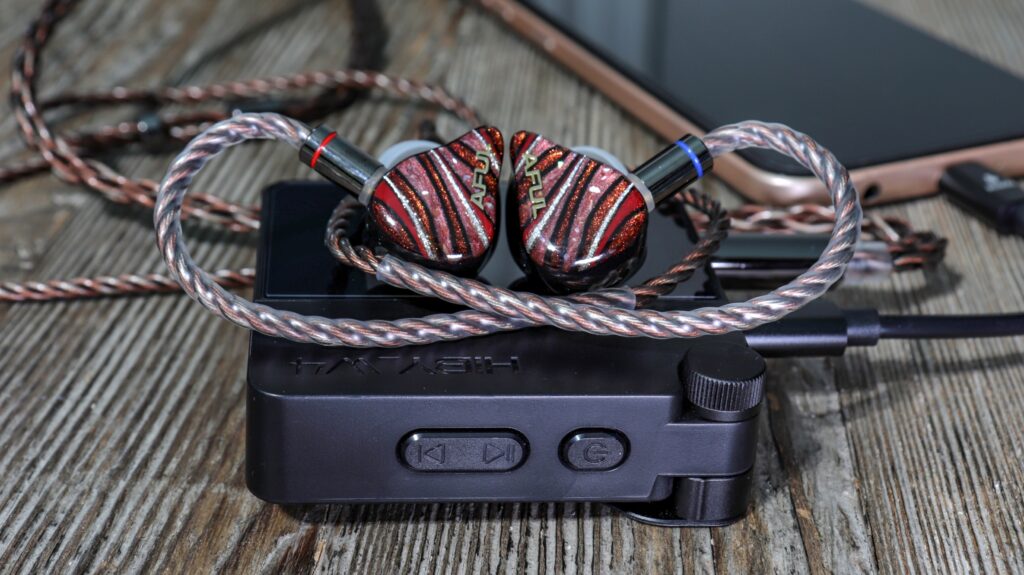
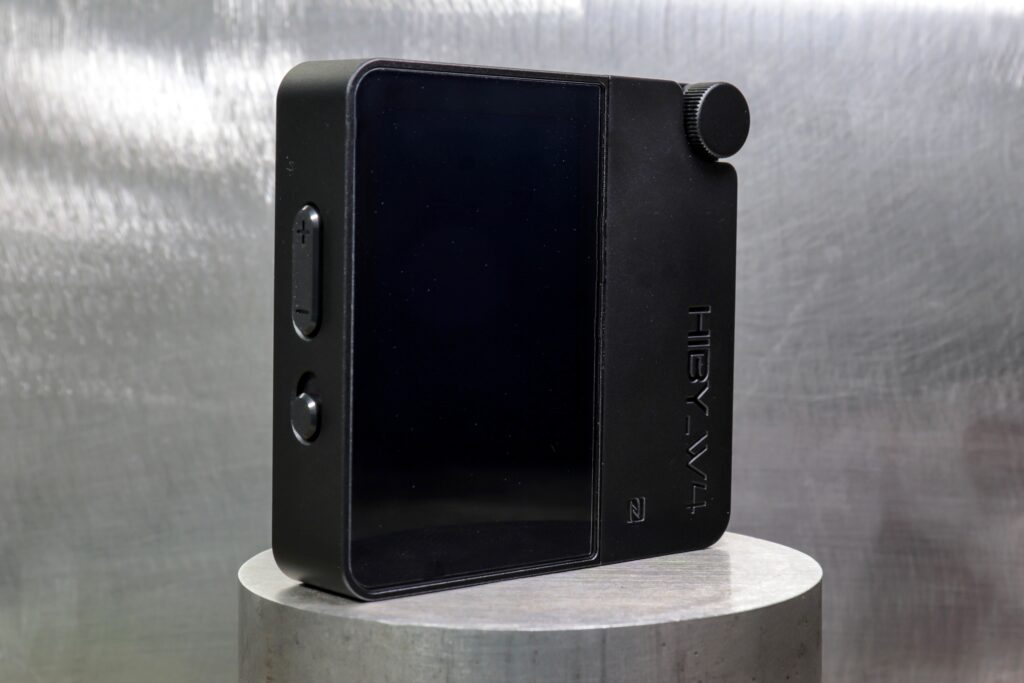
One thing that Hiby is known for is build quality and the W4 is no doubt built very well. Made entirely out of aluminum alloy along with ABS plastics used for some areas as well (mostly aluminum). The W4 is pretty much a perfect square, very well laid-out with all buttons and controls easily operational with one hand. Hiby also went with a glass panel over the 2” screen as well. I see no weaknesses in this design, no chinsy parts and pieces, nothing cheap feeling. The actual dimensions are 66.15 mm x 65.1 mm x 21.5 mm (Roughly 2 ½” x 2 ½” x ⅞”). Basically, a small square. Very easy to handle and the W4 has a solid weight to it. Not too heavy and bulky, but not too lightweight and cheap either. To be exact, the W4 weighs right around 93 grams, which is not a lot. Certainly, pocketable if you would like, or easy to use the clip and attach anywhere. Which brings me to the modular clip on the upper right-hand corner of the W4. All you do is thread and unthread the provided screw, which is used to attach the belt clip, or the Magsafe case. You have all controls right at your fingertips by using either the buttons or the fully integrated touch screen. In truth, folks, this device acts much more like a small dap than anything else. Very well built, just like all Hiby products.
Aesthetic
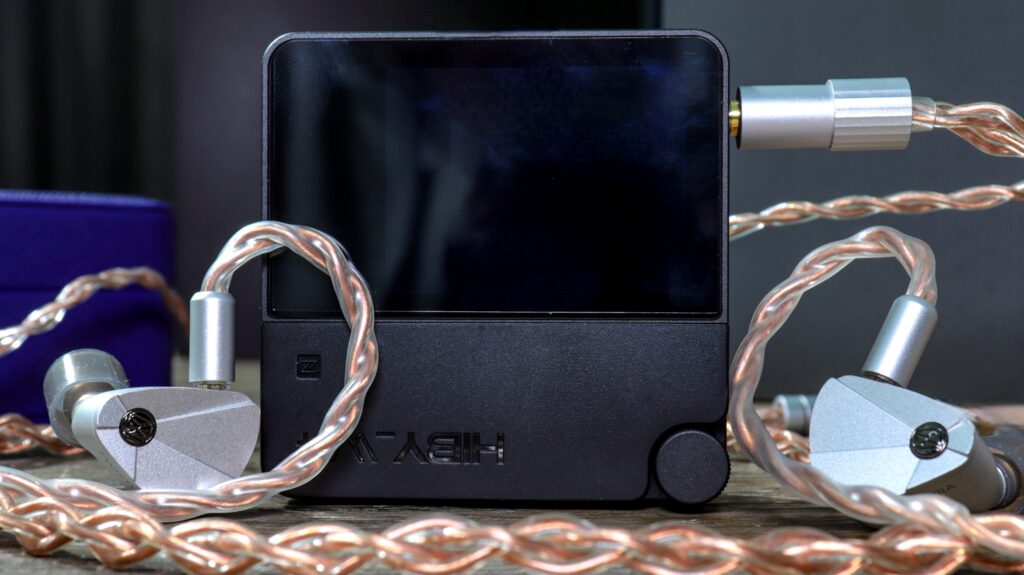
When it comes to the aesthetic appeal of the W4, that is something 100% subjective and so I don’t know what my opinion means to you. Having said that, the W4 looks SICK! In a good way. I really like the square design. Now, the W4 also comes in many different colorways, those being Black, White, Orange, Yellow, Green and Cyan. I think a lot has to depend on where you order from, but the W4 comes in many colors and they all look dope. Obviously, the device I have is the black colorway. I just love the compact square design. I can reach all controls very easily and I adore the 2” screen. In truth, I had no idea I would’ve liked this device as much as I do. I have a few much more expensive Bluetooth dac/amps which don’t look anywhere near as nice. I think Hiby nailed the aesthetic. Absolutely crushed it!
Internals
As far as internal components, I find that Hiby didn’t go cheap here either. The W4 is based around dual-dac, dual-amp chip, a newer and more powerful Bluetooth SOC chip as well as updated clocks and solid battery management, in my opinion. To start, Hiby decided upon going with two Cirrus Logic CS43198 Dac Chips which are very well known, widely used, and very versatile tonally (from what I gather). I have upwards of 15 devices which use the CS43198 chip and they all sound nice, for the most part. They used dual low-noise active crystal oscillators; 45.1584 MHz for 44.1khz and 49.152 for 48khz which basically minimizes jitter across all sample rates. I also love that Hiby beefed up the output power using dual SGM8262 Amplifiers. So, the topology looks like this: dual dac chips plus dual amp chips give you a fully balanced path. Also used is a 1500mAh battery used for both Bluetooth and for USB dac “uncharge” mode (I’ll explain later), which is awesome. Hiby also decided upon a very capable Qualcomm QCC5181 SOC chip which provides the W4 with Bluetooth 5.4 among other attributes which I’ll speak on later. Now, I cannot tell you what micro-controller Hiby used, the USB interface chip (if it’s separate from the QCC5181 Qualcomm chip), and a few other internal components.
Controls
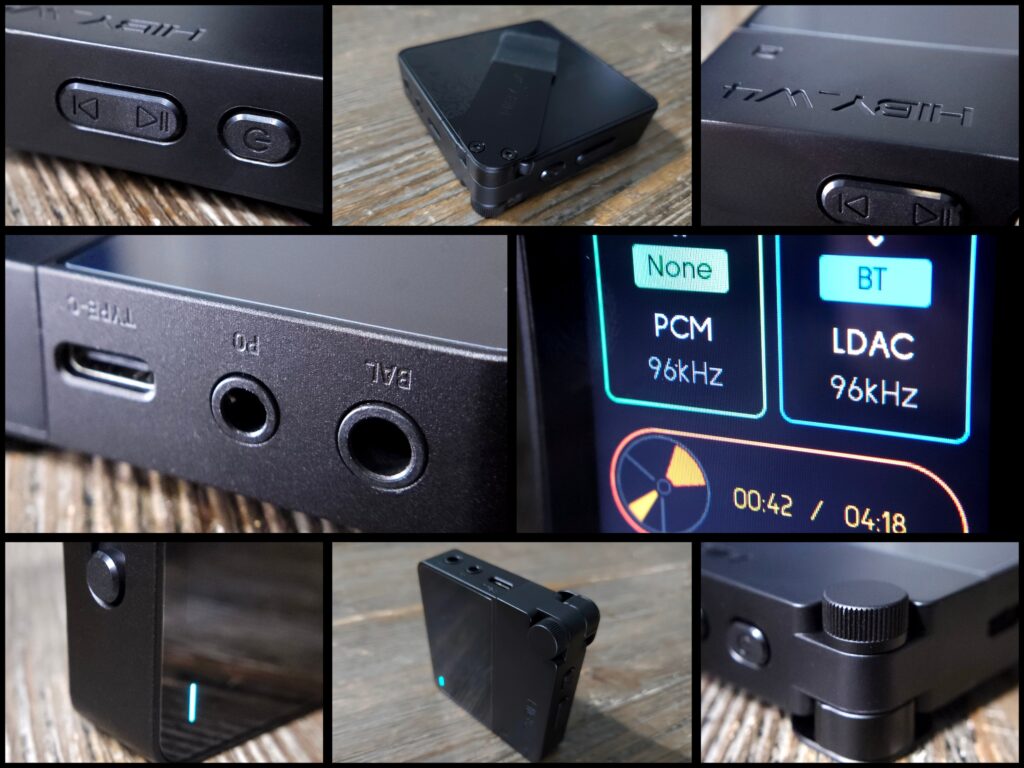
As I said, the Hiby W4 offers every control right at your fingertips whether that’s through the physical buttons or by the touch screen interface. You can manage playback, volume, and different operating modes while listening. So, to start, on the left side of the W4 you’ll see three buttons (volume-up, volume-down, & uncharge). The top button is “Volume Up “which you can short press for individual steps or long press. The next is “Volume-Down” which also can be single pressed or long pressed. Hiby also added an “Uncharge” or “Charging Lock” button which basically gives you the ability to use the internal battery when in USB mode. Press up and you’ll use the internal battery or press down, and you’ll use the battery of the source device. Very nice to have. On the right side you’ll also see three buttons (Power, Play/Pause/Previous Track, Next Track Button). These are fairly obvious but the “Power Button” turns on/off the W4. The middle button serves as a “Play/Pause” & “Previous Track” (long press for previous track) button. Also, the 3rd button is a “Next Track Button” which obviously will skip to the next track. Using the touch screen, you can toggle many different settings while listening. Such as, gain modes, sound filters, EQ presets, channel balance, NOS mode, Bluetooth/UAC modes, Indicator light behavior too. Among other settings. You have every controllable feature right at your fingertips and it is very nice to have.
UI & Ease of Use
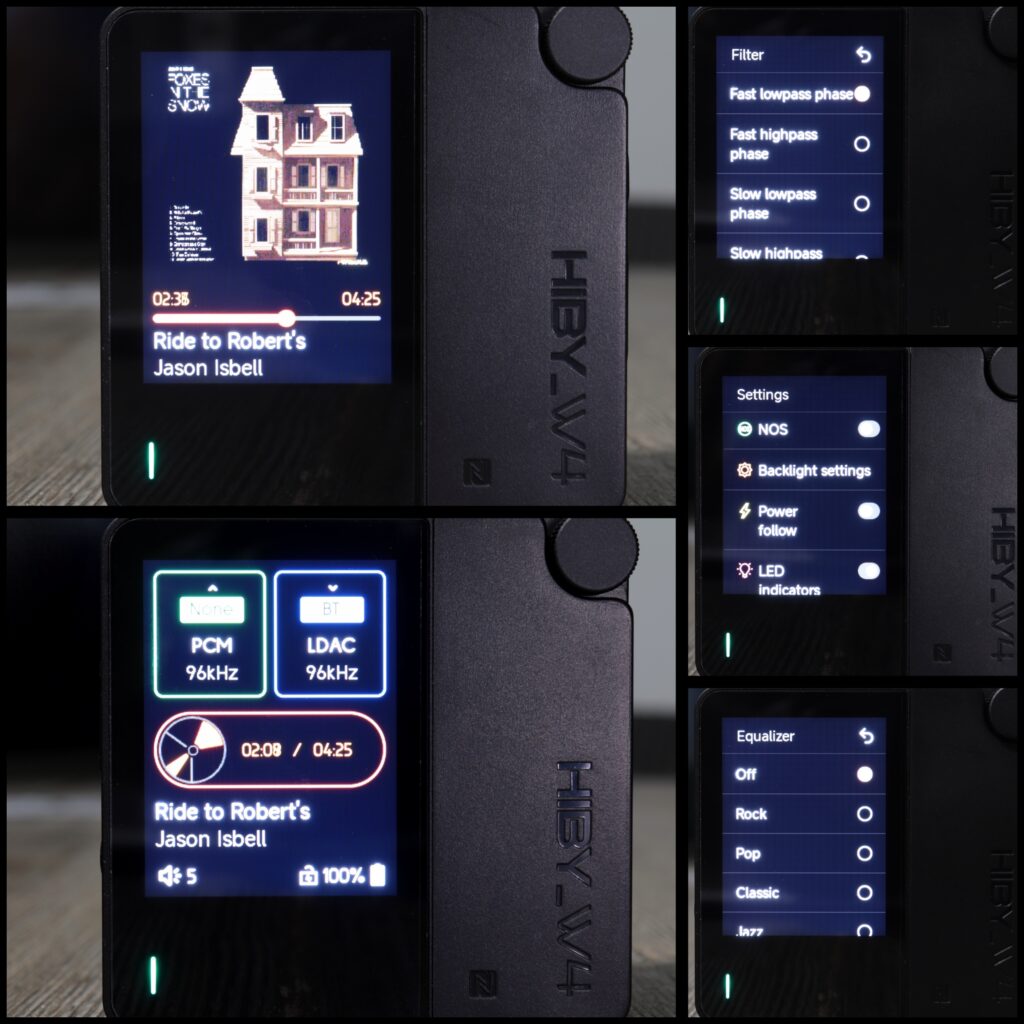
The UI is very-very similar to a dap user interface. It almost appears as some Linux based non-Android style interface and looks really fantastic folks. Also, the UI is very simple and very sleek. Very understandable and intuitive. The UI is basically three main horizontally scrollable pages. Just by the swipe of a finger, just like any dap or smartphone. You start with the home screen which shows the sample rate on the top left, the Bluetooth code you are using on the top right as well. By the way, you can click the audio codec button on the touch screen to enable USB input for using the W4 as a dongle dac. Just under both top boxes you’ll see the track progress and overall time of the track counting in real time. Under that you’ll see the title and artist of the track you are listening to scrolling across the bottom. Now go to the very bottom and you’ll see the volume level, lock or unlock of the device, and the battery percentage. However, my absolute favorite aspect of this device’s interface is when I swipe to the left which takes me to the album art screen. Folks, looks just like a dap. So vibrant too! Anyways, from the home screen if you swipe right it will go to the left horizontal screen which happens to be the settings menu. From top to bottom the settings go like this:
-Language (choose your language)
-Bluetooth (for pairing and clearing of pairings)
-Gain (Low, Middle, and High Gain) Put it on High and forget it
-Balance (Left to Right Balance)
-Filter (PCM sound filters, more on this later)
-Equalizer (Preset EQ profiles, more on this later)
-NOS (Non-oversampling)
-Backlight settings (stay on button, backlight time, brightness)
-Power Follow (smart power management)
-LED Indicators (on/off, who would turn this off?)
-USB Microphone (on/off)
-Album Cover Display (Round, Square, Don’t show, who would turn this off?)
-Screen Rotation
-Restore Factory Settings (this one is obvious)
-Certificate
-About
-Developer Settings (needs to be enabled to turn off volume lock, I’ll explain later)
UI Cont…
So, you get quite a few settings, and they are very-very easy to enable or disable. I should note that when in the album art display screen, you can actively drag the progress bar to scrub throughout the song. Very useful for testing in reviews and similar to any dap which usually has this capability. Friends, I’ve had so many of these devices over the course of my time in the hobby and the actual user interface and usability of the interface is by far one of the best implementations I have ever seen. Granted, there are some Bluetooth dac/amps which I haven’t tried, but man I can’t imagine there will be any that are flat-out better as far as the design is concerned. However, what also separates the W4 is how well the touch screen interacts with each menu. I find many devices to be too sensitive to touches, phantom touches… stuff like that. Or they can be too insensitive. The W4 strikes a usable balance. Very well done.
Screen
One of the main luxuries of the Hiby W4 is unquestionably the screen. To be exact, the screen is a full color LCD display which is wildly clear, crisp, and very well contrasted for such a device. Folks, this screen gets ridiculously bright and I have zero issues seeing in the sun. So bright it surprised me with colors so well contrasted that album art looks amazing. Anyways, the screen is 2” in size and is clearly a high quality IPS style LCP display with fantastic viewing angles. I am very impressed. Now, I don’t know the resolution, but to me the resolution is very nice. Friends, I don’t know how to say this other than the Hiby W4 absolutely, unquestionably looks like a mini dap. This is not just a low-res screen that you usually see on Bluetooth dac/amps. No sir, this screen is highly contrasted and clear. Hiby did a wonderful job. The fact that the W4 is only $99 is almost silly. One more thing, if you’d like you can rotate the screen 180° if you need to. Just a simple toggle of a setting.
Features
Dac Chips
As I said earlier, the Hiby W4 uses dual Cirrus Logic CS43198 Dac Chips which are very widely used and well known dac chips to many in the hobby. I have to say, there aren’t many chips which consistently seem to produce solid results. In my opinion, depending on how they are implemented, the CS43198 dac chip always seems to have a sonically strong technical foundation and always with a flair for musicality too. Now, in the case of the W4, it has dual chips which handle both channels independently of each other, creating an actual balanced circuit. This chip also carries some solid specs. That is 32-bit depth and 768khz PCM along with the ability to replay DSD512 audio. Certainly, some very solid specs should you need it. This chip typically produces +130 dB dynamic range and – 115 dB THD+N for low-power and high-fidelity audio. I could name you many products which use this chip and usually they are pretty solid performers in the sonics department. Furthermore, this dac chip enables all of the PCM sound filters that I spoke on earlier and will speak on more later.
Driving Power (Amp Sections)
One of the very first things that I always look for is max output power. I don’t really know why, other than it’s just cool to have a device which can power more. The Hiby W4 actually has a super beefy max output of up to 475 mW @32 ohms on 4.4 balanced and 125mW @32 ohms on 3.5 single ended listening. Basically, this device will play just about any iem that you can find as well as some over ear cans fairly well. Hiby chose to use dual SGM8262 Amplifiers which provide plenty for anything that I have on hand. Able to power even the hardest to drive planars very well with solid dynamics and power.
Gain Switch
Again, you can very easily go into settings on the touch screen menu within the W4’s settings menu and toggle between either low, mid, or high gain. As I said earlier, the max output of the W4 reaches up to 475 mW of power. Of course, it takes high gain on 4.4 balanced output to get you there. Always a nice feature but clearly many devices have this ability.
USB dac mode
Another quality feature and ability of the Hiby W4 is the ability to use the W4 as a USB dac in a wired setup. Obviously, using the W4 in this way provides the highest fidelity listening. I can tell you with 100% assurance that the W4 sounds the best in this way. In USB dac mode is the way that you can tally PCM 768khz and 32-bit depth in your audio. Over Bluetooth the best you can get is 32-bit 96khz. At any rate, it is very easy to switch the W4 into USB dac mode by simply going into the home screen, tapping on the Bluetooth tab and enabling “USB Input”. Folks, using the Magsafe case and being able to magnetically stick the W4 to the back of my old iPhone was very satisfying. Like I said, I also have my LG V60 that I enabled with a form of Magsafe and was able to do the same. Very cool.
Uncharge
Really quick, I want to briefly speak on the “Uncharge” button which is on the left side of the Hiby W4. The Uncharge button will either allow you to use the battery of the W4 “only” instead of the host battery (phone battery), or you can instead draw on the phone (host) depending on your use case. Of course, using the W4’s battery takes away any threat of extra noise and also preserves your phone’s battery as well. Beyond that, it allows the W4 to get full sonic capabilities without a lack of power when in USB mode or using it as a dongle dac.
SOC Chip
Hiby didn’t go cheap with this device as they went the route of one of the better Qualcomm chips available at these prices by using the Qualcomm QCC5181 SOC Chip. This chip provides some of the best audio codecs on planet earth (more on that next) as well as Bluetooth 5.4 which is one of the latest. The QCC5181 chip also gives a much better low-power consumption than most chips. I’ll be quite honest, I figured for sure that Hiby would’ve gone with a less qualified chip at $99. I was very happy to see this one. The QCC5181 gives a great Bluetooth connection as I am easily able to cover all three floors of my home, one end to the other, and the connection hasn’t dropped.
Bluetooth Audio Codecs
In my opinion, one of the main features needed for a solid portable Bluetooth dac/amp is having some of the best audio codecs on board for your Bluetooth listening. There is no question that the W4 is absolutely loaded with codecs folks. For starters, it of course has SBC & AAC codecs. AAC is what IOS devices use and so Apple users aren’t left out. Not a bad codec, but certainly not the best. Next, the W4 has Aptx, Aptx HD, Aptx Adaptive, as well as probably the best code on earth in Aptx Lossless. Of course, the only codec which truly competes overall is the LDAC codec, which the W4 also has. Again, loaded with codecs depending on “if” your host device (phone) has these codecs on hand. The two best are clearly LDAC and Aptx Lossless as each gives you well over HD listening. So, LDAC can provide bit rates of up to 990 kbps (selectable at 330, 600, 990kbs) and 24-bit 96khz audio which is what we call “lossy hi-res”. However, even better, Aptx Lossless provides 1,200 kbs with 16-bit 44khz audio and can replay bit-perfect, aka… “bit-exact”. Basically, you have no real loss at all in quality. Also, Aptx Lossless uses less energy to run and is simply a better codec. That said, not many phones/devices carry Aptx Lossless and so LDAC is way more than enough to have fantastic audio quality.
Pairing
I realize that this isn’t really a “feature” as some may define a feature as but having a device which pairs easily over Bluetooth is great. Even better when you have devices which “don’t” pair very well. The W4 pairs very fast. Faster than most of my true wireless earbuds. However, Hiby also added in NFC pairing as well. All you have to do is simply tap the NFC icon on the W4’s outside chassis with a NFC enabled phone and it’ll instantly connect/pair. A luxury that you don’t know you need, until you need it.
Battery/Charging
Hiby promotes the W4 as having a fairly large 1500 MAh battery which is a good size for such a powerful little device. Hiby states that the W4 will get you roughly 5-6 hours of listening. Certainly not bad stats when in comparison to another highly qualified and obviously better Bluetooth dac/amp, the Shanling UP6. Of course, the UP6 is also much-much more expensive too. That said, 6 hours is really great. I think adding in a larger battery for more hours would’ve been a mistake and 1500mAh’s is plenty for a long session. The bonus is that the W4 also carries PD2.0 fast charging and is capable of using up to a 20-watt charger. I can tell you from experience, that I charged the W4 using a 20-watt charger when it was down to 12%. It took 1.15 hours to fully charge. I was blown away by that. Friends, I cannot tell you how many devices say they have fast charging only to find out that they’re actually very slow. Not the W4. I know that many devices have fast charging, but it is a great attribute to have and knowing that it actually works is a huge benefit. Furthermore, another huge aspect of the W4 is that you can listen all you want while it is charging. Not all devices can do this without risking issues. Certainly, far from a standard feature, even amongst the best Bluetooth dac/amps. By the way, this feature shines for desktop use or car audio because of this ability.
EQ Preset Profiles
Hiby added into the W4 certain EQ preset profiles which you can easily toggle back and forth between. Unfortunately, the W4 does not have PEQ abilities, something I know that many would like to have. However, it does come equipped with EQ presets. I find that Hiby nailed each one as each preset does exactly as each profile’s respective name implies. Hiby added in Rock, Pop, Classical, Jazz, and Metal. The beauty of these presets is that you don’t have to go on your phone to make use of them. Just simply open up settings, scroll down to the EQ Presets, and choose whatever one you’d like to dial in the sound further. Also unfortunately, Hiby did not add in their super popular MSEB EQ machine onto the W4. It simply doesn’t have the bandwidth for that (I would assume).
PCM Sound Filters
Another pretty cool feature that the Hiby W4 is enabled with and one which also helps the listener dial in the sound to suit their preferences even further is the PCM Sound Filters which can be found in the settings menu. These sound filters are all enabled due to the use of the CS43198 dac chips. You can choose between Fast Lowpass Phase (crisp, immediate transient response), Fast Highpass Phase (similar to the last but with a linear phase sounding more precise on complicated tracks), Slow Lowpass Phase (yields a slightly smoother, warmer top-end and slower decay), Slow Highpass Phase (Linear Phase version of the slow roll-off balancing phase coherence with smoothness). Another great filter is the NOS filter which actually isn’t a filter at all but a “non-oversampling” feature that you can toggle which bypasses the dac’s internal digital oversampling and filtering. Basically, NOS will bypass the dac and go straight to the analog conversion, usually with little to no digital filtering. Often, NOS is described as being closer to realistic in some senses. Or you’ll hear of others not hearing any benefits. Simply more analog-like. I like to think that NOS helps with more acoustic stuff, vocal stuff, piano etc. Just less “processed” sounding. At least that’s the thought behind it. Of course, all of these filters offer very minimal changes (some devices have more benefit than others) and you really need a discerning ear (most of the time) to hear them at all. As far as the W4 is concerned, there is a decent enough effect between filters to actually try each of them out.
Volume Lock
Lastly, this is not really a feature but rather something that I implore each of you to do. First, let me explain from the beginning. So, when I first got the W4 and first began listening to music the volume was very low. I had huge issues when listening to many iems. You see, Hiby went the Ultra safe route and kept volume at very safe levels. Out-of-the-box the W4 gives you only 15 volume steps. Trust me, it’s low. Maybe good for some of you… but not me. I want to be able to turn the volume down or up to my preferences. Anyway, I looked everywhere trying to find a solution. Thinking, “There’s no way that Hiby would release a product like this with such weak volume!” At any rate, I did find the solution. I couldn’t believe it but the W4 has a Developers Mode. Go into settings on the W4, scroll to the “About” setting, go inside and tap multiple times on the firmware until the W4 tells you that you’re in Developers Mode. Once you are in, just open it up and toggle “off” on the “Volume Lock”button. Once you do this, you’ll have all of the power and volume ceiling that the W4 offers as well as 15 extra volume steps. This is (in my opinion) mandatory for best sound. It’s an easy solution and it works very well.
Car Audio Support
One feature that I’ve used quite a lot while driving to and from work has been the W4’s ability to connect to your vehicle seamlessly. The W4 can auto power on/off and then reconnect with your vehicle’s USB port acting as a hi-res Bluetooth/USB player for your car’s system. I think it’s great. Although, many daps and audio devices have this feature anymore.
Sound Impressions
*Note: I want to preface a few things prior to speaking on the sound which may or may not be of value to you. First off, just to do my due diligence, I did give the Hiby W4 some serious run-in. Now, whether this helped at all is not easy to hear and I won’t say it is needed, but I did it anyway. For all critical listening, I used both Bluetooth and USB Mode. I do find that USB Mode makes for the best sonics, but in all truth, both Bluetooth or USB Mode offer similar tonality and fantastic sound quality. I listen mainly to flac or better files which are stored on my phone rather than streaming my music. Also, I listened almost entirely from the LDAC audio codec. Unfortunately, I don’t have a device which gives me Aptx Lossless. For all IPS devices I used AAC codec when using over Bluetooth.
Source Devices
Friends, I speak on this in every review and I hope it makes some sense to you all. That is… it is not easy assessing the actual “sound quality” of any source device without hours and hours of listening coupled with at least a couple other source devices to pair it against. Of course, most (75%) of the tonal aspects of what you hear comes from the iems/headphones, or the transducer that you have attached to your source. However, the source plays a very important role in what you hear too. So much so that I really feel that a good source will take your listening experience to a greater level of fidelity. Especially over something like a simple smartphone or cheap Bluetooth source device. In my opinion, a source will most certainly sway the sound in a certain direction. You’ll read me talk about the W4’s “influence” on the sound multiple times within this review as that is exactly how I see the contribution that not only the W4 has on what I hear, but it’s how I see all source devices. They influence, almost persuade, they can tighten, smoothen, and they can slightly alter tonality and certain inflections as well as provide perceivably tighter or less-tight transients as well. However, giving you a clear-cut answer as to the sonic aspects of any source device is completely subjectively gathered ideas and again, it takes hours of comparing/contrasting, and discerning those differences. Okay, spiel over, let’s get on with it.
What’s It Sound Like?
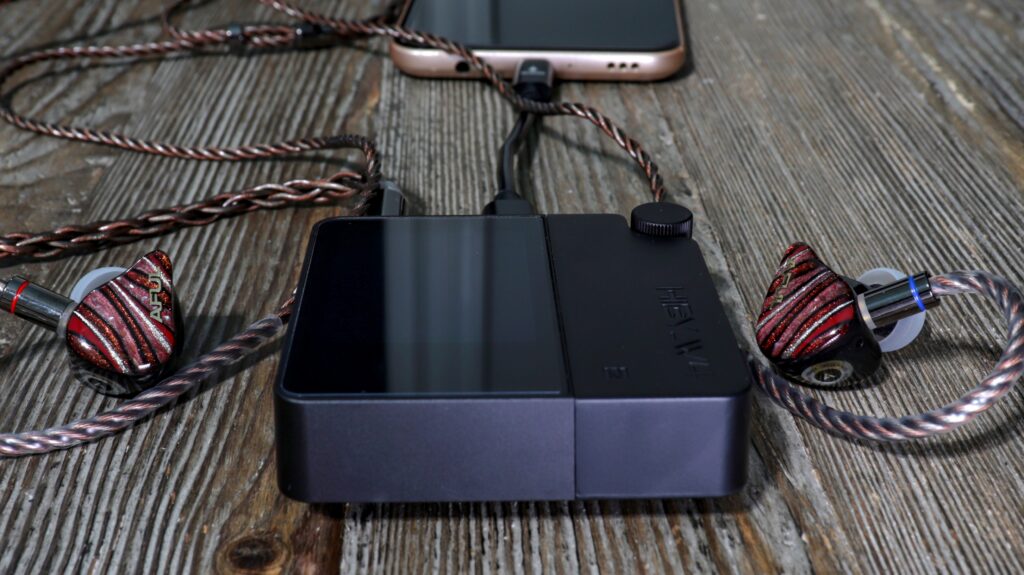
If I were to characterize the W4 as anything (sonically) I would say it is a very neutral and transparent player with additional boosts of dynamic flare providing a very clean canvas, but also a slightly more analog experience too. Those two descriptors would typically oppose one another. Clean and analog. However, after the W4 has been with me… everywhere, I have come to the conclusion that it is a player which really does a fantastic job of maintaining a smooth and uncolored sound letting your iems/headphones be exactly what they were tuned to be. Some believe that every source should be just that. I go back and forth on that, but I know for sure that I’ve had a pleasurable time getting to know the W4 and it’s been a joy hearing different iems through this gorgeous little beast.
Influence
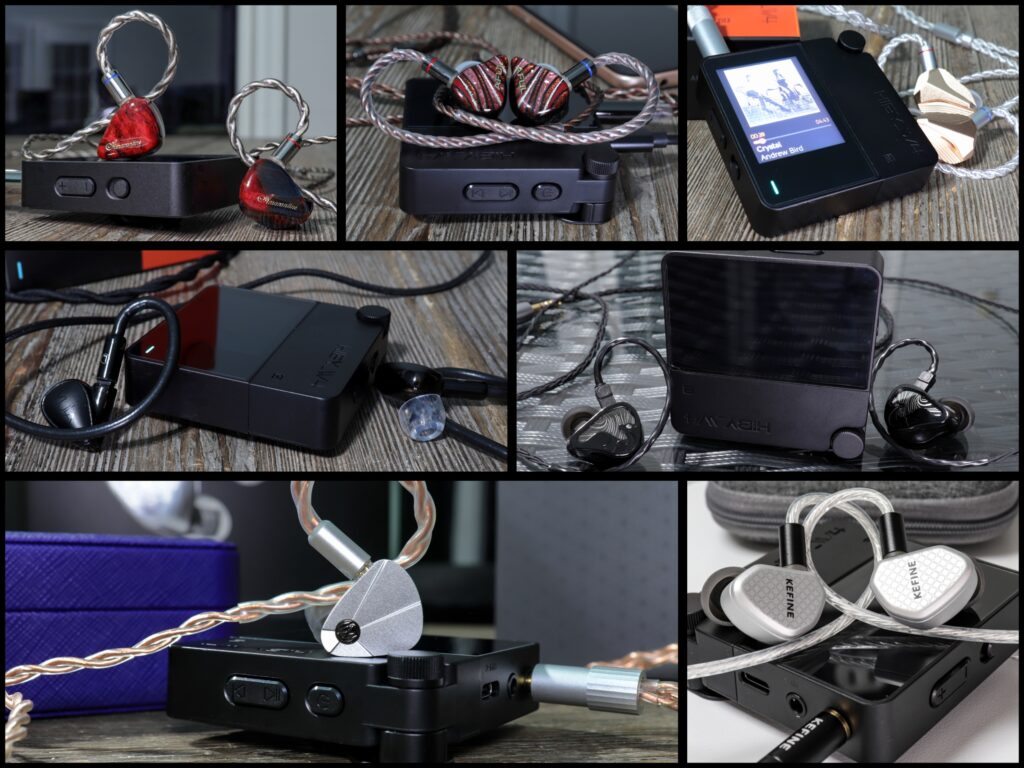
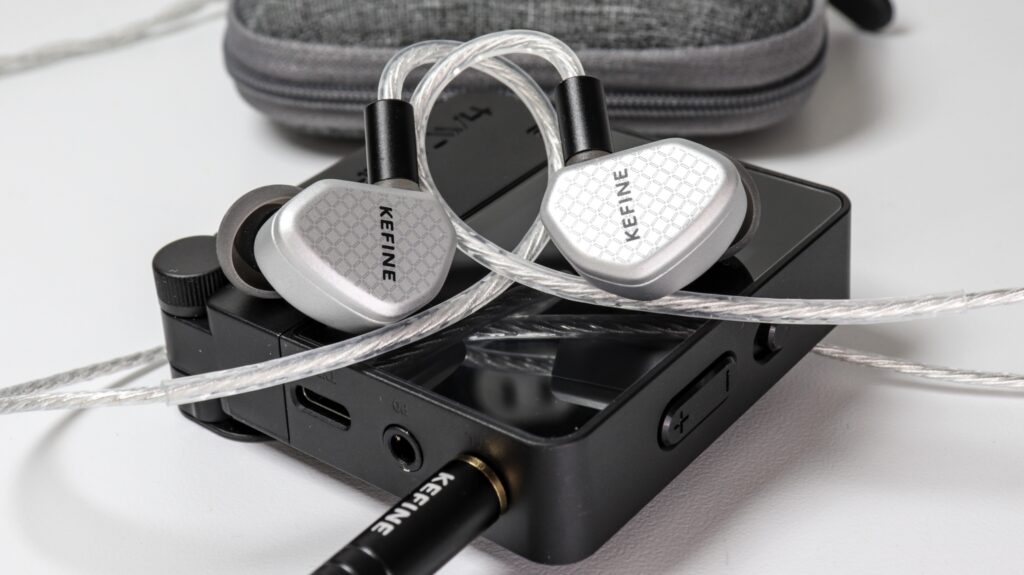
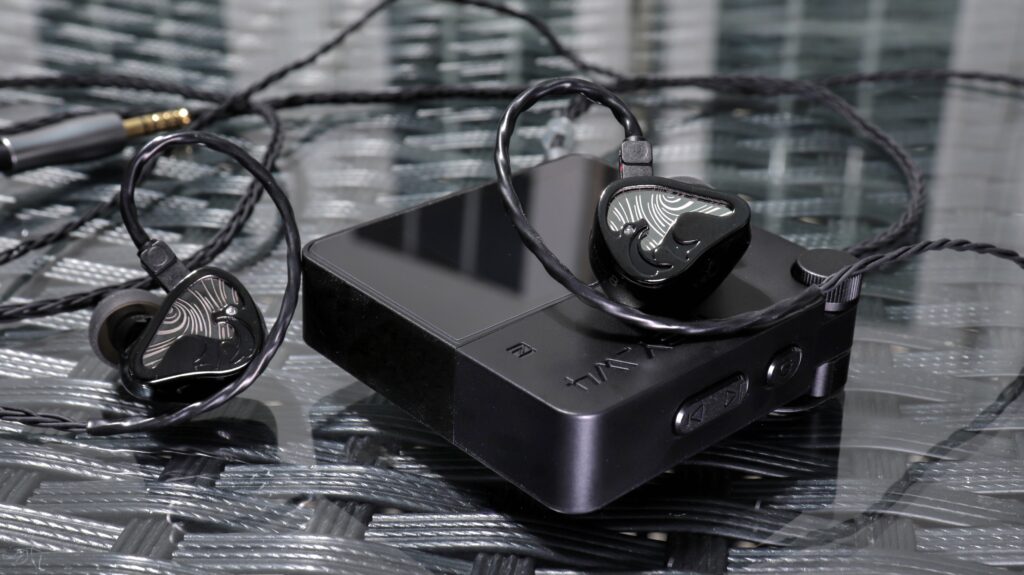
From my perspective, the Hiby W4 is outfitted with everything you’d need for a solid listening experience which won’t warm or enrich (color) your iems too much but also won’t dry and thin your experience too much either. It’s very much middle of the road, even keeled, and a very transparent sounding device which pairs well with just about every tonality type. Really, I’ve used warm and gooey iems like the Penon Fan 2, the Letshuoer Ember, Kefine Arnar, and many others as well as more neutral, even brighter sets like the Simgot EA1000, the Letshuoer Cadenza 12, Aful Performer 8 etc. What I’ve learned is that the W4 quite literally seems to prop up whatever tonality I pair it with. It doesn’t negatively exaggerate any area of the mix. It doesn’t have a boosted bass presence, it doesn’t add a lively feel to the upper ranges, and it doesn’t draw the midrange even more forward or excite the pinna gain. Let me tell you what the W4 really does. What it does is boost the macro-dynamics of your iems. It influences a slightly more contrasted sound. Especially when pairing against devices like the Fiio BTR7, or Qudelix 5K in default modes.
Certainly not Flat
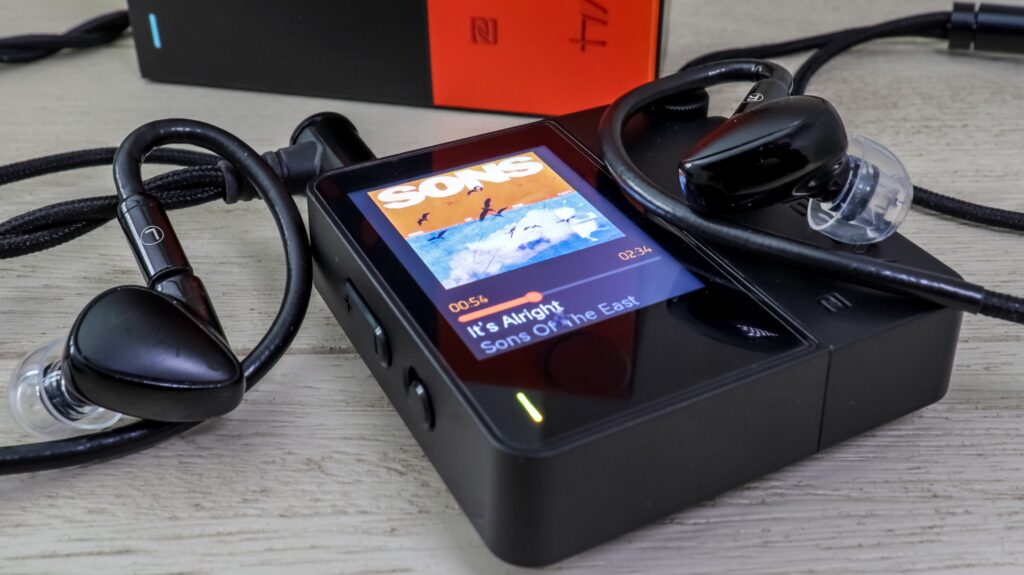
Now, I wouldn’t call this device “flat” sounding, because it certainly isn’t. The boost from this device is in the energy and dynamics that I hear while it lets the tonal aspects and timbral aspects of your iems/headphones be what they were tuned to be. This may be good to you, or it may not. Some folks like an additional boost in the low-end, some deeper and slightly more guttural sublevels or a punchier expression added to their iem’s bass response. Or some folks like a device which will spruce up the top end, influence a touch of glitter, or some luster up top, maybe heightened extension. I get it too because I have plenty of sources which do both and I know exactly what iems to pair them with. Having said that, it is nice to have a device, for cheap, which boosts dynamics, stays transparent, and doesn’t sway the tonal color of my iems one way or the other. But, it does seem to clean some sets up to varying degrees.
Pairs Well
Overall, I’d say the W4 is mostly neutral in tonal coloration. I hear some nice bass punch, but not a lot of extra warmth. On the same token I also hear some extra energy and upper end dynamics, yet without any treble coloring. I’d also say that the W4 probably leans analytical, yet you won’t find the W4 drying out any of the rhythmic qualities of your iems. Basically, the W4 has some fluidity to it. Groovy sets will sound groovy, warmer and thicker sets will remain warmer and thicker. On the flipside, I can say the same for the top end of my iems as detail-rich and clarity focused iems remain clear and detailed with the W4. The W4 won’t lag the transient speed and won’t veil or soften those crystalline notes and knife edged note outlines. Perhaps I’ve beaten a dead horse here (as per usual), but if I could get anything across it would be that the W4 really pairs well with just about everything for such a low cost ($99) without diminishing what makes each set special. Really, for this cost you are getting a mostly neutral take on your music with very solid dynamic energy that isn’t dull or boring. Not in the slightest. I love a dynamic sound, and even more I enjoy a dynamic sound which doesn’t inflate the highs, boost the low-end, or pour focus onto the midrange. Everything is even, balanced, clean, relatively punchy, and altogether helps notes to sound contrasted and distinct without sanding down the finer edges, blunting, veiling, or artificially boosting. Hiby did a nice job on the W4, let’s check out each 3rd of the mix…
Bass Region
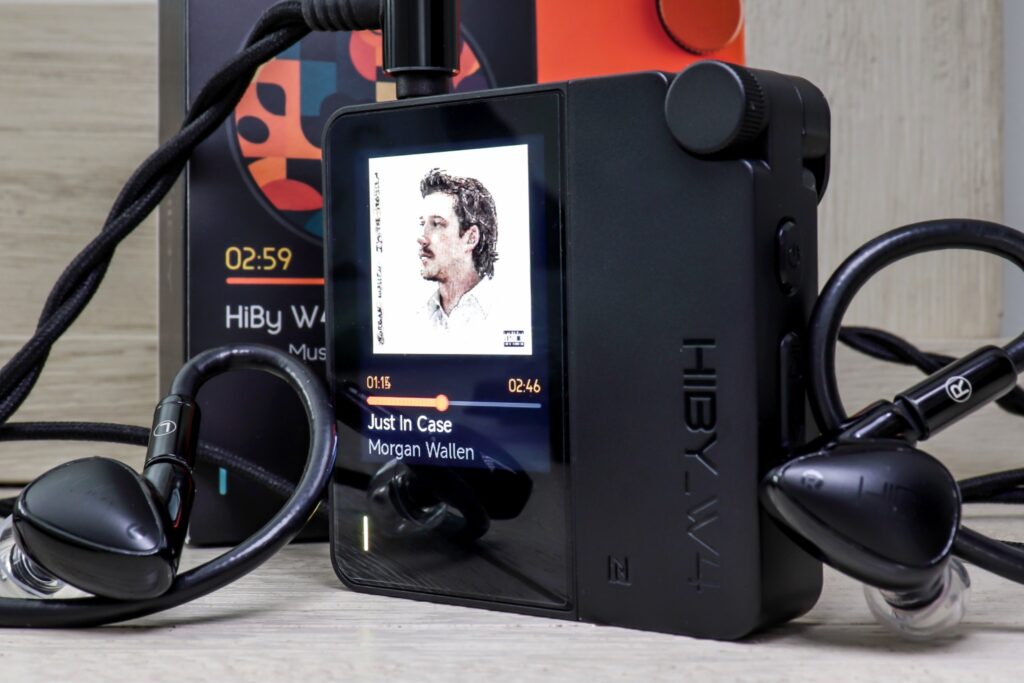
I’ll be pretty brief in these sections as there really isn’t a whole lot that I could add that I already haven’t, but I do feel that a short explanation of the bass, mids, and treble is a good thing. Anyways, the low-end of the W4 is what I’d call neutral in tonal coloration with nice extension down low. The W4 promotes a fairly punchy and rhythmic attitude within my music. For instance, the Kefine Arnar (Planar +BA hybrid) has this unmistakable grip on high gain as the W4 seems to almost highlight the dynamic clarity of a drum kick in “Billie Jean” by Weezer. Depending on what iems/headphones I choose it can provide some very nice rigidity and snap to my music. This is without added weight or coloration. Just resolve and attack veracity. So, just a recap, the W4 won’t add any weight to your earphones, and it won’t decrease the overall emphasis either. At least not that I can perceive. What the W4 will do is provide nice lean density to notes. Nothing even remotely loose, no added muddiness, and always perceivably clean. The Simgot EA1000 sounds exactly like the EA1000, no extra girth to notes, no bleed into the mids, nothing extra at all. Accept, there’s a certain dark vibrant note intensity that helps the region to stand out a hair more. For me, the W4 will always sound a hair better and more dynamically pleasing with a wired USB connection (using it as a dongle), but even over Bluetooth I find it hard to report huge differences. If you do want a hair more emphasis in the lows you could always play around with filters and EQ presets, but I really dig this device as it is. A strong, clean, and persistently vigorous feel down low with solid macro-dynamic punch is a very nice thing to hear at $99.
Midrange
Now, the midrange is much of the same exact thing folks. Once again, the W4 doesn’t add any coloration, it doesn’t push certain areas or make anything more prominent in the mix. Earlier I said the W4 is anything but flat, but in all honesty, it is flat in its emphasis. What the W4 does is provide that stop and go thrust to each note which really helps to define some notes versus other Bluetooth dac/amps. To a degree anyways. In my opinion, I’d say that the W4 offers a clean and transparent influence on my iems, a very well balanced and cohesive sound, as well as a very neutral-natural presentation. Certainly, an energetic sound. Granted, the Aful Explorer is not all of a sudden going to go from warm and rolled-off to neutral and sprightly. Again, the W4 doesn’t influence tonal aspects. What it does is change inflections with a tighter delivery and glass lined, clean-lined, and very articulate note delivery influence. With the Ziigaat Arete II I hear stuff like guitar, violin, percussive instruments, and even piano come across with believable texture for the cost. The Arete II is already organic and smooth in its delivery, but the W4 adds just that last touch of transient snap and bite to help accentuate the attack at the crest of every note. It isn’t the color sway which accentuates the sound, it’s the dynamic and persistent clarity. I’d say that the W4’s midrange upholds musicality and emotional inflections pretty well whilst also clearly defining body and textures.
Mids cont…
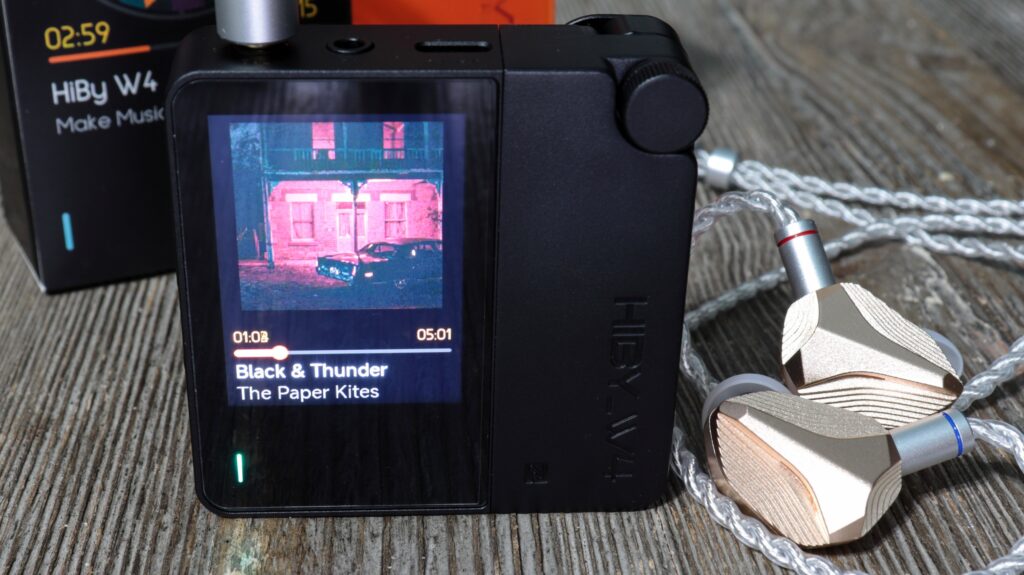
I am a vocal lover, always have been, always will be. So, I always look for sources which also help the midrange to come across more emotive in expression without losing the micro-detail precision from iems which are geared for it. The W4 isn’t going to change your life, and it won’t beat sources twice its price. I mean, c’mon, this device costs $99 and uses the same CS43198 dac chips that we are used to. However, this may be one of the better implementations of this chip under $150 as it certainly elevates my listening sessions with a set like the ODA Amarantine A500 Wood Edition. This is already a vocal lover’s dream set with wonderful timbre and all I really need is a source device that won’t diminish how well the Amarantine Wood Edition portrays midrange male and female vocalists. Well, not only does it not diminish, but the W4 actually comes across a hair more revealing than other Bluetooth dac/amps that I own. Especially on USB Mode where the presentation becomes even more solidified, better note contour, more apparent and expressive macro-dynamic flair, and pronounced note control for the cost. Also, there is a certain presence from the W4’s midrange which definitely accents and illuminates instruments and vocals. Again, don’t expect some desktop worthy listen, and don’t expect your life to change, but do expect a nicely composed midrange from the W4.
Treble Region
I sound like a broken record in this review, and I should’ve just said that from the beginning. I say that because just like the bass and the midrange, the treble region also doesn’t color the sound of my earphones. Having said that, the W4 certainly adds some energy and vivacity, some note defining clarity too, but it doesn’t add brilliance. Your iems or headphones are going to be as rolled-off or as bright as they typically are and that won’t change on the W4. I do find that the W4 promotes a natural shimmer, a definite dynamically induced sparkle as there is nothing dull on this device. I would say that the treble does carry a smoother cadence which does help with brighter and more radiant sets to an extent, but the W4 doesn’t necessarily smooth out any abrasive qualities of my iems either. Again, the W4 lets the transducer be what it was tuned to be. Without question you’ll hear a more rapid decay in the treble region with a sprightly feel to the treble as well. However, that sprightly behavior really doesn’t come with added glare. Not to my ears and with the sets that I tested the W4 with. I don’t hear any real added coarseness, and I would never characterize the treble as a fatiguing region. It has some bite, a punchy influence, high resolution (like all CS43198 chips) and the W4 doesn’t have any perceived roll-off up top. Altogether pretty nice for the cost and nice for the class.
Technicalities
Okay, like I said earlier I find the W4 to be geared more towards the analytical side of the aisle rather than musically engaging. This says a few things about this device, but what it mostly implies is that the W4 shines when it comes to the technical stuff. It most certainly does. In fact, one thing I haven’t spoken on is if you are using an ultra-technical set paired with the W4 it will certainly show off every flaw in a bad recording. Just trust me, the W4 resolves everything very well. That said, the W4 will certainly provide transducers with a perfect canvas to show off their best detail retrieval capabilities. This device leans analytical, it’s neutral, well balanced, extremely clean, very transparent across the board, and the W4 has excellent transient speed. What that translates to is a solid micro-detail retrieval ability, solid note separation, and it translates to a very nice performer in complicated tracks. Of course, the iem you choose also has to have those capabilities, but the W4 will definitely persuade your iems/headphones in that direction. It will absolutely not turn the EarAcoustics GENESIS into a detail monster. Likewise, the Hiby W4’s technical chops will not all of a sudden provide the Hidizs MK12 X DucBloke with amazing note separation. It doesn’t work like that. It will uphold those iems which already carry a solid technical foundation, and it will promote a cleaner listening experience for warmer, richer, and smoother iems. I should also note that the W4 has better dimensional cues than I would’ve thought for a $99 Bluetooth device of its kind. I actually think that depth of field is pretty solid with very nice imaging of the sound field when paired with the right sets. All-in-all, I have zero complaints about the Hiby W4’s technical ability.
Downsides to the Hiby W4 Sound
I first want to say that the Hiby W4 doesn’t really have downright “flaws” to its sound. There are no straight-up “objective” issues (across the board) that I can come up with that aren’t wildly petty. At least not to the point that it’d be a reason not to buy at $99. However, there are subjective issues that some different listeners may have. First off, I know so many people who will read the words “neutral” and “lacking coloration” to actually mean “boring” and “lackluster to them. Let’s face it, music with a fun and emotionally gripping sound is awesome. It may not be correct, but it’s fun. Adding a touch of bass boost and deeper droning bass most certainly adds to the appeal of a source. Furthermore, adding that forward and more velvet midrange influence can help or a slightly more brilliant treble. Basically, not everyone digs a neutral and balanced sound which lets the transducer be the transducer. I’m sure that some people won’t think the W4 is as exciting as they’d like. Also, not everyone likes a slightly more analytical sound. However, the W4 also has plenty of musical chops too, so, I don’t know how well that point is going to be an issue for hobbyists. If I’m being ridiculously picky, I could say that Hiby didn’t create nearly enough EQ preset profiles, didn’t add any way to EQ or and PEQ (which is huge in the hobby right now), and the PCM Sound Filters don’t make the biggest difference in my listening experience. Unless I’m straining to hear. I can’t honestly think of anything else that some may find an issue with. Altogether a very nice sounding device.
Last Words on the Hiby W4
I went into this review expecting a very cool device, a fun device, and a source device which would offer some convenient hi-res audio on the go. Nevertheless, what I found was that for $99 I got just that and more. What I get to spend time with every day is a Bluetooth dac/amp which behaves like a dap, performs like a top tier under $100 dongle dac, and has impressive specs across the board. Also, the Hiby W4 looks flat-out DOPE! With all of that said, there’s no doubt that the W4 has a huge swath of competition out there and I do not think that anyone seeking out a device such as the W4 at this cost ($75-$125) will have an easy time deciding. However, I am most certainly partial to the W4. Yeah, you have the Qudelix 5K, which I’ve owned for roughly six years. Still great, but not the W4, no way. Perhaps for PEQ abilities and that’s about it. The Ifi Go Blu Air is another which is a solid choice but is missing much of what makes the W4 special. How about the Fiio BTT15? No doubt it is a qualified option, but not to the standard of the W4 in just about every metric. You could pay a lot less for the Fiio Snowsky Retro Nano, very nice, fun, sounds good, but it isn’t the W4. Perhaps a better deal overall but I do not find it in the same league. There’re a few others like the older Ifi Go Blu but… nope, the W4 has more features and comparable sound quality. In fact, the under $100 Bluetooth dac/amp market has enough devices, but none which give you that dap feel, the beautiful screen and everything else which makes the experience of the Hiby W4 as solid as it is. Just great for its cost. The only thing I would recommend if you have the money is bumping up to the Fiio BTR17, or the Shanling UP6 if straight sound quality is paramount. Of course, those don’t have the benefit of the dap like experience. Also, the sound quality differential is highly debatable. Folks, the Hiby W4 is a very nice option.
Not Perfect?
I’m sure there are some devices that I’ve missed as I’m not so plugged into every single product which hits the market like some people. Still, I am very impressed with what Hiby was able to craft in the W4. However, it does have some misses too. As always, nothing is perfect. For instance, I’d say not adding in PEQ or a more robust EQ experience was a miss that would’ve taken this device to another level. Or not having a dedicated companion app for further sound customization. That would have been huge! It is a touch larger than the other portable Bluetooth dac/amps as well, so the size may be a problem for some people. Also, the CS43198 dac chips are always nice to see, but also, we see them alot. Some folks may see “CS43198” and disregard the W4 from just that. Even though the W4 is very nice sonically. Another small issue is the volume cap when you first get the W4. However, I told you how to fix that. Nevertheless, I feel that with all that Hiby added to this device while keeping its cost under the $100 threshold offers hobbyists a great option. Sure, there are some issues, but at this cost… the Hiby W4 is a no brainer.
The Why…
Because the W4 is such a slick looking device. It just feels nice having the W4 clipped to my pocket… strolling around jamming out to my tunes. All I have to do is lift it up and change the song on what appears to be a legit mini dap. It acts like a dap, performs like a dap, has the audio components similar to a solid budget dap (besides internal memory), and it is very easy to use. The screen is so vibrant, with great colors which help album art to POP. The UI is very easy to find your way around and performs flawlessly for me. I like the scrollable tiles similar to any smaller dap. The W4 has nice accessories as well with the Magsafe case, the clip, and whatever else Hiby comes up with down the road. The W4 has plenty of battery life, one of the faster “fast charge” implementations, and is just a pleasure to use. However, as great as all of that is, it’s the sound which really helps the W4 to stand out against the competition for me. I think many of you will feel the same if you think its tuning style fits your preferences.
That Sound
Every good audio product should probably sound good. Just a small suggestion. I know that Hiby needs not be reminded because all they do is make stellar source devices. Whether it’s a $99 Bluetooth dac/amp or a $1.2k gorgeous dap, one thing is for certain, it’s usually going to sound good. The W4 quite literally shines in the aspect of sound. Especially if you are a lover of clarity, cleanliness, sonic transparency, and you don’t “need” extra bass coloration. If “neutral-natural” is your go to and you want to provide your iems/headphones with a clean canvas to play from, then the W4 is going to be a surefire hit. Even in Bluetooth Mode I don’t hear any digital compression or narrowing of the sound field. I think this is one of the huge reasons for me that I enjoy the W4 so much. There really isn’t a huge loss in fidelity in comparison to USB Mode. However, when in USB Mode the W4 is a bona-fide stud of a dongle dac. Again, a very clean sounding device which presents my iems in a very dynamic and crystalline way. Again, at $99 the Hiby W4 is a no-brainer of a device.
W4 Pros
-Price to performance ($99 is a fantastic price)
-Build Quality is just like any Hiby device, great
-The screen is bright, crisp, with nice color contrast
-Feels like a dap
-Very easy to understand and fluid UI
-Qualcomm QCC5181 SOC chipset & dual CS43198 dac chips
-475mW of max output power
-All the best Bluetooth Audio codecs
-Very clean and crisp sound, great technical foundation without diminishing musicality
-Neutral, transparent sound which lets your iems/headphones be what they are
-Great dynamic influence on my iems
-Detail retrieval, sound separation, Imaging are all fantastic
-Staging is a bright spot as the W4 has very nice spatial cues
W4 Cons
-No added or pronounced low-end muscle or warmth
-No EQ or PEQ (just preset EQ profiles and sound filters)
-Slightly bulkier than other BT dac/amps
-Not the most exciting sounding Bluetooth dac/amp on the market
-Need to unlock the volume lock (this is a must)
Conclusion
To conclude my full review and feature of the Hiby W4, I want to thank the good folks over at Hiby Audio. Hiby has been a fantastic group of people to work with. So, Thank you very much! I also have to thank you, the reader, for clicking the link and checking out this review. Or any review for that matter. Every single click means a lot to us. It’s because of you that mobileaudiophile.com has the success that we have had, and we really do hope that you have a positive take away from visiting our website.
Other Perspectives
So, you’ve read my feature of the Hiby W4, now please go and read, or watch a few more reviews. I think it’s very important that you check out as many differing thoughts as you can to try to establish a firm idea about what the W4 could be for you. We want you to get your purchase right folks. Also, we reviewers are all so very different. This is the most subjective of hobbies and every person has the capacity to differ from the person next to them. Shoot, I know reviewers who are seemingly polar opposite to me in almost every regard, and I completely respect these people. One of the most important things to understand is that everyone has different ideas about what “good” sound is. We all have different likes and dislikes, hearing abilities, music libraries, and a whole host of differences which makes us unique. So I do hope you’ll follow through and learn a bit more. With that said I am definitely done friends. So please take good care, stay as safe as possible and always… God Bless!


Chris,
Did you compare the W4 vs your LG V60 on how the headphones and IEMs sound? I am curious as how they compare. Also off topic of the W4, have you tried running headphones like the Hifiman Edition XV on your V60? My LG G8 seems to not like running them in low or high “impedance” mode as it distorts quite a lot a various frequencies above 65 stock volume.
Great detailed review btw
Henry, I apologize for “just now” seeing your comment. It’s true that I am terrible at checking comments in my reviews unless they notify me, on my phone… Lol.
To answer your question, no I haven’t done a direct comparison with the V60, but I definitely will now that you’ve asked. To be perfectly honest, the V60 has limitations. Having said that, I would think your G8 would handle the Edition XV fairly well. I’ll have to look into that.