
























Hiby R3 Pro II Review
Intro
Hello, this review and feature covers the latest from the audio brand Hiby Audio, named the Hiby R3 Pro II ($199). The R3 Pro II arrives as the successor to many R3 series daps from Hiby. In fact, the R3 series may be one of the most successful budget range dap series in audio. No doubt I can think of a few other very popular lines of daps within the audio world, but the R3 series has been a constant player in the game. Think of the original Hiby R3 which debuted way back in 2018. Next in line was the Hiby R3 Pro which came along a year later in 2019 and was quickly followed by the Saber version (Hiby R3 Pro Saber) in the same year. Of course, we had to wait 3-4 years for an update in the series and in 2023 Hiby released an awesome little dap in the Hiby R3 II (R3 II Review) which I was more than happy to review. Hiby has since updated the Hiby R3 11 to the Hiby R3 II 2025, which obviously came out this year. However, the real gem is the new R3 Pro II in my opinion. Friends, I’ve owned just about every R3 series dap at one time, and I can tell you right now that the R3 Pro II looks to be the most ambitious R3 series dap to date, at least on paper. I suppose I will find out when it arrives at my home. I’m excited for this one folks.
Table Of Content
- Intro
- Hiby
- Reviews
- This’ll be fun
- Non-Affiliated Purchasing Links
- R3 Pro II Pros
- R3 Pro II Cons
- Gear used for testing
- Packaging / Accessories
- Unboxing
- R3 Pro II case
- Build / Aesthetic / Misc. Features
- Build Quality
- What a beauty
- Ports & Buttons
- Minor Nitpick
- Screen
- Internals-Under the Hood
- Dac Chips
- OpAmps / Output Power
- Battery
- Storage / Speed
- Specifications
- Audio Components & Performance
- Digital Engine & Clocking
- Display & UI
- Connectivity
- Supported Audio Formats
- Battery & Charging
- Storage & Physical Specs
- Build & Finish
- Extras & Features
- Purpose & Use Cases
- Features
- HibyOS
- MSEB
- Streaming
- Wifi Music Transfer
- Hiby Link
- A Few More Misc. Features of the OS
- Output / Input
- SOC
- Sound Impressions
- What’s it sound like?
- CS43198
- Boost in the technical stuff
- A nice influence…
- Meshes nicely
- Each 3rd of the mix
- Bass Region
- Midrange
- Treble Region
- Details / Separation
- Soundstage
- Background Noise
- Comparisons
- Shanling M1 Plus ($199)
- Design/Build
- Differences
- Sound Differences
- Between the 20’s
- Final thoughts on this comparison
- Fiio JM21 ($179)
- Build/Design
- Differences
- Lossless
- Sound Differences
- Between the 20’s
- Final thoughts on this comparison
- Final Thoughts on The Hiby R3 Pro II
- Upgraded
- Bang for your buck…
- Conclusion
- Other Perspectives
Hiby
Hiby is one of those staple brands which have been around for a very long time (over 15 years) and whose products are seemingly always in the conversation for price to performance candidates. I’d say that Hiby specializes in dac/amps, dongle dacs, and daps with some of the most lauded and praised daps within just about every price point. Hiby also creates better iems than many folks may be aware of as well. So, no doubt there have been some enormous success stories coming out of Hiby Audio. I can tell you 1st hand that I’ve reviewed a small number of their products, from daps to iems and each one received fairly high praise from me and others from within the hobby. Not to mention my partners at Mobileaudiophile.com, who have also reviewed a huge number of Hiby or Hiby Digital products. Fifteen years is nothing to sneeze at friends. It isn’t easy to have staying power in the current audio landscape. Brands come and go like the changing of the seasons. They shoot up like a rocket only to fall fast. We’ve seen this all too often. It’s the Hiby’s of the world which have the wherewithal, the patience, the creativity, the timing, along with the knowledge and engineering to craft relevant products which resonate with their consumer base. From my perspective, I’ve only enjoyed the products that I’ve reviewed from Hiby.
Reviews
In fact, my reviewing journey with Hiby began with one of the best “fun-tuned” big-clean-bass kilo-buck iems that I’ve tried under $1500 named the Hiby Zeta (Zeta Review). I adore that set. The next review was with another very highly acclaimed product named the Hiby R6 Pro II (R6 Pro 2 Review). Once again, I found the R6 Pro II to be one of the most smooth and liquid sounding daps anywhere near $700. Then came one of the R3 series daps in the Hiby R3 II (R3 II Review) which I felt at the time was one of the more competitive under $200 daps. I then reviewed a less well known iem named the Hiby Yvain (Yvain Review) which is an all BA iem and one of the more wonderful mid-centric vocal lover style iems at its price. I then reviewed the Hiby Digital Xeno (Xeno Review) which I enjoy so much more than I ever thought that I would. Lastly, I reviewed one of the best single DD iems under $200 in the Hiby Yacht 10 (Yacht 10 Review). That is one set that should not be overlooked folks. I say all of that to give Hiby a nice salute from me. For what it’s worth. I’ve enjoyed spending time with each product, and also, they deserve some credit for producing quality well-priced products that are unique and compete well against their respective price points.
This’ll be fun
So, I just received the Hiby R3 Pro II and my word, what a nice device. It just feels premium in every way. I thought to myself, “There’s no way Hiby makes a small dap this gorgeous without it also sounding top class”. Sure enough the R3 Pro II quite easily stands next to any other dap within the price point in terms of actual sound quality. This’ll be a very fun review period. Having said that, I think I’m ready to get this one moving folks. So, without further ado, the Hiby R3 Pro II…
Non-Affiliated Purchasing Links:
–Hiby
R3 Pro II Pros
-Price to performance
-Excellent build for the price, tops in class
-The R3 Pro II feels awesome in hand, perfectly sized small dap
-The design is my favorite for non-Android daps under $200
-Also, I love the colorways that Hiby chose
-MSEB is always a “pro”
-Updated HibyOS is very easy to maneuver through, intuitive
-Much more powerful (480mw) than previous variations within the R3 series
-Best in class battery life (21 hours) with a huge 4,000mah battery
-Natural/organic timbre and nothing harsh
-A very dynamic, nicely balanced, and musical sound
-The R3 Pro II influences a more snappy, punchy & textured bass
-Forward midrange with excellent clarity, great for vocalists
-Non-offensive treble region, but also a skilled treble region
-Technically speaking, the R3 Pro II holds its own against any dap in the price point
-My favorite non-Android dap in the price point, hands down!
R3 Pro II Cons
-Yes HibyOS is updated, but it isn’t as fluid as an Android dap
-The R3 Pro II isn’t an Android dap and some will take issue with that
-The R3 Pro II randomly rebooted a couple times on me
-Not enough output power for harder to drive over-ear headphones
Gear used for testing
-Too many iems to list here
Packaging / Accessories
Unboxing
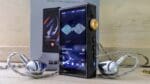
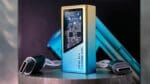
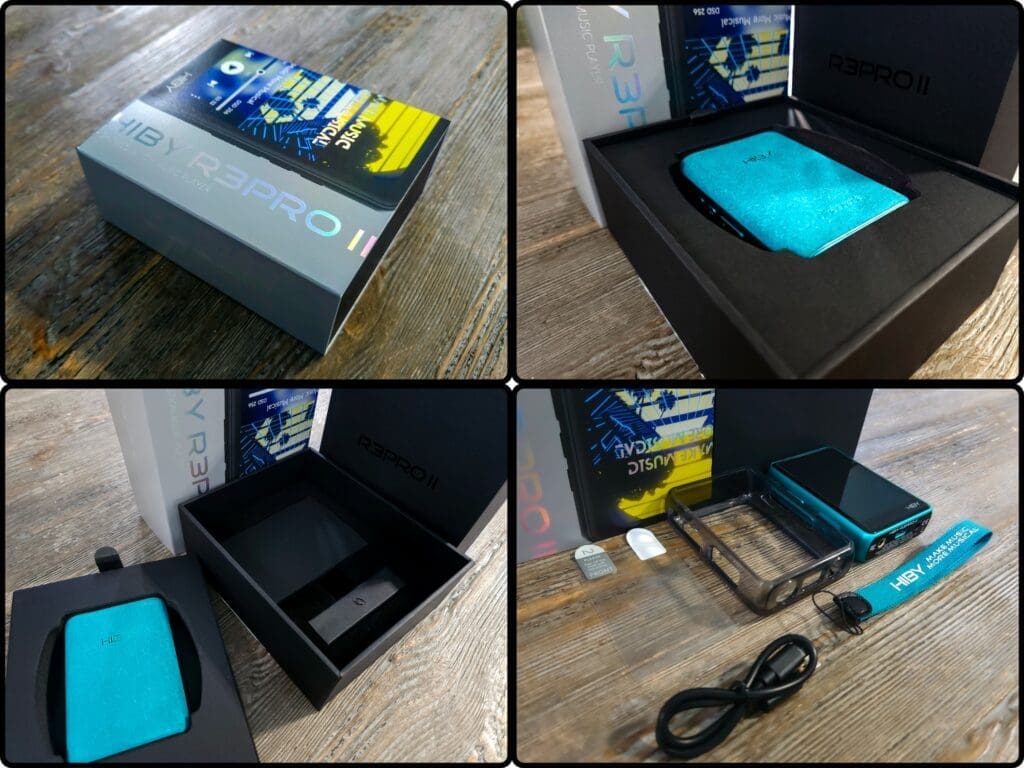
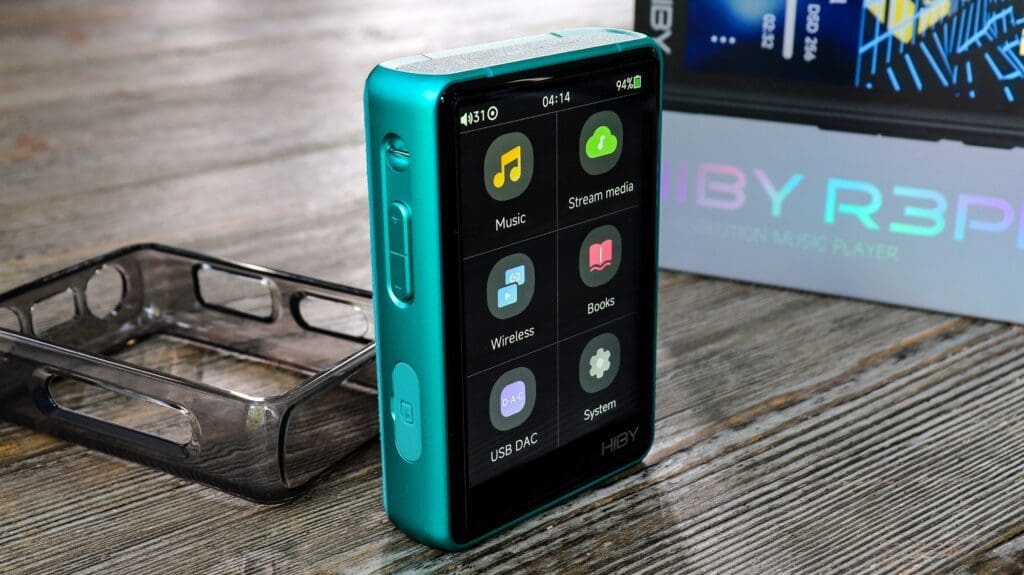
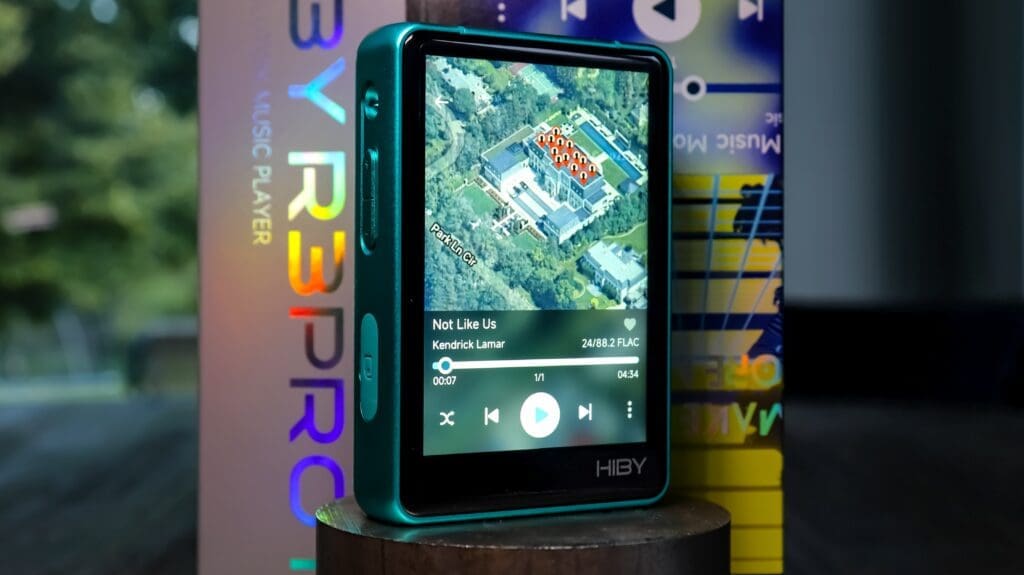
The Hiby R3 Pro II arrived at my home in a medium sized box (what’s medium Chris?) with a fancy design on the outer sleeve with a picture of the Hiby R3 Pro II and a slick slogan on the screen which reads “Make Music More Musical” along with a vertical “Hiby R3 Pro II” on there as well. However, it’s a box and what we care about is the contents of that box. So, take off the sleeve and you’ll see a black box. Open the box and you’ll see the very gorgeous suede of the backside of the Hiby R3 Pro II as the dap sits comfortably within a nice foam cut-out. Take off that layer and you’ll see an extra screen protector. By the way, FYI, the R3 Pro II comes already equipped with a screen protector, pretty cool. At any rate, you’ll also find the clear silicone protective case (also cool) as well as a USB type-c to USB-A charging and data cable, a carrying strap and the user manual. Honestly, the unboxing isn’t bad at all folks. It’s a nice presentation that is perfectly suitable for a $199 digital audio player. I’ve certainly seen much worse.
R3 Pro II case
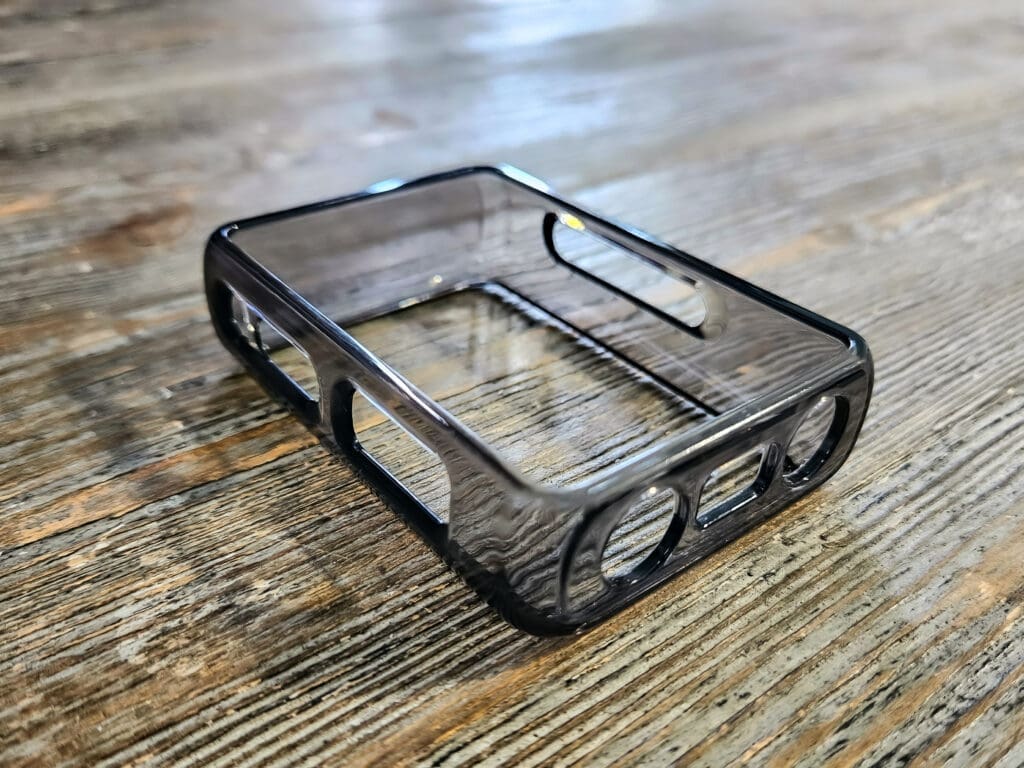
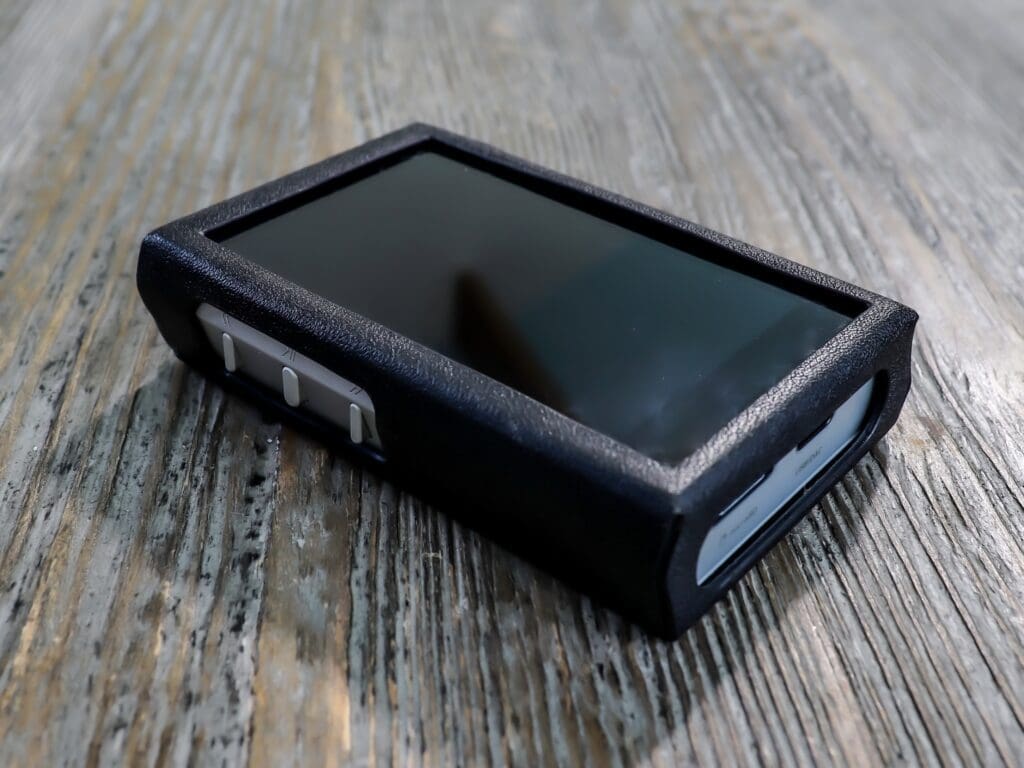
As I said, Hiby provides a clear case to put your R3 Pro II in. As nice as the case looks on the R3 Pro II, I still have a major issue putting it on. Why do I say that? Well, because this dap is just so gorgeous folks. It is so hard to cover anything on this device. I use it anyway, just to protect my unit, but I don’t like it… lol. In all seriousness, it is a nice addition. You don’t always receive protective cases and usually I have to purchase those separately (like the Shanling M1 Plus and many others). Beyond the protective case there really isn’t much to speak on for accessories.
Build / Aesthetic / Misc. Features
Build Quality
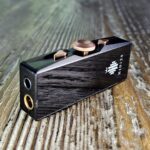
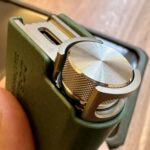
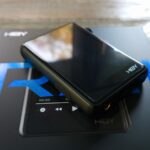
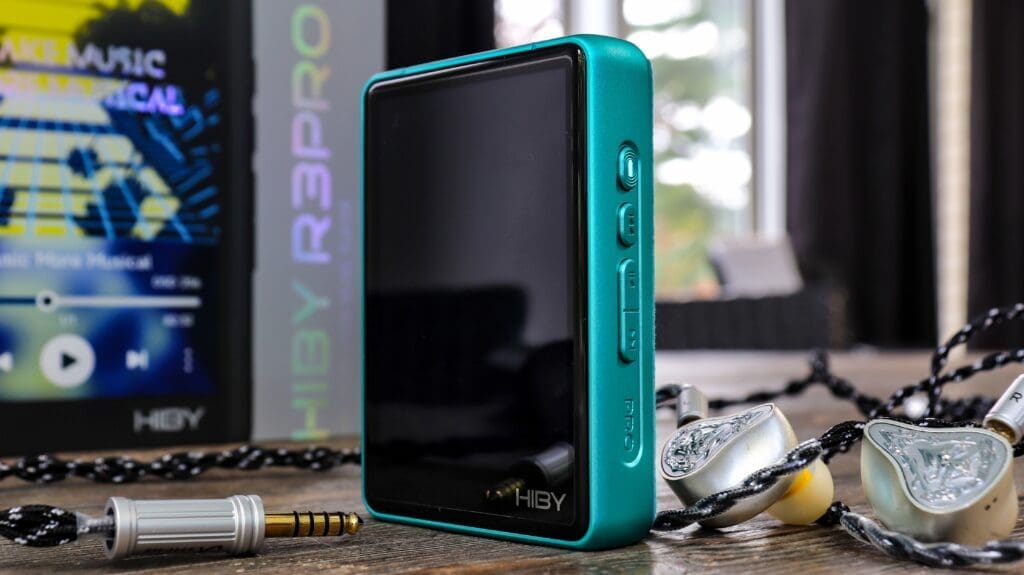
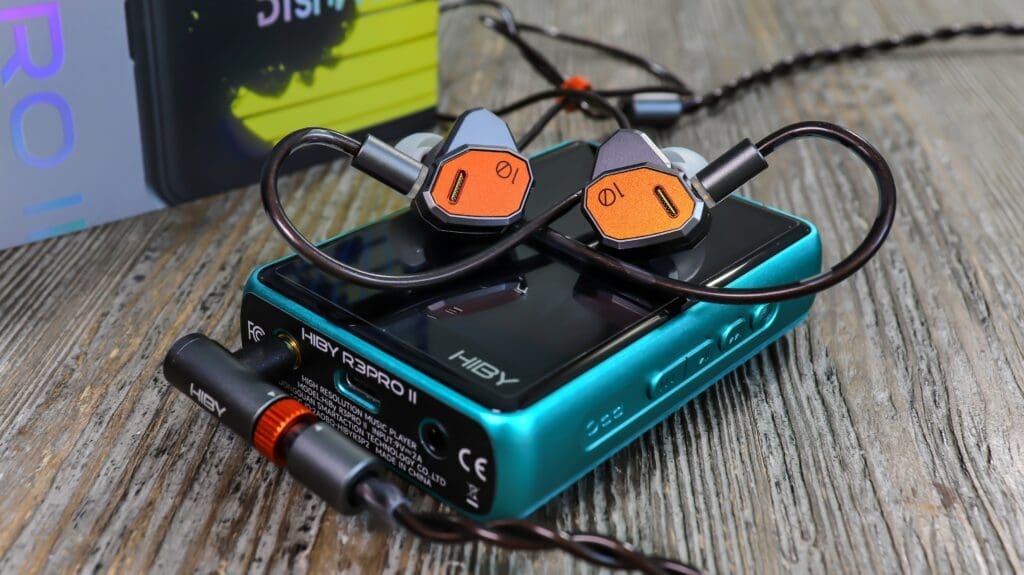
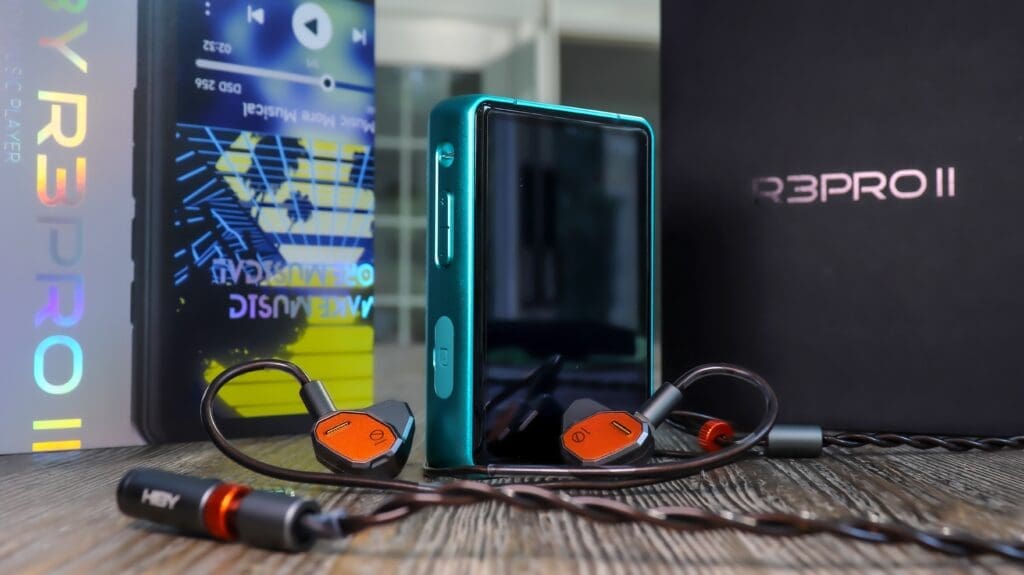
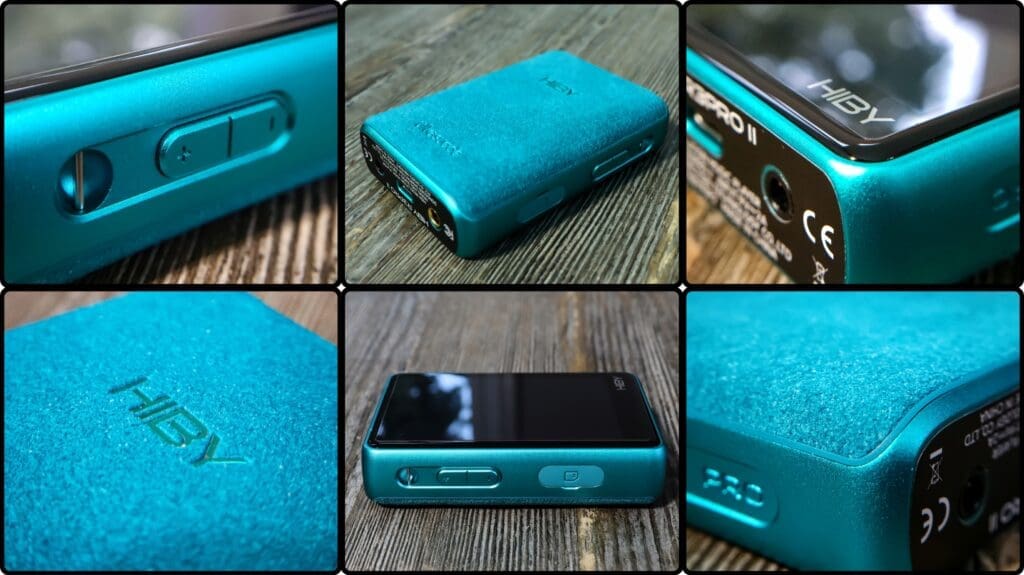
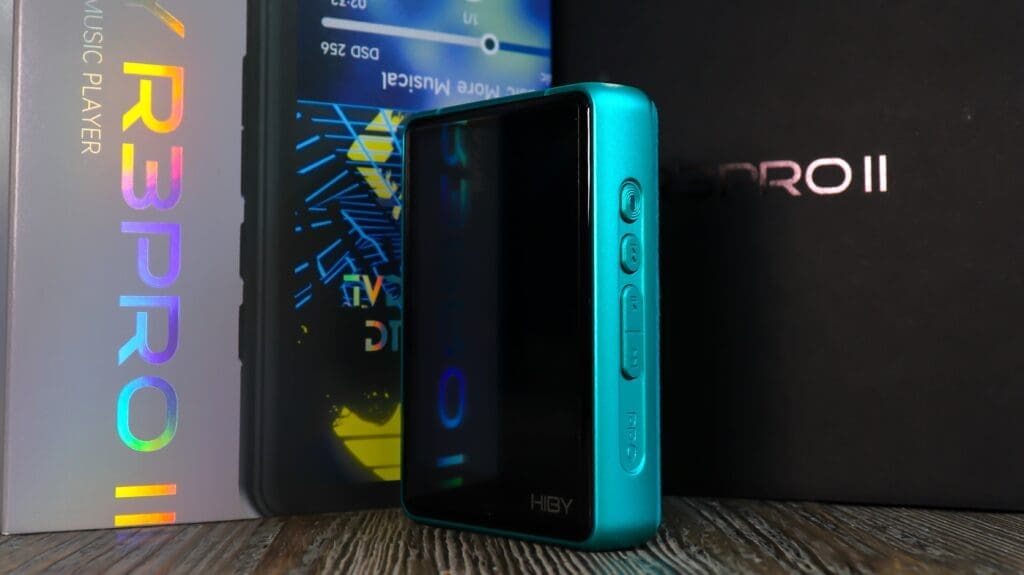
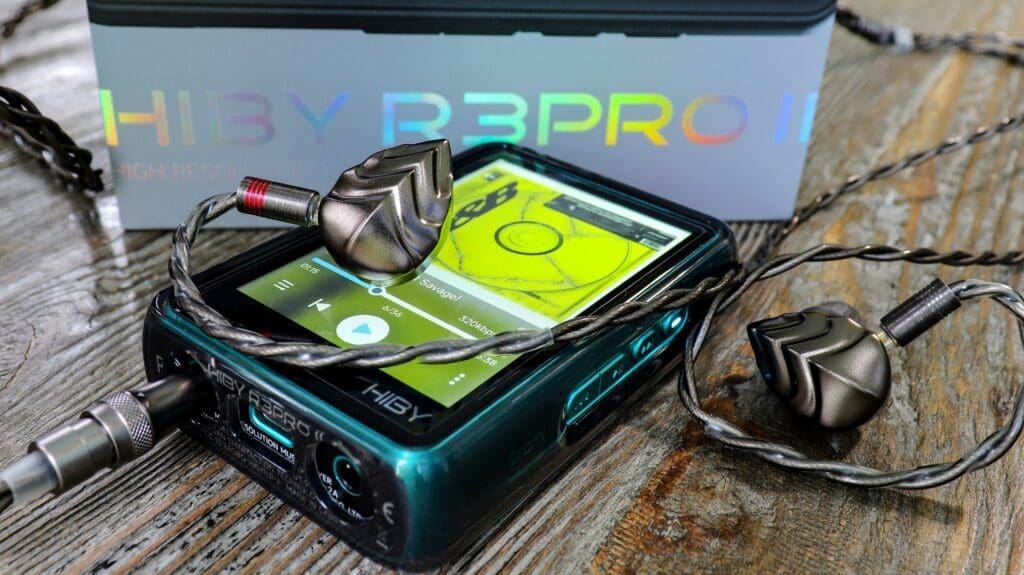
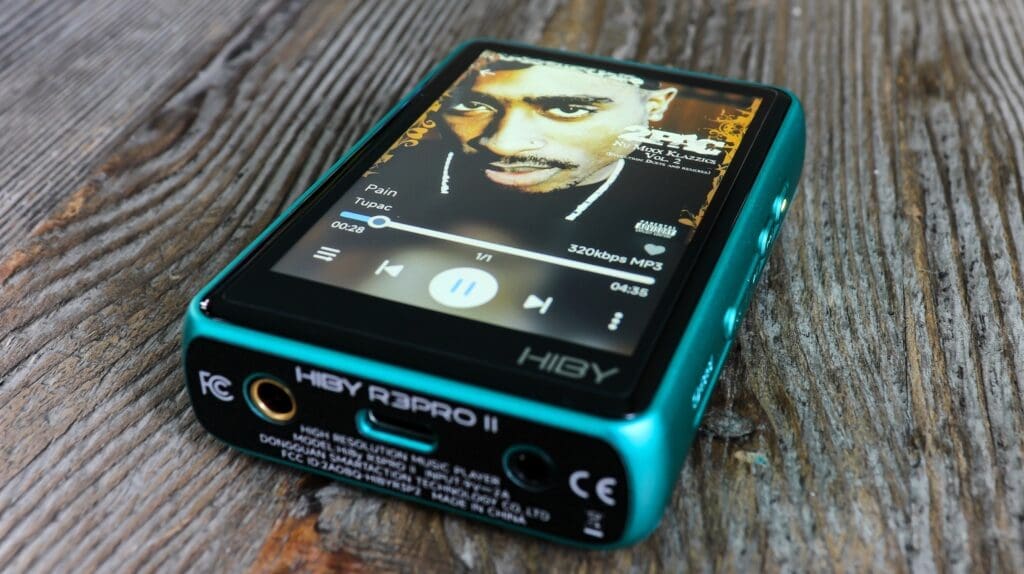
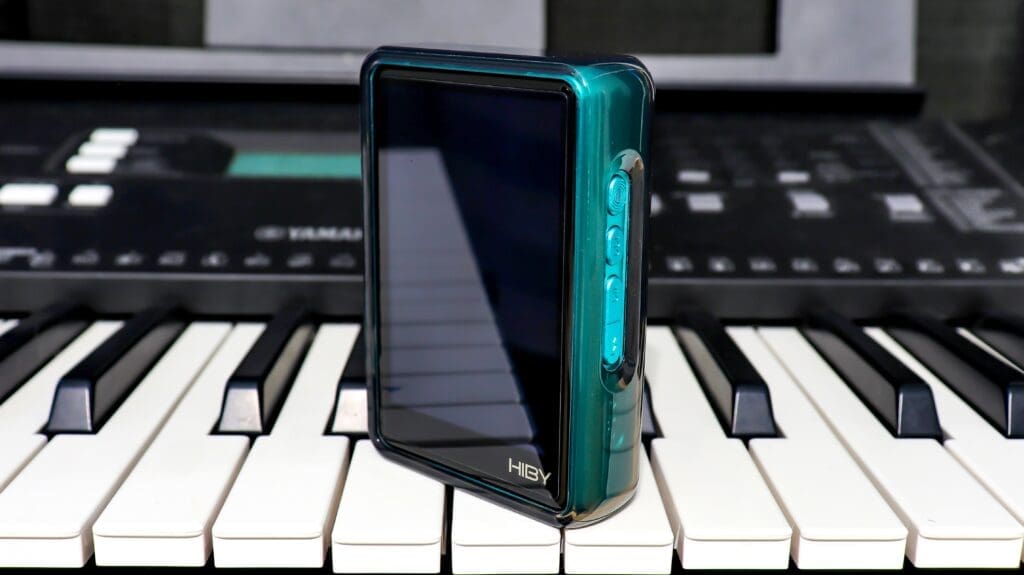
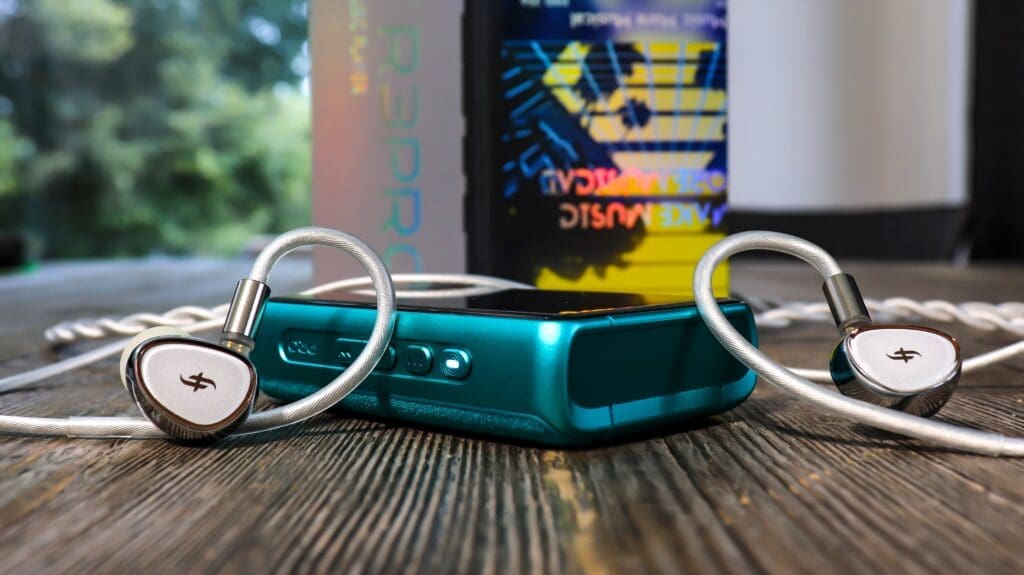
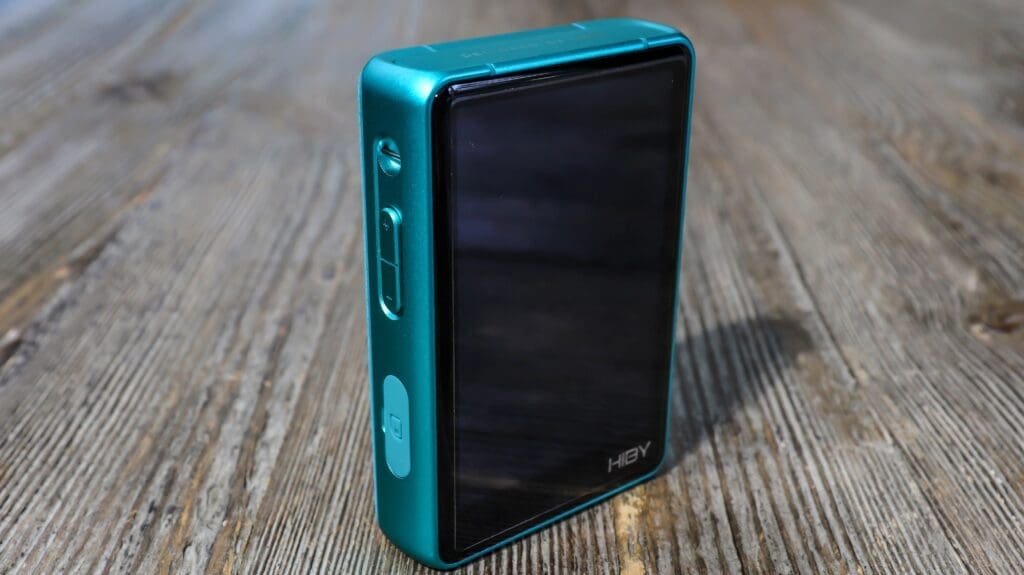
One of the most outstanding features of this dap is one which I did not expect after owning several other R3 series daps, that being the wonderful build quality. I really mean it folks. The R3 Pro II feels and looks like a stellar premium device. Just a solid little brick of a chassis made entirely out of aluminum with a suede back cover and a gorilla glass screen. Just gorgeous. The body of the R3 Pro II measures 86.9mm in height, 60.6mm in width, and 21.6mm in thickness. Like I said… a little brick. However, it only weighs 160 g. To be honest, I feel the weight is perfect for one hand use and it fits wonderfully in my hands as well. Not that the other R3 series daps didn’t feel and fit nice, but the R3 Pro II simply feels so much more serious, more durable, and more audiophile (if that makes sense). Hiby should be proud of this design. It’s clearly one of the best built and most aesthetically pleasing budget range daps available on the market today. Once again, the suede backing is so very unique and unlike any dap I’ve ever had my hands on. Who would’ve thought to put a fabric on the backside? Genius! I now wonder how I lived without it. Okay, that may be going a bit too far, but you get the sentiment. It’s awesome. The cool thing is that the protective case is cut-out on the back side so you can still feel the soft suede backing. Very nice.
What a beauty
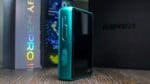
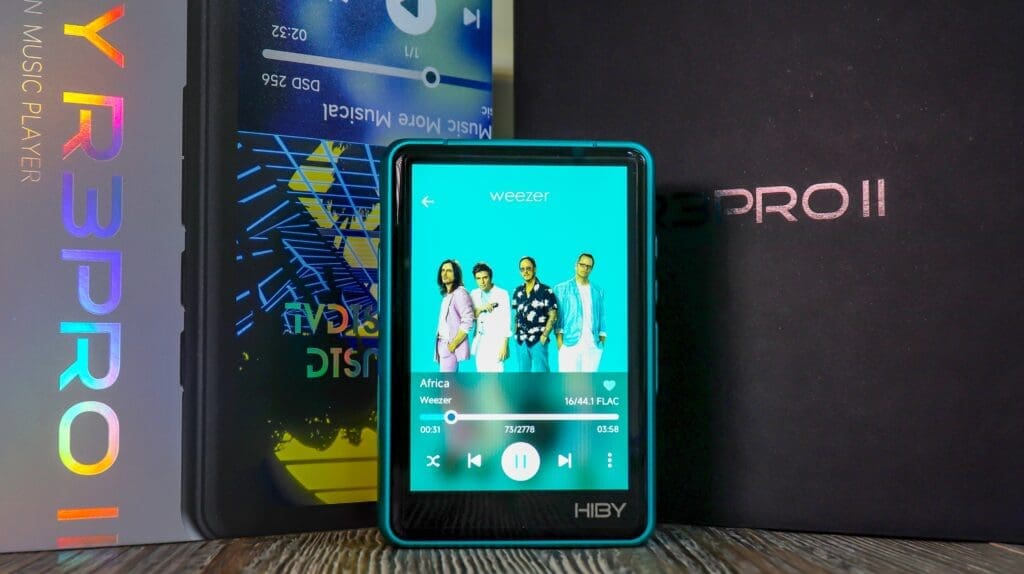
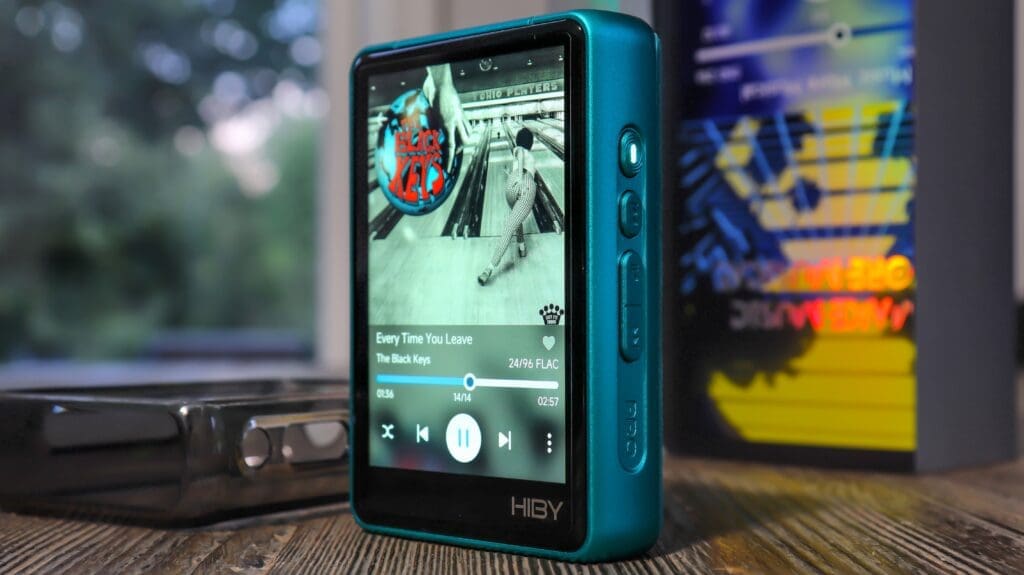
I almost feel sorry for every other dap manufacturer because they have no shot of designing a better-looking dap at this cost. No shot whatsoever. Folks, I have some of those “other daps” (many of them) and they don’t look anywhere near as good as the R3 Pro II. I should add that the R3 Pro II comes in four colorways. Those are Black, Green, Orange, and Silver. I happen to think the dark green coloring on my dap is the most dope looking, but that’s just an opinion. They are all aesthetically pleasing to the eye. I feel that the R3 Pro II has a good shot at being universally praised for its design. I should note that the screen is also very vibrant which does add to the overall design appeal of the R3 Pro II. It isn’t a dull screen like I see on some other daps in the price range. Just a clean looking little square with vibrant coloration and clean lines all the way around. Hiby knocked this design out of the park.
Ports & Buttons
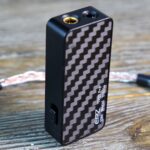
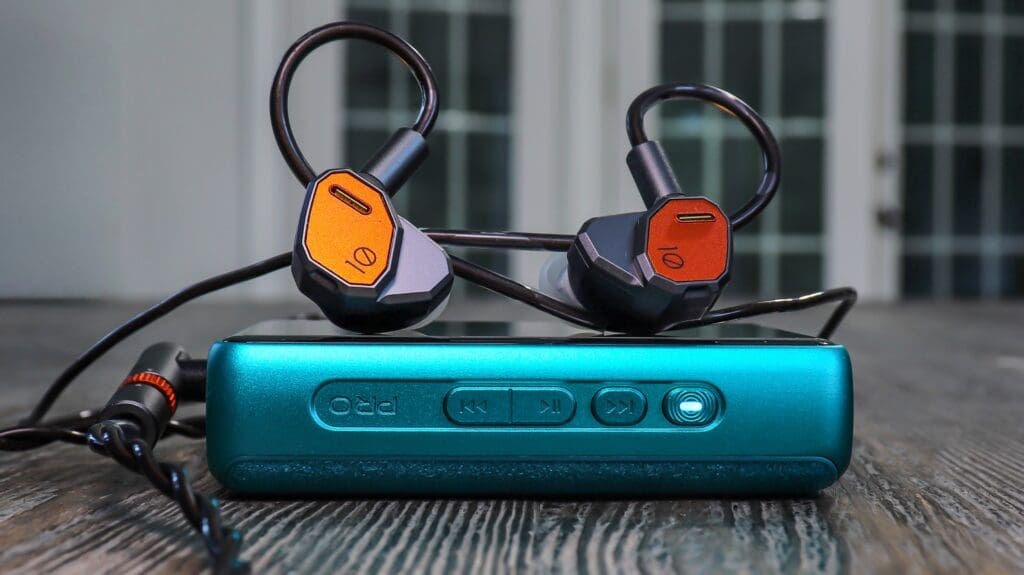
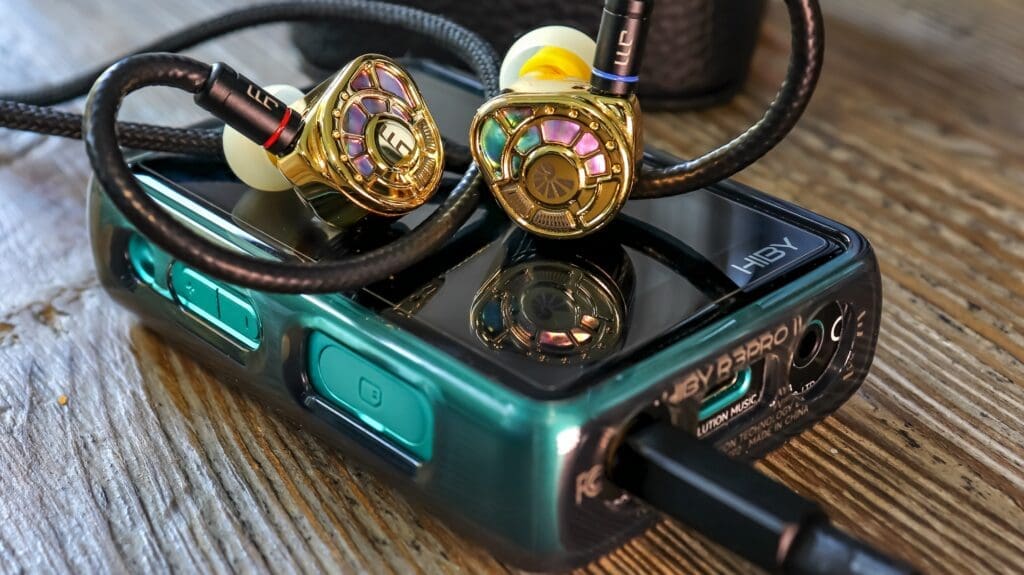
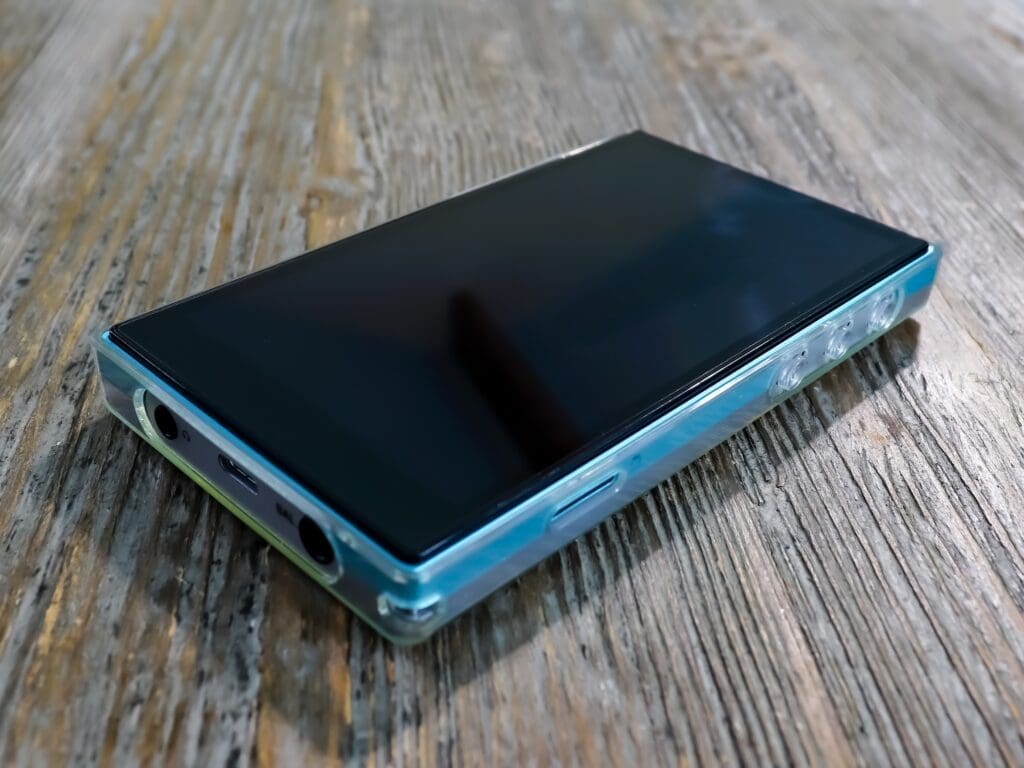
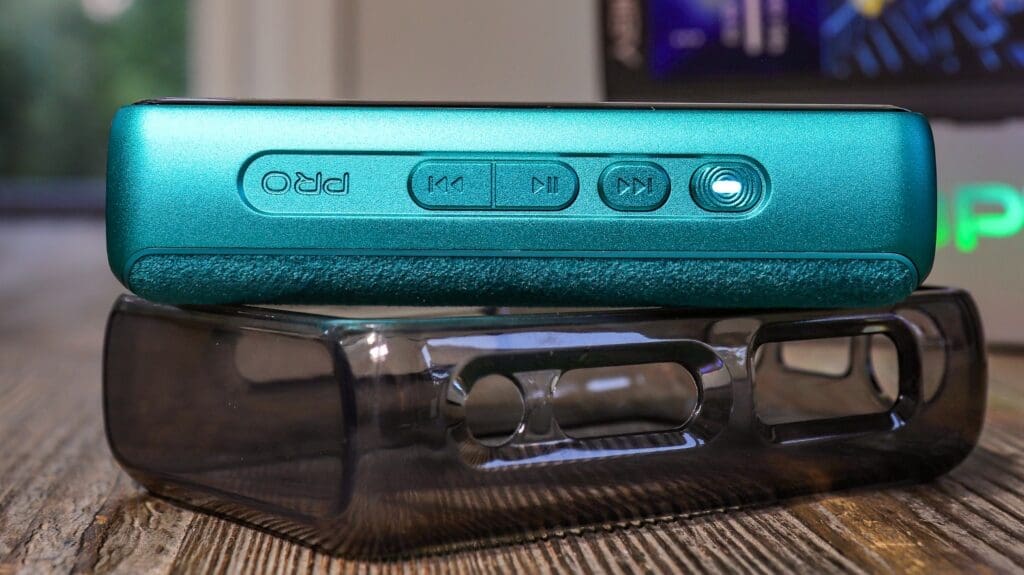
One thing that the Hiby R3 Pro II doesn’t lack is buttons and ports. You can basically control most any function straight from the dap body using those buttons. On the right side (when facing the screen) you’ll notice the top button is the “power on/off” as well as a “multi-purpose” button at times. Under that is the “previous track” button as well as “rewind”. The middle button is the “play/pause” button. Under the “play/pause” is the “next track” as well as “fast-forward”. On the left side you’ll see the volume up and volume down buttons as well as the micro-sd card port. You’ll also notice the little bracket which you can use to wrap the strap on r R3 Pro II. On the bottom of the R3 Pro II you’ll find the 3.5 single ended port, the 4.4 balanced port as well as the USB Type-C port. On the top of the unit there isn’t anything. I’m sure I’m missing a few commands here, but you get the gist. Basically, the R3 Pro II has everything any audiophile would need.
Minor Nitpick
Now, it would’ve been nice to see a volume wheel, though that is certainly not a deal breaker as I have many devices with push button volume interaction. Having said that, I do like the tactility and haptic feel of Hiby’s buttons. There is one thing I would change though. That is, the play/pause button is actually in one plane with the “next track” button, but it’s separate from the “previous track” button. I thought this was odd. I do wish those buttons were separated and easier to discern by touch. This is such a minor con, but a slight personal/subjective con. Other than that, I think you know that the controls are very reasonable with easy to learn functions which are all easy to commit to muscle memory. I’d say that it is very intuitive but in all honesty there are so many devices with this layout that it is a no brainer. It’s easy to learn. If I were to say anything else, it’s that with the case on the R3 Pro II sometimes it’s a hair more difficult to feel the raised surface of the buttons. Again, super ridiculously minor nitpick. Can you tell I’m trying. In truth, the Hiby R3 Pro II has a wonderful layout and Hiby did a solid job with the buttons, ports, and their placement on this device.
Screen
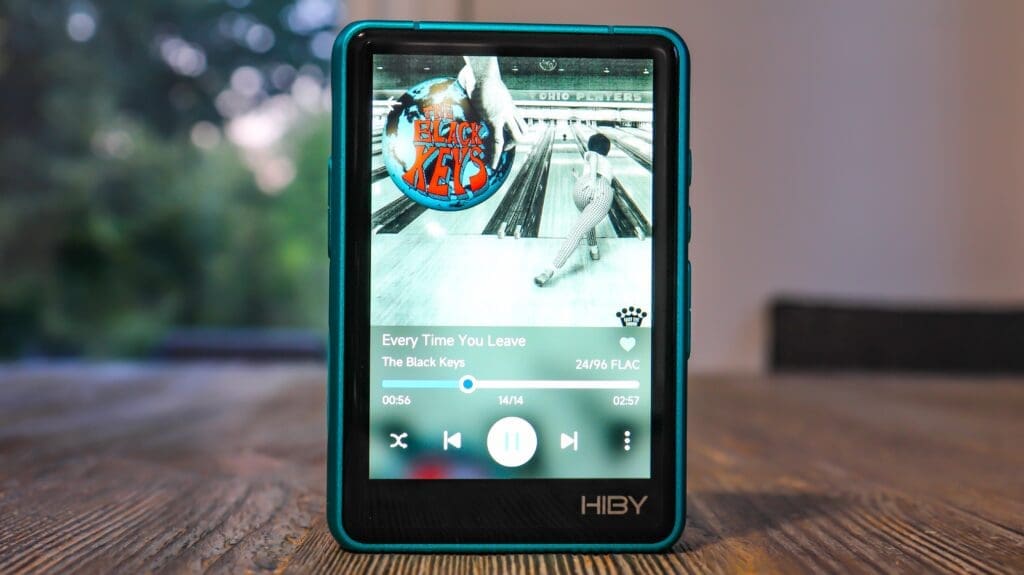
Hiby decided upon a nicely sized and very vibrant 3.3” screen for the R3 PRO II. In my opinion the screen is one of the best features of this device. Now, the screen is not some ultra hi-res 4k screen or anything. Hiby opted for a 720×480 display. Obviously with a screen this size you don’t need that higher resolution for the picture to look vivid and well contrasted. I can tell you that all wording appears non-pixelated and very intelligible without any blur anywhere. Really the screen is awesome in my opinion. Compared to other sub $200 daps anyways. It gets plenty bright, even in sunlight. However, don’t expect some Samsung Galaxy style screen here. We are talking about a $199 music player. At any rate, in my opinion the screen is certainly a “pro”.
Internals-Under the Hood
Dac Chips
Now, the biggest upgrade of all comes from what’s inside of the Hiby R3 Pro II. First off, Hiby decided to provide the R3 Pro II with a couple of the more popular and also very talented dac chips. Those being dual Cirrus Logic CS43198 dac chips. I have many dongle dacs which carry this chip and one thing is clear, if this chip is implemented well; the sound quality can be flat out awesome. These chips allow up to 32bit / 384khz PCM and 256 DSD along with 8XMQA unfolding. Also, the R3 Pro II can provide up to 128db dynamic range along with 128 or 126 SNR, respectively. However, I happen to enjoy the crisp yet melodic nature of this chip. No, it isn’t some top-of-the-line dac chip, but it’s solid, and it can really make your listening sessions very clean and dynamic.
OpAmps / Output Power
Hiby also made sure to add in a solid amp section with four separate OPA1622 amps in a dual-channel parallel design structure. It is crazy what a good amp can provide to your listening experience. It isn’t all about the dac chips like so many people wholeheartedly believe. I can tell you firsthand that upgraded amping can transform your experience if implemented well. You get better amping and all of a sudden, the sound is more dynamic, better perceived layering, faster perceived transients, more vivid even, and a host of incremental improvements. The beauty of these (4 x OPA1622) amp sections is that they seriously bumped up the max output power of the R3 Pro II from previous variations within the R3 series. Having said that, there are a few daps in this range which do have a higher output value. Not that it takes anything away from what the R3 Pro II has under the hood, as it can get up to 480mW of power at 32 ohms listening with the 4.4 balanced connection. To be perfectly honest, the output power is way more than enough for just about any iem and even for some full-sized headphones. 480mW would have been unheard of at this cost not very long ago.
Battery
Another huge benefit of the Hiby R3 Pro II is the fact that it carries a 4000 mah battery under the hood. Couple that huge battery with the fact that the R3 Pro II is not a battery eating Android dap as the R3 Pro II uses the HibyOS which is much less power intensive. What this means in everyday listening is about 21 hours of actual Playtime. Maybe you didn’t hear me. I said, “21 hours”. That is awesome. Now, we all know that many factors go into this “21 hours” and many different factors can lessen that mark as well. Obviously what volume you listen at, what file types you listen to, do you have Bluetooth on, do you have wifi on, do you have the screen on. Basically, that 21 hours probably is the most power sensitive rating. Meaning, screen off, Bluetooth off, wifi off, volume medium, and not a lot of scrolling. Still, that number is very large folks. Expect around 17-18 hrs (best guess) when really pushing the R3 Pro II. One more thing that is pretty dope is that Hiby outfitted this battery with fast charging. To be exact it is PD2.0 fast charge. The battery is great and a huge benefit.
Storage / Speed
I should quickly note that the Hiby R3 Pro II does have expandable storage up to 2TB. Now, the player itself doesn’t have any memory at all and so you must rely on a micro-SD card. I popped a 1TB card in and it works wonderfully. Now, I put about 800GB of music on that card and folks… the R3 Pro II read that thing much faster than I ever thought it would be able to. Of course, the card I use is a SanDisk Extreme Pro, but still, it was very fast. At any rate, the amount of expandable storage is fantastic which is great for anyone like me who has a large collection of music that they want to listen to and display.
Specifications
Audio Components & Performance
–Dac chips: Dual CS43198 chips for high-fidelity audio conversion .
–Headphone Amps: 4× OPA1622 amplifiers, isolated from the DAC to enhance clarity and power delivery .
–Max Output Power (32Ω):
3.5 mm single-ended: up to ≈121 mW @ 2 Vrms .
4.4 mm balanced: up to ≈480 mW @ 3.91 Vrms .
-Dynamic Range / SNR:
4.4 mm balanced: ~128 dB dynamic range, ~126 dB SNR .
-THD+N: around 0.0005% .
-Channel Separation: ~109 dB on balanced output .
-Frequency Response: 20 Hz–90 kHz on both outputs .
Digital Engine & Clocking
-SoC / CPU: Ingenic X1600E, enabling responsive UI and processing .
-Audio Clocks: Dual low-phase-noise crystal oscillators (45.1584 MHz and 49.152 MHz) for jitter reduction and accurate timing across different sample rates .
Display & UI
-Screen: 3.3-inch high-resolution touchscreen (likely 720×480 pixels) .
-Operating System: HiByOS (Linux-based) featuring an all-new UI, OTA firmware support, and MSEB tuning board .
Connectivity
-Wireless:
Bluetooth 5.1 (supports UAT, LDAC, aptX TX, AAC, SBC) .
Wi-Fi (2.4 GHz) with support for AirPlay, DLNA, and HiByLink streaming capabilities .
-Physical Ports:
3.5 mm headphone out
4.4 mm balanced out
-Line out
USB-C port – supports USB Audio In/Out, S/PDIF digital output, data transfer, USB-OTG .
Supported Audio Formats
Native DSD up to DSD256
PCM up to 384 kHz / 32-bit
MQA with up to 8× unfolding capability .
Common formats: mp3, wav, flac, ape, dsf, dff, iso, cue, wma, ogg, aac, opus, aiff .
Battery & Charging
–Capacity: 4000 mAh (3.7 V) .
–Playback Time: ~21 hours via 3.5 mm SE; ~900 hours standby .
–Charging: <2 hours full charge; supports PD2.0 fast charging (9 V/1.67 A, 5 V/3 A, 5 V/0.5 A) .
Storage & Physical Specs
–MicroSD Slot: Expandable up to 2 TB .
–Dimensions: 86.9 × 60.6 × 21.6 mm .
–Weight: 160 g.
Build & Finish
Aluminum alloy frame
Rear panel: choice of Ultrasuede or matte glass finishes
Extras & Features
-Firmware / Features:
MSEB audio tuning board
OTA firmware updates
Purpose & Use Cases:
Can act as a standalone DAP, USB DAC, Bluetooth receiver, or transmitter
Features
HibyOS
One of the key features of the Hiby R3 Pro II is the fact that it is not an Android based dap. To some this is a huge selling point and to others this is an inconvenience. I am neither here nor there on it because I like each OS for different reasons. However, as a neutral party I am at least going to expound upon HibyOS here. First off, HibyOS is a Linux based system and is much more refined than it used to be. Obviously, time and changes have been good to Hiby because the OS itself is intuitive and user friendly for a non-Android dap. Now, if you are coming from an Android based device, I’d say the HibyOS is much less easy to walk through as you simply have more options from an Android device. Not to mention you can choose any music player in the appstore on an Android device. However, the bonus is that HibyOS is very clean, easy to navigate after some practice and it commits to muscle memory fairly quickly. Plus, non-Android devices don’t have all the bloatware, and you get a cleaner source from a device like the R3 Pro II. Below I’ll quickly jot down some thoughts about different HibyOS features:
MSEB
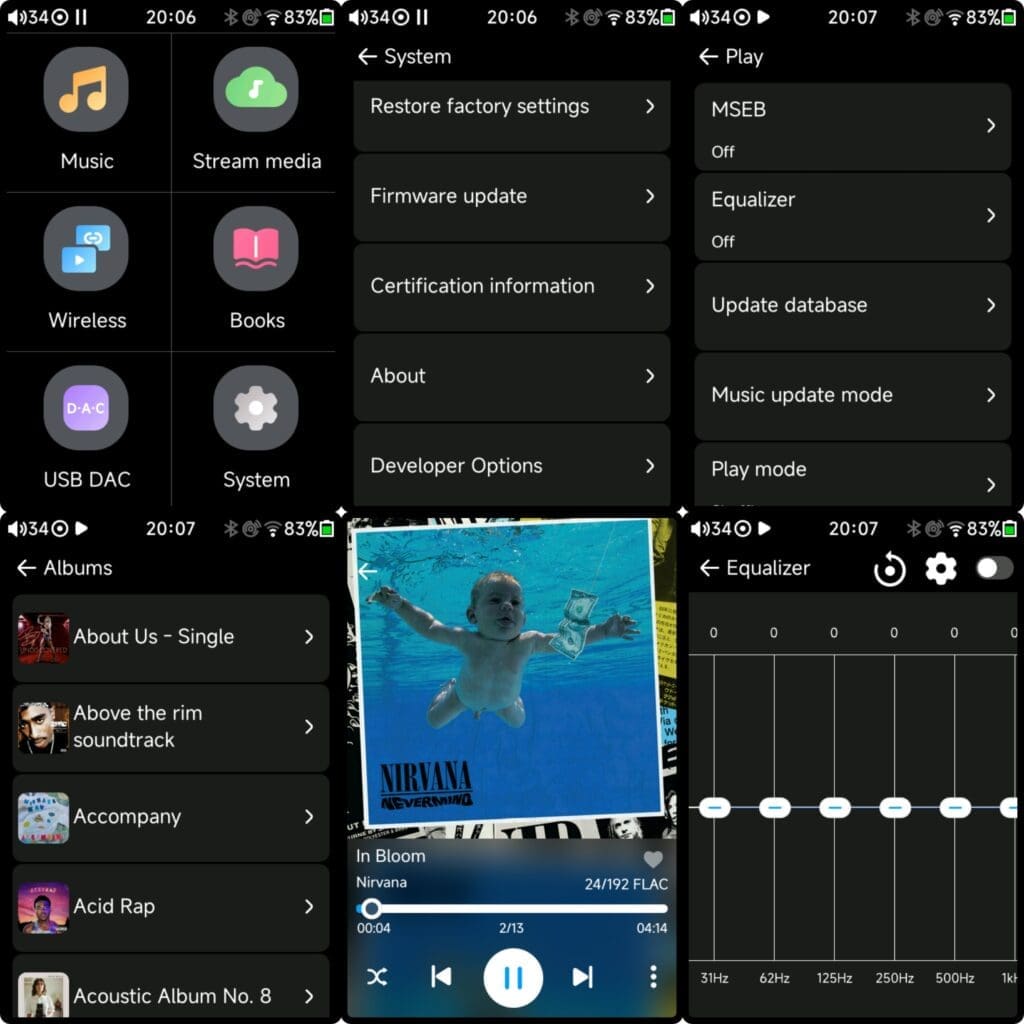
One feature that is always worth noting within the Hiby Music ecosystem is the fantastically designed and imagined “MSEB”. If you don’t already know, MSEB is extremely popular and almost universally praised for how well designed it is. One of the easiest to understand and simplest EQ designs ever to hit the market. By the way, you can download Hiby Music on Android, and you’ll get this feature as well. However, we are talking about the R3 Pro II now. So, as you scroll through settings you will easily find the “Audio Settings”. Inside the audio settings tab you can swap different filters among other things relevant to a digital audio player. You’ll also notice MSEB tuning which is a Hiby exclusive and does a fantastic job of tuning your music per your preferences. If you haven’t checked it out, then I would most certainly push you to do so. Again, MSEB is actually a type of equalizer which really helps to dial in the sound of any iem to your own preferences. Actually, it’s about as easy as it gets. Hiby basically uses their own adjustable version of preset settings which are labeled and made ridiculously easy to learn and play around with. I don’t usually use any equalizer settings but for those who do, MSEB is a game changer. I should add that HibyOS also carries a 10-band equalizer for anyone who wants to play around with a bit more fine-tuning ability.
Streaming
Inside of the HibyOS settings tabs you can also select to stream your music over wifi. Hiby has two different places to do so in Tidal & Qobuz. I actually don’t stream music and so I don’t have any good idea about how well the streaming is on the R3 Pro II. I much rather carry around my own music collection. I’m sure there are some reviews out there with plenty of info on the service. It’s great that Tidal & Qobuz are available though.
Wifi Music Transfer
Just a quick note that the Hiby R3 Pro II does have the ability to transfer music files over wifi. I did actually use this a couple times, and it works nicely. Granted, attaching the R3 Pro II to your computer via data cable does the trick a hair faster. However, it is a very nice feature to have. I should note that this feature has been around for quite some time, and some implementations work better than others. That’s for sure. Hiby’s attempt at wifi transfer actually really does work well.
Hiby Link
Hiby Link is a remote-control feature of Hiby daps which lets you remotely operate your device from a phone or tablet etc. Anything which you can install Hiby Music Player onto. Now, Hiby Link is a service which other players have, to a degree. Like, some Fiio and Shanling daps. I must say, the Hiby Link is by far the best from my experience. It links up super easy and lets you control the dap from your phone. You can link up through Bluetooth or Wifi. Just scan the QR code with your phone from the R3 Pro II and then pick your device and you’re done, linked up. I use it all the time and it helps tremendously with the inconveniences of a smaller screen. Like scrolling through music for example is 100 times easier on your phone. I usually have my iems attached to my Hiby R3 Pro II which is nestled comfortably in my pocket and control everything right from my Samsung Galaxy Z Fold 5. I also use it when I attach my R3 Pro II to my stereo system and play music throughout the house. It works flawlessly. Granted, using the R3 Pro II without Hiby Link is solid too and there are occasions where I don’t use it. However, the ease of Hiby Link is a game changer. Most certainly check it out.
A Few More Misc. Features of the OS
In all truth, Hiby thought of just about everything. I’m not going to write a full paragraph section for every function and so I’ll dial back my thoughts a bit and quickly layout some other miscellaneous features which come with the HibyOS. So, you have all the audio functions one would need like “Gain” control. Just use the drop-down menu and easily switch between low and high gain. I keep on high at all times. That’s neither here nor there. The first screen is the tabs screen which has six different tabs. The first tab is the Music tab. Inside of the music tab are six other tabs. Those being All (all songs), Files, Albums, Artists, Genres, & Album Artist. At the top of this screen is an icon which resembles a folder which can take you to your Favorites, Recently Played, Playlists, and Recently Added. Or you can go to “music” settings which will provide you with a whole host of options. Some of the key options are NOS filter, Digital Filter, Replay Gain, Gain, Crossfade, MSEB, Graphic Equalizer, you can update the song database, Play Mode (shuffle, loop track, loop list etc.), along with output selection and a bunch of others. Back at the original screen you have options to go to your Music, Streaming Services, Wireless settings, Books (why in the world would anyone read books on this small screen?), USB DAC mode, and System Settings. Inside of settings Hiby offers a ton of functions which I’ll let you discover for yourself. However, it does give you the option to Firmware Upgrade, Reset, Double-Tap to Wake Up, Led Indicators, Sleep Shutdown, and about 20 other settings which are nice to see. Everything is fluid, smooth, and doesn’t stutter. I am very impressed with the new and upgraded HibyOS.
Output / Input
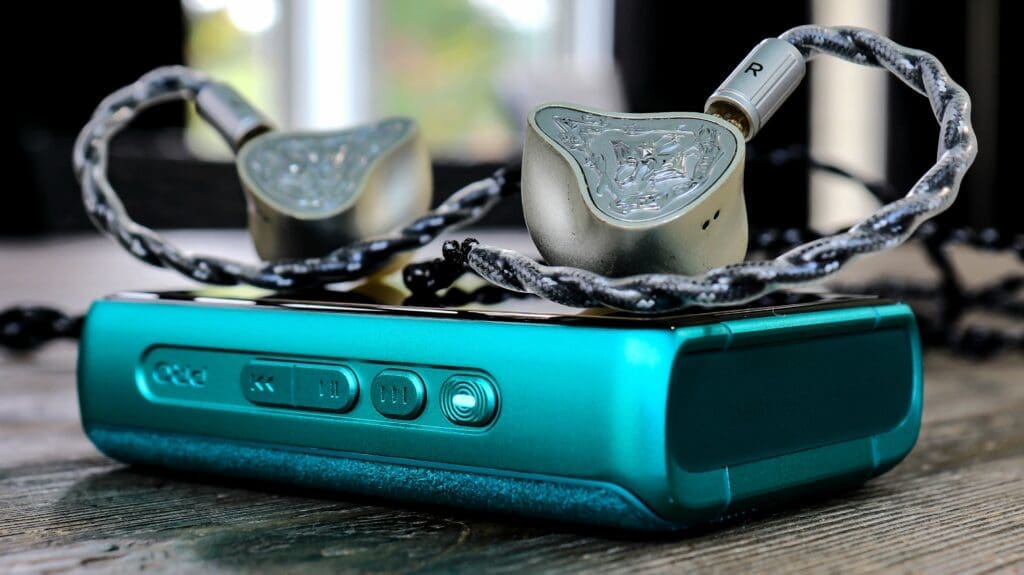
The Hiby R3 Pro II offers many different output methods. Of course, many devices like it do as well. However, that doesn’t mean it isn’t worth quickly mentioning. So, the R3 Pro II can digitally output through the USB or through a USB adapter to S/PDIF coaxial digital audio out to act as a hi-res source. You can also utilize the Bluetooth function of the Hiby R3 Pro II by playing music through a smartphone (for example) and utilizing the R3 Pro II’s dac/amp to wired earphones/headphones. Or use the USB and turn your R3 Pro II into a straight up dongle dac and feed music from your smartphone or computer to the R3 Pro II through its USB port in “DAC” mode using this method to convert your music into Hifi analog content. Or plug in your computer through the R3 Pro II’s USB port and shoot Bluetooth out to your wireless earbuds or headphones. Lastly, the R3 Pro II can accept audio wirelessly through Airplay, DLNA, or Bluetooth. The R3 Pro II can decode such sources and output using USB, coaxial to headphone-out, and line-out which will greatly enhance your listening experience. Or just plug some earphones and headphones into the 3.5 single ended or 4.4 balanced ports and enjoy. There’re many ways to enjoy music through the R3 Pro II.
SOC
Another new attribute of the Hiby R3 Pro II is the brand-new upgraded SOC chip used in this stellar little dap. Hiby updated the sometimes-sluggish older SOC chip to the low energy/high performance X1600E chip. Designed and crafted by Lumissill Microsystems the X1600E has a slew of improvements including increased clock speeds and much less power consumption when in use and out of use. Obviously, the Linux based HibyOS is supported quite well by this chip as it is designed specifically for such operating systems. In all honesty, the R3 Pro II is a much more streamlined and fluid dap (in part) because of this chip. Scrolling really isn’t an issue at all, and nothing feels sluggish whatsoever. Unless, you are on the “Album” tab deciding to scroll down, the album art doesn’t appear right away, and you may at times feel the SOC chip trying to catch up. Other than that, everything feels very smooth on the R3 Pro II. This chip provides Bluetooth 5.1 as well as many different audio codecs. They offer LDAC, Aptx, AAC, and SBC and the R3 Pro II can be used as a Bluetooth receiver as well as a transmitter. But I’ll cover that in a bit. Really there is a whole host of luxuries that this chip offers. However, one of the bigger benefits is with the long range and almost perfect connection that you’ll have with this chip. Though, I will explain that more later too.
Sound Impressions
*Note: before I deep dive into the sound of the R3 Pro II, I want to preface a few things first. First, I did burn in the R3 Pro II for right around two full days. Did this help? I don’t really know. Just being honest. Next, source device reviews are always difficult when it comes to explaining their overall contribution to the sound quality of your iems or headphones. After all, the sound has much more to do with the iems or headphones you choose to use. However, source devices can and will sway the sound in one direction or the other. No doubt, I will do my best to explain the sound in a way that will help you. I should also add that I used way too many iems during this review period to report in all of them. I will simply use some examples which stand out the most to help you better understand the R3 Pro II.
*Note #2: For all critical listening I didn’t use any type of EQ at all. I didn’t use any MSEB functionality either. I of course wanted to give you the raw impressions of the Hiby R3 Pro II. To add to that, I did use the NOS filter as well as the “fast roll-off phase compensated” filter. To be honest, I have zero idea what these settings are right outside of the box.
What’s it sound like?
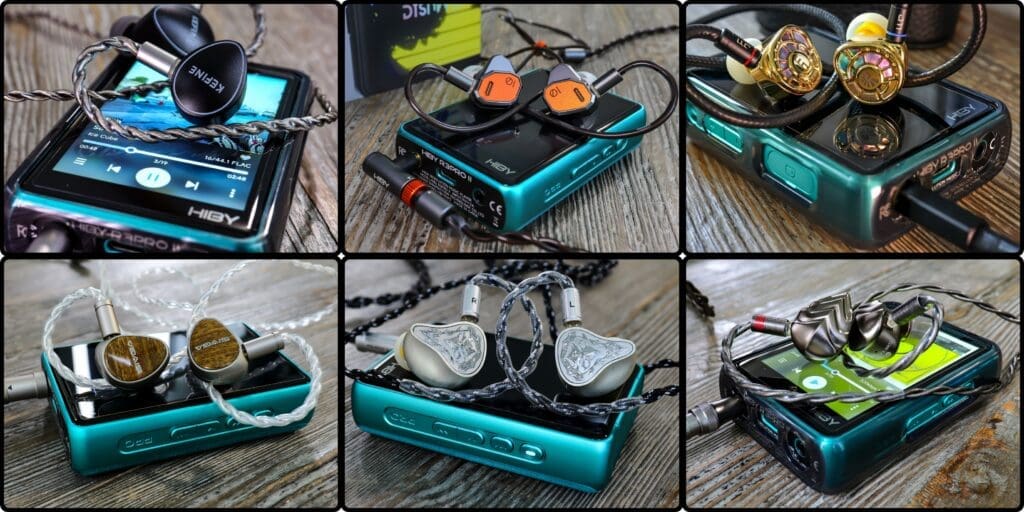
Friends, I have kept the R3 Pro II in my possession for about three weeks now, every day, all day. I’ve used this device with many iems of all tonal colorations, sound signatures, tonalities and different timbres. One thing I’ve come away with is that Hiby has done some sweet justice to the very popular CS43198 dac chips by creating a very well-tuned source device in the Hiby R3 Pro II. In my opinion the R3 Pro II has a great balance that doesn’t overly color any area of the mix, apart from a slight forwardness of the midrange, if anything. I’d say the R3 Pro II is mostly a neutral sounding device with just a titch of low-end lift. I mean… just a smidgen. Enough to bring some ever-so-slight weight to notes but not enough to color anything. You’ll hear me say the word “clean” a lot. Why is that Chris? I’m glad you asked. The reason I will continue to use the word “clean” is because… well… the sound is clean friends. I mean crisp and clean transients help my iems to sound just a touch sharper, more focused in their note delivery. Now, to my ears the R3 Pro II comes across 50% smooth/musical to 50% crisp/analytical. However, in its presentation I don’t hear anything even close to dry or papery and not too smoothened or blunted. A very nice balance. The R3 Pro II influences with touches of richness added to the note body of most of my iems (to an extent). Obviously the R3 Pro II isn’t going to make drastic changes to the ultimate sound of my iems or headphones, but it will “influence” my iems in the ways I’m describing. Very well-tuned for the price and class of this dap.
CS43198
Once again, the Hiby R3 Pro II uses dual Cirrus Logic CS43198 dac chips which in my humble opinion are pushed to their potential. I’ve heard these chips in plenty of devices folks. Shoot, I have about 10 sources with these chips in my possession. Also, it’s not that Hiby changed the general tone & timbre which “generally” comes with these chips. Just like every other CS43198 chips, the sound definitely has some solid technical chops along with some fluid style musicality. Just like the other devices which carry this chip the sound has good clarity. Yet what I feel the R3 Pro II does that not all devices do with this chip is that it has a certain energetic precision and clean attack which helps to give its smooth, natural, & organic delivery some contoured definition. Almost as though the sound has an incremental upgrade in its overall presence and impact. If that makes sense. In a nutshell, the Hiby R3 Pro II has an organic tonal character with a rhythmicity to its cadence and a very clean approach. I should also add that the R3 Pro II comes across as anything but boring. I know some devices which carry this chip have been labeled as such. If anything, I’d say that the R3 Pro II subtly enhances most of my iem’s macro-dynamic presentation in a fairly vivid, dynamic, resolute, and clean-lined manner.
Boost in the technical stuff
To add to that, I would say that the R3 Pro II is a nice $199 dap for aiding my iems in detail retrieval, note separation, and transient swiftness. Of course, 90% of these technical qualities will come from whatever iems or headphones you choose. Still, the R3 Pro II gives my iems & headphones a technically proficient canvas to operate in. Not in a dry or clinical way either. I feel that the R3 Pro II does a great job in coming across resolute, as well as rich.
A nice influence…
What the R3 Pro II won’t do is suddenly turn your warm/smooth Aful Explorer into a bona-fide detail beast. It won’t all of a sudden change the sound signature of the Penon Fan 2 making it crisp and airy. On the flip side, the R3 Pro II is not going to make the EPZ P50 a bass-boi caliber iem or turn your Simgot EA1000 into a warm & rich sounding set. Furthermore, the R3 Pro II won’t enhance and exaggerate the EA1000’s already brighter sound making it harsher. Again, it’s a nicely balanced device without any overly saturated areas within its tuning. What the R3 Pro II will do is slightly refine the Explorer with a touch better clarity, slightly more vibrant. It helps the Fan 2 in the same way, again, to an extent. The EA1000 will remain crisp, it’ll remain snappy, and the R3 Pro II will provide a slightly more forward presence in its midrange without adding more sharp vivacity. Again, just like any source device the R3 Pro II will only “influence” your iems/headphones in certain ways. The moral of the story is that the R3 Pro II generally seems to bring along a touch more clarity and refinement in comparison with some other daps within its range.
Meshes nicely
Lastly, before I go into each 3rd of the mix, I should add that the R3 Pro II has what I consider a “sweet spot tonality”. Neutral with a touch of non-veiling warmth is (in my opinion) the perfect source sweet-spot when it comes to synergizing with the largest number of iems/headphones. It has that nice balance to its signature which really does pair well with many iems of all different tonal coloration. I found some very good synergy with many different sets. Like I said, the R3 Pro II doesn’t have anything which will really embellish certain dynamic characteristics. It won’t make a bright set brighter, a warm set warmer, a crisp & edgy set even more abrasive, and it won’t turn your bass boosted iem into a basshead iem. I used a wide range of iems with many different signatures and none of those sounded “off” or “odd” timberally. Granted, I think most source devices which carry that warm/neutral tonality will likely mesh well with many sets as well. Still, it’s worth noting.
Each 3rd of the mix
Bass Region
The low-end influence from the R3 Pro II isn’t one which I’d say would attract those hefty bass lovers. More than anything I’d say that the bass region is just above neutral, right around moderate in emphasis, and it is punchier than it is boomy & rumbly. To be honest, I don’t know how many source devices really enhance the low-end. Some sources may be warmer overall, but few really add bullish weight. What the R3 Pro II does is it increases the fast twitch punch and note articulation to a slight degree. The R3 Pro II will never add wooliness, muddiness, or deep rumble, and it’ll never come across as “soft” or “pillowy”. Those monikers usually come attached to iems. This is a slightly faster and compacted low-end which seems to mold and shape the sound with a moderate weight & emphasis but better note control and note contour in this region. I wouldn’t say the R3 Pro II necessarily adds note density (it doesn’t take it away either), but it does seem to condense each note which ultimately comes across clean and nicely defined. The R3 Pro II influences my iems with some real nice punch, some snap, some harder edged impact, and it gives my iems some bass depth, some speed, without sounding hollow, soft, weak, dry, or thin. It’s a nicely done bass.
Midrange
To my ears the midrange is almost forward in the sound field to an extent. This is not uncommon. However, Hiby tuned the R3 Pro II to do so whilst also coming across very organic in the process. Like I said earlier, the mids have that slight warmth which glazes over an otherwise neutral tonal coloration and a more natural tone & timbre. You won’t hear the R3 Pro II inciting any added glare, metallic timbre, or too much analytical dryness. The midrange is nicely melodic (as much as a source can sound as such) and seems to have a lilting fluidness which is nice to hear. I like how vocals sound nicely projected and instruments play along with a natural timbre, very tuneful, yet also very articulate. The R3 Pro II seems to only help in the areas of technical details and note separation without ever coming across in a clinical or dry manner (unless your iem/headphones are very dry). Which is great. To add to that, there’s nothing within the R3 Pro II’s tuning which will exaggerate any glare or pinna rise. Pretty nicely even, balanced, and musical. The mids are definitely closer to rich than they are thin, denser than they are hollow, and the R3 Pro II’s midrange really does have nice rhythmic cadence to it. I realize it is hard to tell what portion of the sound comes from the transducer or the source, but the R3 Pro II definitely has its own flavor, and I think most folks will appreciate what Hiby was able to do for the cost.
Treble Region
If anything, I’d say that the treble maintains that balance that I’ve been talking about for most of the sound portion of this review. One takeaway that I’ve definitely gathered is that the R3 Pro II’s treble display will never add fatigue or add any harshness. Actually, to my ears the R3 Pro II slightly dials back any sharpness. Without question I can hear this in comparison with other source devices. So, in the same breath you could also say that the R3 Pro II doesn’t really add any air to the sound. If anything, this is one of the few drawbacks to the R3 Pro II’s tuning. With that in mind, I also don’t feel this is a real issue. Especially with brighter sets which already carry vast amounts of air and treble brilliance. I suppose it’s all in what you are listening with. Beyond that, details are easily discernable, especially with already detailed iems/headphones, and the treble influences my iems with solid transient attack through sustain. Very nice note control with a tailored and tactile note delivery up top. Certainly not perfect but very nice for the cost. Once again, you won’t have the R3 Pro II inducing even more treble glare from the Letshuoer S12 or the Simgot EA1000. In most cases, the R3 Pro II will make some brighter sets somewhat more tolerable. Very nice.
Details / Separation
I’ve said it a few times already, but the Hiby R3 Pro II is what I’d consider a nicely detailed dap for $199. Again, very clean across the board with above average resolution and transient response. Having said that, don’t expect the R3 Pro II to all of a sudden turn your earphones & headphones into technical monsters. Like I said, I consider this dap to be one part musical and one part analytical, 50/50. Without question there are even cheap daps which are tuned in a way that will draw out the subtleties a bit better. Despite that last sentence, those “other” daps also don’t sound nearly as organic and nearly as musical as the R3 Pro II. Also, I wouldn’t expect this mighty little beast to best higher end gear in the technical stuff either. It’s simply good for what it is. In my opinion what separates the R3 Pro II from other similarly priced daps is its musicality and balance alone with very solid timbre. I’m telling you, pair the R3 Pro II with a “timbre-king” style iem like the Hidizs MK12, Letshuoer DX1, or any other organic sounding set, and you’ll hear a very refined sound for a dap at this price. However, this section is about “technical stuff”. Really, I’d simply say that notes have just enough refining crispness and contour to cleanly represent my music with most any iem of my choosing. So, good for the cost and good for the tuning.
Soundstage
As far as stage is concerned, I really don’t like commenting too much on how much the R3 Pro II (or any source device for that matter) contributes to how wide, tall, or deep a psycho-acoustically rendered soundstage will be perceived. Without a doubt most of the perceivable stage size comes from your iems/headphones that you listen with. Still, source devices can alter how those iems/headphones come across, to an extent. Either way, I don’t want to expound too far with this section. What I’d say is this; the Hiby R3 Pro II has never, ever seemed as though the stage is closed in, congested, or too intimate. At least nothing which I would attribute to the R3 Pro II itself. If I were to give the Hiby props for anything it’d be that depth actually sounds very nice using the R3 Pro II. There is a sense of dimension, some dimensionality, some front to back distinction. I hear nothing which sounds as though the stage is a flat plane in front of me. In my book this is a win for Hiby.
Background Noise
As far as background noise, I honestly don’t hear any. To my ears I hear a black background with no real hissing using any of my iems. Truly clean sound folks. A clean background helps the foreground to pop even more. It helps the anterior of the sound field to come across even more highlighted and prominent. Subtle details can be heard a bit easier, the minutiae within a track will be slightly easier to discern as well. Now, I also feel that most source devices in this day and age around this cost have similar background clarity, but it’s nice to know that the R3 Pro II isn’t lagging behind in this area.
Comparisons
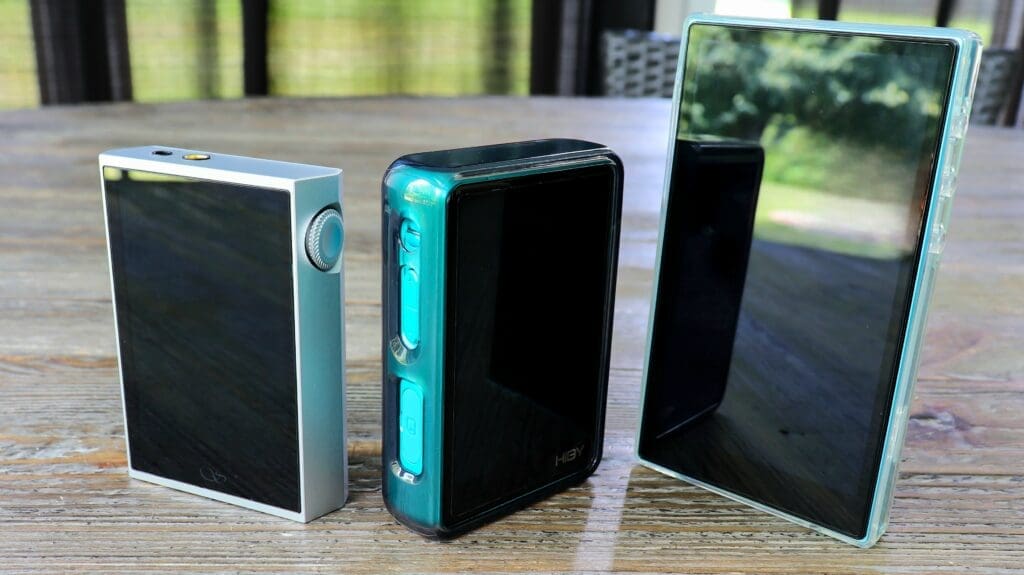
*Note: Folks, comparison reviews for daps can literally wind up being a mile long with loads of specs which never end. So, what I’m going to do for this comparison is provide only the stuff which matters in my mind between the devices. Also, this is not a duel to the death. Each device within the comparison section is a device that I recommend. I will simply try my best at showing some differences.
Shanling M1 Plus ($199)
The first comparison is with a very fine non-Android dap named the Shanling M1 Plus. The M1 Plus is certainly up there for one of the best within the price point for budget-oriented daps. It comes with loads of features and certainly gives any dap a run for its money in this range. I actually decided not to review the M1 Plus when I first got it. The reason being is that there were a ton of bugs which have since gotten fixed. I felt like there was too much time gone that a review wouldn’t be relevant anymore. However, I may still post a full review of the M1 Plus in the coming months, but for right now I am happy using it as a comparison tool. Without question this is a dap from one of thee most successful audio brands who specializes in digital audio players, among other things, in Shanling Audio. I have adored Shanling’s daps and audio devices for years and I can tell you that the M1 Plus is a certified awesome dap for the cost. Is it better than the R3 Pro II? Let’s see a very quick explanation of some of the differences.
Design/Build
First off, the R3 Pro II is made better. Not by much but you can feel it in hand. Both are very nice. I do like the appearance of the R3 Pro II better as well. Though once again, both are dope looking. Still, that suede lined backing in the R3 Pro II takes it over the top. Just a better looking and more structurally sound dap. I’d also say that the screen on the R3 Pro II is much better, more vivid, better color contrast whereas the M1 Plus is subtly less vibrant. I do like that the M1 Plus has its 3.5 & 4.4 ports on the top of the device, but I’ve gotten used to both.
Differences
The R3 Pro II packs twice the battery which is probably a reason that it is much fatter, and it shows in the spec sheet (21hrs vs 12 hrs respectively). Both daps are non-Android, and both have their own companion apps which are very similar in many ways. The R3 Pro II works alongside the Hiby Music Player and the M1 Plus works alongside the Eddict Player. I say that because each can be remote linked. Both dap’s non-Android operating systems are very similar. However, the HibyOS is actually much better for a myriad of reasons. Searching through a catalog of music is much easier in the HibyOS, among other things. The R3 Pro II is smoother while scrolling, album art pops up easier as well. Granted, these are minimal differences, but they’re differences, nonetheless. Now, the R3 Pro II uses dual CS43198 dac chips while the M1 Plus uses the ESS9069Q dac chips. I am not partial to either, but the ESS9069Q does seem to be a hair warmer in devices which use it. The M1 Plus has quite a bit more output power at 660 mW @ 32 ohms to the R3 Pro II’s 480 mW @ 32 ohms. However, the actual real-world difference is not large between the two. I like both devices’ button layout but the M1 Plus buttons are easier to feel and have a more tactile feel to them. Also, the M1 Plus has a volume wheel which doubles as a multi-purpose button. I adore that. I wish the R3 Pro II had a volume wheel.
Sound Differences
I gotta tell you all, both daps are simply awesome when it comes to actual sound quality. I mean, both are top of the line at that $200 price point. However, there are some minor differences… different flavors I’d say. To my ears the M1 Plus is a hair warmer with a slightly less vibrant sound and less technically inclined then the R3 Pro II. The R3 Pro II comes across with a hair more clarity whilst still holding onto some of that subtle warmth. The M1 Plus is a tad richer. Both devices come across organic and both carry very nice musicality for a source device. What you won’t hear in either device is anything harsh. Better said, neither device is going to embellish the brightness of any iems/headphones.
Between the 20’s
I do find the R3 Pro II has a cleaner bass, tighter, more hard-edged while the M1 Plus has a hair more boom and rumble depth. I like the timbre of the R3 Pro II a hair better as well as the punchy nature of its bass region. Not to take anything away from the M1 Plus either. Just because I say I like the R3 Pro II better doesn’t mean I don’t enjoy the M1 Plus. Also, for some sets it’s the the M1 Plus which fits the bill. The mids in the M1 Plus have a hair more richness with a warmer sense to a degree. Now, the R3 Pro II is a bit more forward, transients are tighter, still very musically gifted, but more articulate, a hair more transparent. Both sets have a non-offensive treble region, both have wonderful timbre up top, and both carry a nice balance. Technically the R3 Pro II seems to out duel the M1 Plus in most categories, though that is debatable. Actually, everything I’ve said is debatable.
Final thoughts on this comparison
When it comes down to these two daps I would totally understand if you thought either one is better than the other. They really are two very solid non-Android based daps. Personally, I enjoy both quite a lot. However, in my opinion, the Hiby R3 Pro II is a more user-friendly dap with an easier to navigate UI. Also, I like the tuning of the R3 Pro II a bit more as well. Lastly, the battery life really is a lot better on the R3 Pro II. It has twice the battery size which makes it darn near twice as long in real world usage. All in all, there are times that the M1 Plus is the sound I’d rather hear, there are iems which pair a hair better too. But most of the time the R3 Pro II is the device I reach for.
Fiio JM21 ($179)
Now, the Fiio JM21 has been an absolute hit ever since its conception about a year ago. Without question one of the most prized and praised Android dap around the $200 price point that we’ve seen. The JM21 comes absolutely loaded with features and quality parts and pieces and is very user friendly with its Android 13 operating system. Basically, if you can operate an Android phone then you can manage your way around the JM21. Now, it certainly has its issues, but for the most part the JM21 is one of the easiest recommendations I can give for anyone looking for an Android dap at this cost. Having said that, is the JM21 convenient enough to be chosen over the R3 Pro II? That’s the real question here. Is the Android architecture, the options, and ease of use enough to best the simplicity and pure audio solution that is the Hiby R3 Pro II? I go back and forth, which I feel says a lot more about the R3 Pro II than anything else. Let’s take a look at some differences.
Build/Design
Being that the JM21 is an Android dap, you should also expect a much larger screen. Well, you wouldn’t be wrong. The JM21 has a large sized 4.7” HD screen. Though, the R3 Pro II certainly has the more vivid and colorful screen of the two. I find the actual build quality of the R3 Pro II to be better, less plastic, less chinsy feeling. The R3 Pro II simply feels more robust in hand. However, the JM21 is larger, easier to see and to navigate with its larger screen. Also, the JM21 is literally the thickness of a smartphone. So that is something to consider. I honestly like the look of both devices. I like the colorway of the R3 Pro II a bit more, but the JM21 looks very slick too. It is what it is. Both devices have their ports on the bottom, but the R3 Pro II is smaller which makes it less of a usability burden. Once again, I got used to both and neither bothers me.
Differences
I won’t go long in this because the difference between an Android OS and Hiby OS are pretty much night and day. I think we all know when usability is a question that the Android system is much easier, more intuitive, and simply more refined. You have more options at your disposal. Not that there is anything wrong with the HibyOS. In fact, I am quite surprised at how simple and fresh Hiby has made their updated OS. The JM21 also uses a very solid mid-tier SOC chip in the Qualcomm Snapdragon 680. Very impressive. I’ll talk more on operating system in a minute, however, there are some similarities in these two daps as well. For starters, both daps feature dual Cirrus Logic CS43198 dac chips along with two powerful OpAmps. Now, the Hiby R3 Pro II most certainly gets the better of the JM21 where battery life is concerned. The R3 Pro II can get you 21 hours of Playtime whereas the JM21 gets you 12.5 hrs. Of course, in real world testing the JM21 actually gets me far less. So, battery life is a huge difference. The JM21 has up to 700 mW of output per channel compared to the 480 mW on the R3 Pro II. The interesting thing is that you can barely tell while listening. They actually have very similar real-world power with the JM21 being slightly ahead. The JM21 has three gain levels to the R3 Pro II’s two. I use high gain on both.
Lossless
One major bright spot of the JM21 and the R3 Pro II is that they both have system wide Lossless sound quality. Most Android daps have to create a go-around for the Android SRC audio degradation. Not the JM21. So, both daps ensure untouched audio and the JM21 can give you this with any app.
Sound Differences
When talking about the sound I can tell you that these two are both some very nice sounding daps for under $200. I’d say that the R3 Pro II has the cleaner sound overall, but the differences are negligible. Of course, both daps carry dual CS43198 dac chips which at least partially helps their signatures to align. Both lean organic, both carry nice note weight, both are very musical, both are solid technically, neither dap causes fatigue, and both have a certain balance to them. However, I do find the R3 Pro II to have a slightly cleaner note delivery while the JM21 has a titch more brightness to its overall sound character.
Between the 20’s
The bass on the R3 Pro II comes across harder and less fuzzy at the note outline. I can tell this on “Billie Jean” by Weezer as the R3 Pro II displays those successive booming kick drums with a faster transient attack through decay and a more crystalline delivery. The JM21 presents the same kick drums in a slightly wider presentation, softer at the edges, slightly less hard/dense and yet still nicely textured. The R3 Pro II runs a touch deeper in sublevel weight whilst also coming across a bit tighter too. Though, neither device adds very much actual bass weight. The midrange of the R3 Pro II sits a little closer to the listener and the R3 Pro II also has a slightly more detailed sound. The JM21 comes across smoother. Perhaps more musically engaging while not as precise. The treble of the JM21 has a touch more levity & emphasis. Though the R3 Pro II has the better controlled treble with a touch better note contour. Between the two I feel the R3 Pro II has a slight technical edge with better clarity and resolution. Though like I said, the differences are small. This is not night and day here. In fact, these two devices sound far more similar than they sound different to one another.
Final thoughts on this comparison
This one is tough for me folks. For me it comes down to usability. Is the Android architecture worth a slightly less clean sound? Also, is the HibyOS that much worse? Or is it just different? Well, I can tell you that it is much easier searching through my files, categorizing them, moving files around, dealing with playlists, and a regular keyboard to type on with the JM21. Having said that, I use the Hiby R3 Pro II primarily with Hiby Link which means I barely touch the R3 Pro II. It works flawlessly. Also, for me I absolutely adore the small size of the R3 Pro II and it’s compact and easy to use, easy to carry, and easy to enjoy portability. I have plenty of Android daps, but having a dedicated pure music dap which is clearly one of the better “music playing” daps around its price point is completely refreshing. I’m not tied to the Android ecosystem, the bloatware, or the subtle oddities which come with a more complicated system. Honestly, if it was my money and if I had to choose between the two… I would take the R3 Pro II. I have actually grown very well accustomed to the HibyOS and I fly through the simple UI. So, to me having a non-Android device isn’t really a problem. Also, I really do feel the R3 Pro II is the better sounding device between the two. Please don’t think I am speaking down on the JM21 either because I use the JM21 a lot and enjoy it more than some of my more expensive daps. I actually speak very-very highly of the JM21 and feel that if you truly want an affordable Android dap under $200, then the JM21 is likely your best buy market wide.
Final Thoughts on The Hiby R3 Pro II
I usually ask the same question at the end of every review with a header which reads “Is it worth the asking price?”. Of course, I ask this question to basically give you an idea why something may be worth the cost against other audio products within each product’s respective price points. I feel I’m about done asking that particular question in my reviews and in that manner. Instead, I’ll begin simply giving my final thoughts. Well, the truth is… my final thoughts on the Hiby R3 Pro II come in the form of some pretty high praise. No doubt there are little nitpicks here and there, but by-and-large the Hiby R3 Pro II far exceeded my expectations. Not just in the sound department. There’s no way I could’ve spent the amount of time I’ve spent with this under $200 dap and not come away with such a high appraisal. I said earlier that I’ve owned or had in my possession almost all of the R3 series, at one point or another. Friends, as earnestly as I can say it; the Hiby R3 Pro II is BY FAR the best R3 series dap that Hiby has made. Without question! My opinion of course. Basically… Hiby leveled up folks! The R3 series of daps are a very popular and very petite series. Each one with very functional & highly portable designs, as well as a slick aesthetic appeal. All very nice small daps. However, Hiby went from nice… to premium with the R3 Pro II. In many ways. This is the first non-Android “under $200” dap that has enough upsides and “pros” for me to truly reach for it over other more expensive daps. Android or no Android.
Upgraded
The R3 Pro II’s 4,000 mAh battery is one of the huge selling points for me as well. Having the ability to listen for extremely long sessions and not have to worry about a drained battery is very nice. To add to that, I like the fat feel of the R3 Pro II because of that larger battery. It makes this little guy feel substantial compared to past R3 series daps. The R3 Pro II has much longer battery life, much better dac chips, and much better output power as well. On top of that the whole operating system has gotten an upgrade. Smoother, not choppy, not sluggish, and I have yet to have even one issue with the OS. Which is saying something for a Linux based OS. Usually there will be bugs or little problems not worked out. Perhaps I got mine a few firmware updates in, but I can confidently say that the R3 Pro II is a very smooth little device with an easy to learn UI.
Bang for your buck…
I try to put myself in someone’s shoes who has $200 to spend on a dap and of course they want to get the best bang for their buck. You want your music all in one place and you want it displayed beautifully in front of you on your handy little device. I know this feeling all too well. You want something other than a dongle dac where your collection can build… all in one place. I can tell you this; the under $200 market has begun to change for the better and we are getting more and more options at those lower price tiers. Especially within the last year or so as we’ve seen devices like the Tempotec V3 Blaze, the Fiio JM21, Shanling M1 Plus among others. Shoot, even the Hiby R4 ($249) is close to that price point. In my opinion (I have yet to hear the Blaze), I find the R3 Pro II to be the best audio quality dap in the range. Of course, you may feel differently, but for me I just think that the R3 Pro II has that fun and dynamic sound, a musical sound, but also a nicely technical sound and all the while the timbre remains natural and organic. Now, it’ll be up to you if you need an Android system or not. Do you need to install your go to apps? Is that meaningful to you? If the answer is no, then I can’t think of any reason to not give the R3 Pro II a try. I’ve been impressed. So before I go, I want to officially recommend the Hiby R3 Pro II. Easy Rec!
Conclusion
To conclude my full review of the Hiby R3 Pro II, I first want to give a huge thanks to Hiby Audio for providing the R3 Pro II for review. I gotta tell you all, when I think of Hiby Audio, I think of one of the more experienced and professional brands in the audio business. The proof is in their products, friends. This is a brand who believes in their products wholeheartedly and knows what they’re capable of. Look at what they’ve created in the R3 Pro II. In my opinion, the R3 Pro II is the best price to performance non-Android dap in its price point. I don’t say that lightly. Especially when I have one of my favorite non-Android daps in my possession as well, the Shanling M1 Plus. They know how good this little dap is. At any rate, I thank you Hiby. I also want to thank you, the reader, for taking the time to actually peruse and read my words. It means the world folks and I hope those words help you in at least some way to make or not make a purchasing decision. Thanks.
Other Perspectives
In every review, I end it the same way. Ever since the beginning I’ve asked you all to please check out other reviewers’ thoughts of whatever product you are reading about. The same is true of the Hiby R3 Pro II. Please check out other perspectives and opinions. Each and every one of us are very much different folks. Try to get a broad understanding of each product. Let’s face it, no two of us are completely alike. We can hear different, we like different music, different styles, we all don’t have the same gear, and we all have been down a unique journey through audio. It forms and shapes our perspectives. So please take some time and learn of others’ thoughts about the R3 Pro II. With that, I’m done friends. Please take good care, stay as safe as possible and always… God Bless!!




thanks for the amazing review Chris, god bless and stay greasy
Just saw this comment, thank you so much! I appreciate the kind words Robin.
Great review… tell Hiby I’ll buy one on your recommendation!