




















































































































Disclaimer
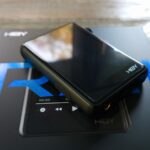
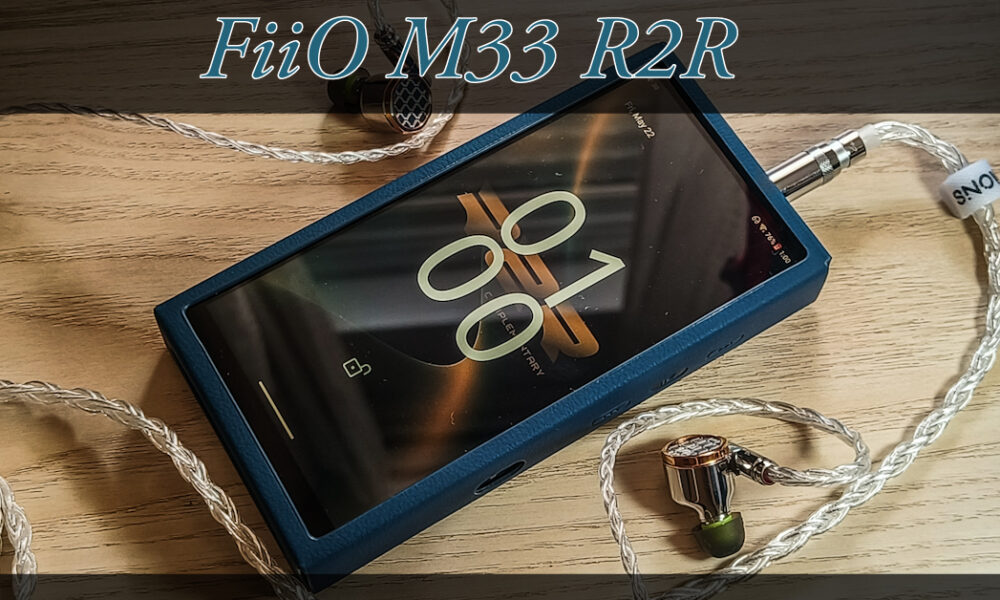
Hey everyone! Quick thing before we jump in. I want to clear with you all and say that FiiO sent me the M33 R2R to test it out, and share my honest opinion on. I’m not getting paid for this, and FiiO didn’t tell me what to say, didn’t ask to see the review before I posted it, and didn’t set any kind of deadline for me either.
Table Of Content
- Disclaimer
- Introduction
- Unboxing
- Specifications
- Specs
- Special Features
- The R2R DAC
- The Amplifier Section
- Desktop Mode and Gain
- OS and NOS Modes
- Platform
- Display and Build
- Connectivity
- Equalizer
- Actual Performance
- Android
- Sound
- Equalizer
- Desktop and Mobile Use
- Physical Aspect
- Battery Life
- Comparison: FiiO M33 R2R vs FiiO M21
- DAC & Sound
- Hardware & Performance
- Build & Accessories
- Verdict
- Conclusion
- Pros
- Cons
- Q&A
- Who is the FiiO M33 R2R for?
- Who should avoid the FiiO M33 R2R?
- What are some good alternatives to consider?
Everything here is based on my own experience with the M33 R2R. I always try to be as fair and objective as I can, but at the end of the day this is still my personal take. We all judge things differently and care about different things, and honestly that’s a big part of what makes this hobby so great.
Big thanks to FiiO for sending this one my way, and a huge thank you to you for reading and supporting my reviews. It really does mean a lot to me!
Introduction
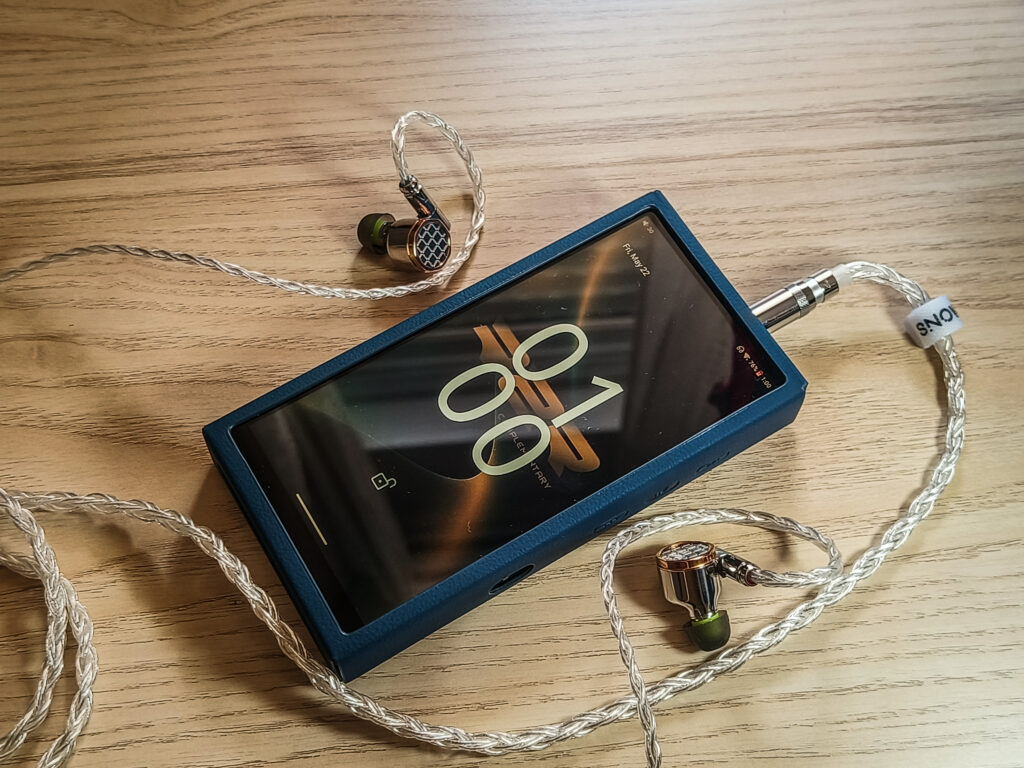
Now, I know I’m a bit late to the party with the M33 review, and I’m sorry for that. I hope it still can help you decide.
So FiiO released their very first R2R DAP. We all know the K11 R2R, the K13 R2R, and the Warmer R2R are all desktop gear. A portable R2R DAP from FiiO was only a matter of time.
The M33 R2R was initially launched at $649.99. FiiO raised it to $699.99 not long after because of RAM and NAND storage cost increases. The upside of that decision is that they kept the 8GB of RAM. It’s very good for a DAP at this level. You will definitely feel it in daily use.
Most R2R portables cost a lot more. And the M33 R2R at $699.99 is already doing something unusual. Hopefully they made the right tradeoffs to keep the cost down. (We will find out in this review, of course.)
Of course the DAC is FiiO’s own design. Not an off the shelf chip. A fully differential 24-bit resistor ladder built in house. FiiO has been using this DAC on the desktop side for a while. It is really good for the price. The success of the K11 R2R and the K13 R2R is proof of that. The M33 R2R is the first time it makes it into a portable player.
So let’s just get it out of the way and start with the review, so you will know if this one is actually worth your money.
Unboxing
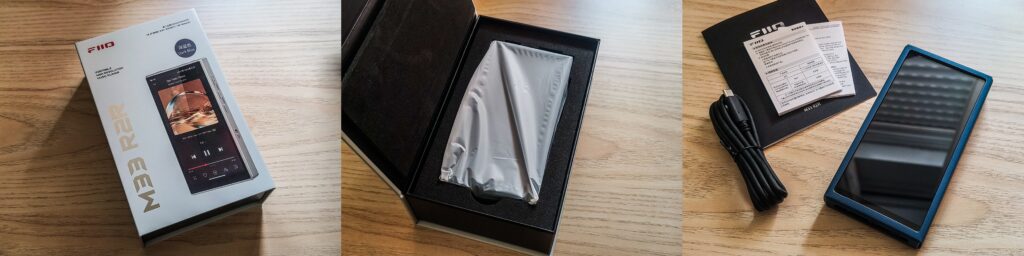
Okay, the packaging. To be honest, for a $700 device, it’s a bit simple. Inside the box you of course get the player, sitting in a foam cutout, wrapped in a white plastic bag. Nice, but doesn’t quite feel like $700. For something like the M21 at around $300, sure, I get it. At $700 I was hoping for a bit more.
Inside you also get a USB-C cable, the leather case, and a quick start guide. That’s it.
I know phones don’t come with chargers anymore. Only the cable. I get that. But this player has a desktop mode. To use it, you need a fast charger plugged in. That charger isn’t in the box. You’ll need to use yours for that, and some companies don’t support PD3.0 so keep that in mind.
The cable is also just basic. Nothing special. For the price, I would have loved something nicer. Maybe even two cables. One for charging or using the desktop mode and one to plug in as a source for full desktop use. Hopefully, something FiiO thinks about for future DAPs.
If this is what it takes to keep the price and quality where it is, I can live with it.
Two things FiiO always gets right though:
The screen protector comes pre-installed. This is very important. DAPs aren’t like phones. You can’t just walk into any store and grab a compatible one. Having it already on the device when you open the box is a must that saves you the headache.
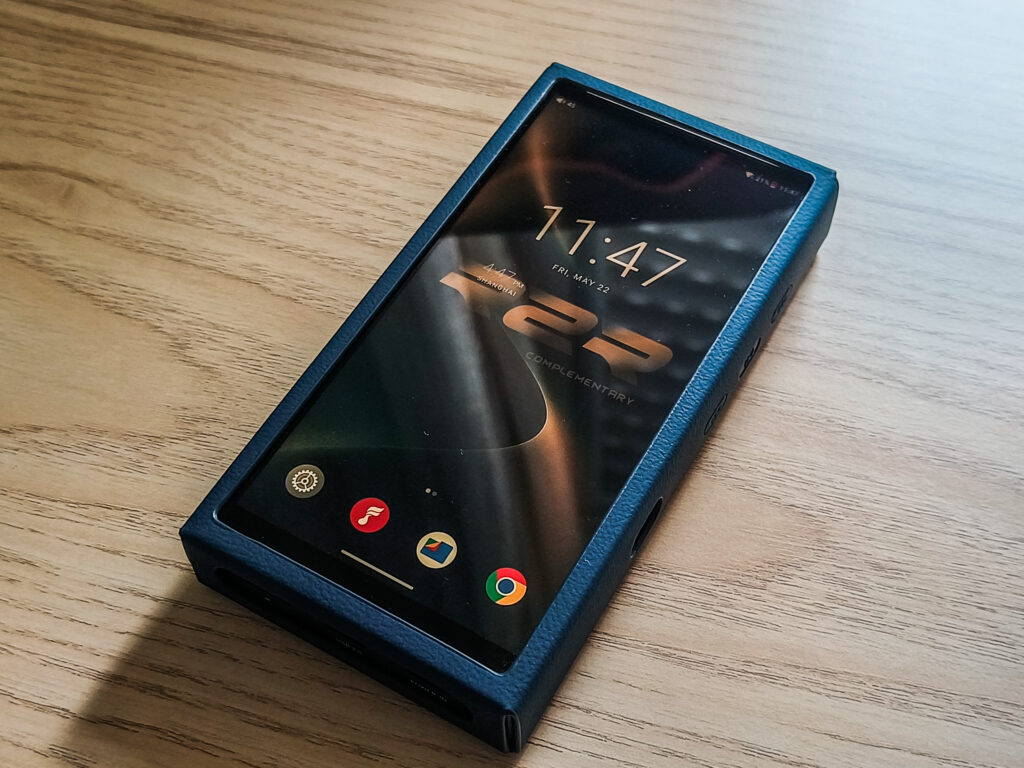
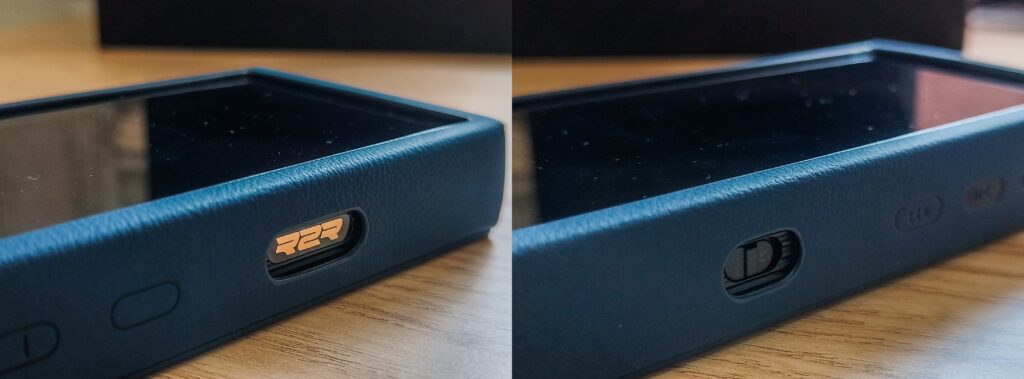
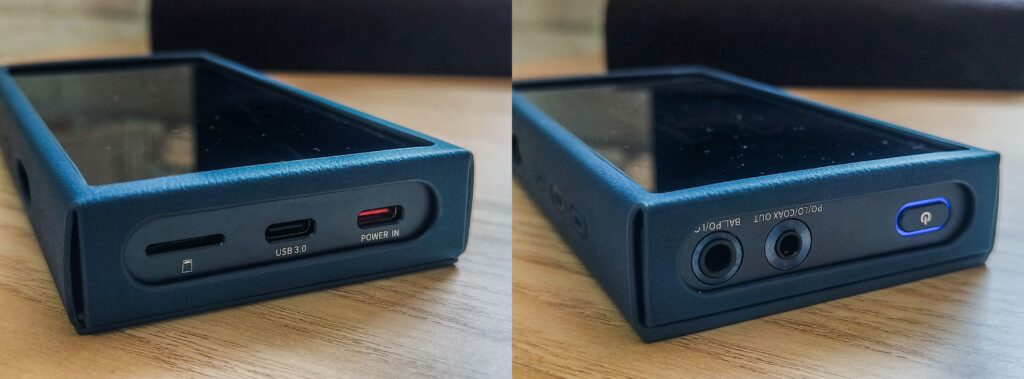
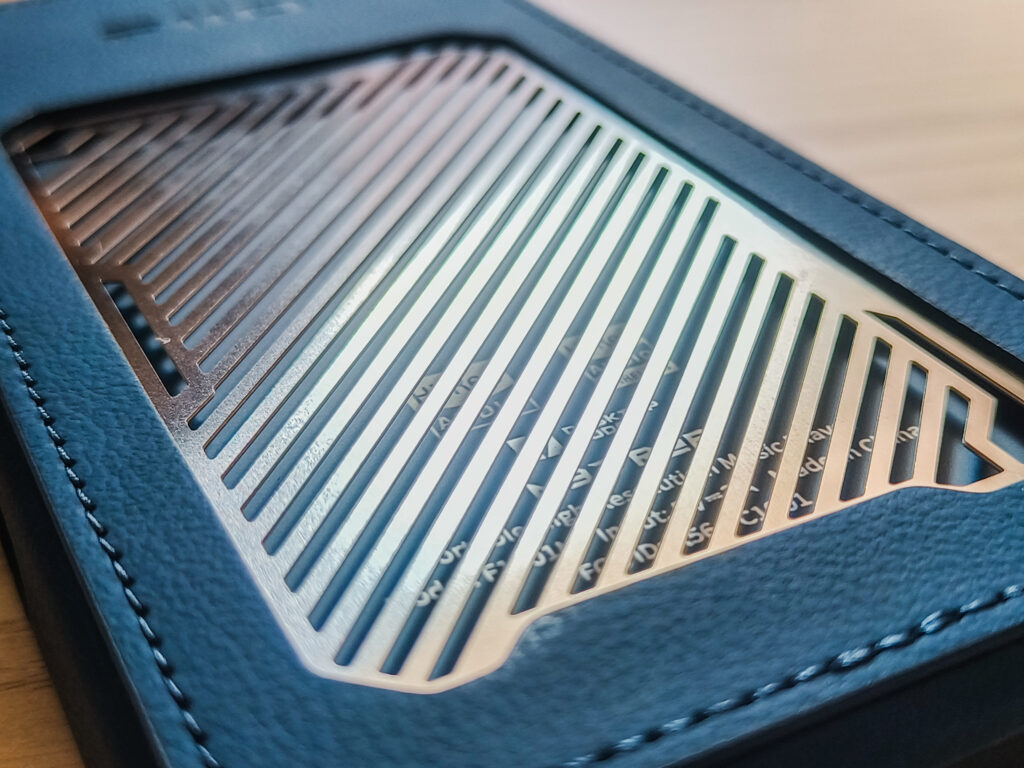
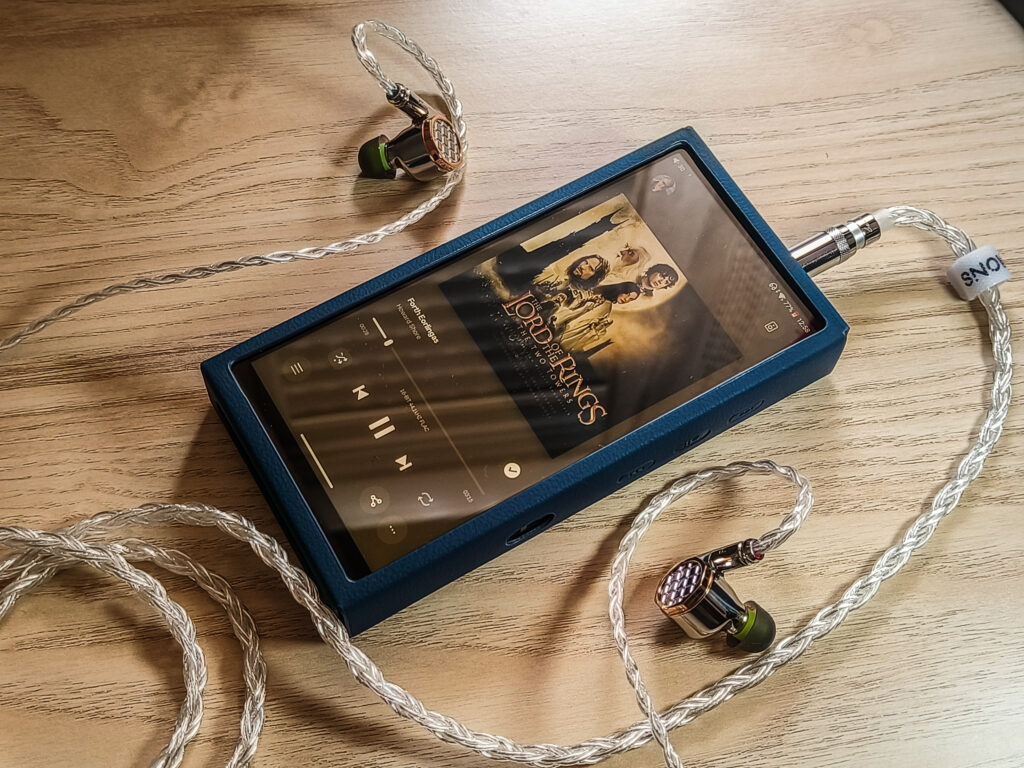
The leather case is also very nice. It looks perfect on the DAP. The back has a metal grille on it, probably for cooling. Looks and feels great! And overall everything (except the cable) feels high quality.
Specifications
Specs
- DAC: FiiO Self-Developed Fully Differential 24-Bit R2R Resistor Array (192 precision thin-film resistors, 0.1% tolerance)
- Processor: Qualcomm Snapdragon 680
- OS: Android 13
- RAM: 8GB LPDDR4X
- Internal Storage: 128GB UFS
- External Storage: microSD (up to 2TB)
- Display: 5.5-inch IPS, 1080×2160, Gorilla Glass 3, oleophobic coating
- USB Interface: XMOS XU316
- Clock System: FiiO DAPS, High-Capacity FPGA + Dual Femtosecond Crystal Oscillators
- Amplifier: Multi-stage Texas Instruments op-amps, fully balanced architecture
Output Power – 4.4mm Balanced
- Super High Gain (Desktop Mode): 1100mW+1100mW @ 32Ω / 240mW+240mW @ 300Ω
- High Gain: 900mW+900mW @ 32Ω / 165mW+165mW @ 300Ω
Output Power – 3.5mm Single-Ended
- Super High Gain (Desktop Mode): 470mW+470mW @ 32Ω
- High Gain: 300mW+300mW @ 32Ω
Audio Specs
- Frequency Response: 20Hz – 40kHz (attenuation <3dB)
- SNR: ≥117dB (A-weighted)
- Noise Floor: <5.5μV (A-weighted)
- THD+N: 0.0183% (PCM)
Playback Support
- Local: PCM up to 384kHz/32bit, DSD256 native
- USB DAC: PCM up to 768kHz/32bit, DSD512 native
- Coaxial Output: PCM up to 384kHz/24bit, DSD128, jitter ~71.5ps
Connectivity
- Bluetooth TX: SBC, LDAC
- Bluetooth RX: SBC, aptX, aptX HD, LDAC, LHDC 5.0
- WiFi: 2.4GHz + 5GHz dual band
- USB: Dual USB-C (USB 3.0 data/charge + dedicated POWER IN)
Battery
- Capacity: 4400mAh
- Balanced playback: ~12.5 hours
- Single-ended playback: ~14-15.5 hours
- Charging: 25W low-temperature fast charge (~1.5 hours to full)
- Gain Settings: Low / Medium / High / Super High (Desktop Mode only)
- Operating Modes: Android / Pure Music / AirPlay / USB DAC / Bluetooth Reception
- Decoding Modes: OS (Oversampling) / NOS (Non-Oversampling)
- Sound Profiles: Natural Sound / Warmer Sound
Physical
- Dimensions: 136.5 x 71.5 x 17mm
- Weight: 258g
- Colors: Retro Gold, Dark Blue, Black
- Build: Aluminum alloy chassis, Gorilla Glass 3 front, tempered glass back
In the Box
- M33 R2R (pre-installed screen protector)
- Matching leather case with metal grille
- USB-C cable
- Quick start guide
Special Features
The R2R DAC
FiiO built their own R2R chip for this. Not off the shelf. A fully differential 24-bit resistor ladder with 192 precision thin-film resistors at 0.1% tolerance.
I already mentioned it earlier, but let me explain it properly for those who aren’t familiar with the different DACs.
Most DAPs use delta-sigma DACs. Basically a chip that does a lot of math to reconstruct the audio signal. It oversamples heavily, applies noise shaping to clean up the errors, and outputs an analog signal. Works well. Cheap to make. Almost everything uses it.
R2R skips all of that. No math, no algorithms. Just a physical ladder of precision resistors. Each bit of the digital signal flips a switch. Those switches work together to produce a voltage directly. The more bits, the more possible voltage steps. At 24-bit you get over 16 million of them.
The hard part is the resistors. Every single one needs to be extremely accurate. Even small errors add up fast at this resolution. That’s what makes R2R expensive and rare in portable gear. You can’t use cheap components and expect it to work properly.
The Amplifier Section
The amp is fully balanced from start to finish. TI OPA1637 handles current-to-voltage conversion. TI OPA1662 handles filtering. INA1620 chips run in a quad parallel configuration at the output stage. Eight op-amps total, all in a separate shielded zone away from the digital circuits. FiiO did a great job here. 1100mW balanced and 470mW single-ended. It’s quite powerful and should drive most of the headphones you probably have.

Desktop Mode and Gain
Four gain levels: Low, Medium, High, and Super High. Super High only works in Desktop Mode.
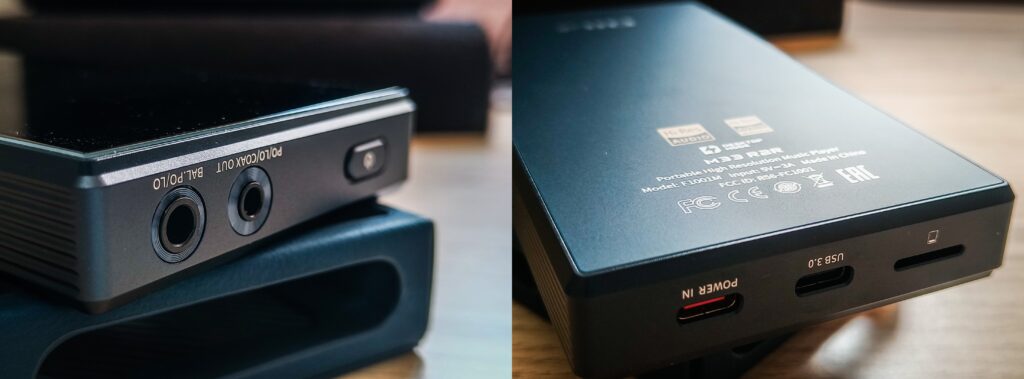
Desktop Mode works when you plug a PD2.0 or PD3.0 fast charger into the dedicated POWER IN port at the bottom. When that happens, the entire device runs from USB power. Not just the amp. The screen, the processor, everything. The battery is completely out of the equation. Not charging, not discharging. Just sitting there (of course you will have a natural discharge of the battery).
On the amp side, it switches to a higher voltage rail. Balanced output goes from 900mW up to 1100mW. That’s the Super High Gain difference.
In the long term, this is great for battery health. Fewer charge cycles means the battery lasts longer. There is one exception though, and that’s if the battery drops below 15%, the device will force charge it back to full even in Desktop Mode. Makes sense, I must say.
One practical thing to keep in mind is that not every USB-C charger supports PD2.0 or PD3.0. Make sure yours does before expecting Desktop Mode to work.
OS and NOS Modes
Two decoding modes: OS and NOS. OS applies digital filtering before the signal hits the resistor ladder. NOS skips all of that and sends the signal straight through. Most people in the community go with NOS for what is called the warmer, more analog character. I actually preferred OS. It felt more refined and detailed to me.
Platform
Snapdragon 680, Android 13, 8GB of RAM, 128GB of storage, and a microSD slot. The 8GB of RAM makes it very smooth in daily use. No stuttering. No lag when switching apps. If you’ve used a DAP with 3 or 4GB before, you’ll feel it pretty fast.
Display and Build
5.5 inch IPS, 1080×2160, Gorilla Glass 3. Aluminum body with a tempered glass back. Feels and looks nice. At 258g it’s not too heavy for what it is. Although it is still pretty large, not like a smartphone, but definitely thicker than any smartphone you own.
Connectivity
Bluetooth goes both ways. Transmit via SBC and LDAC. Receive via SBC, aptX, aptX HD, LDAC, and LHDC 5.0. WiFi is dual-band. Two USB-C ports. One for data and charging and one dedicated POWER IN for Desktop Mode. The 3.5mm jack doubles as a coaxial output up to DSD128.
Equalizer
10-band parametric EQ with Auto EQ. The Auto EQ pulls calibrated curves for FiiO’s large library. Super convenient, as it has a very large number of headphones and IEMs there. I am using it 99% of the time to make some small adjustments to almost every headphone and IEM I have in my collection, and they all have an auto EQ option. Just pay attention to the very high and low frequencies, as they tend to get boosted or dropped all the way because the auto EQ tries to match them to the curve you selected, and it overshoots there.
Actual Performance
Android
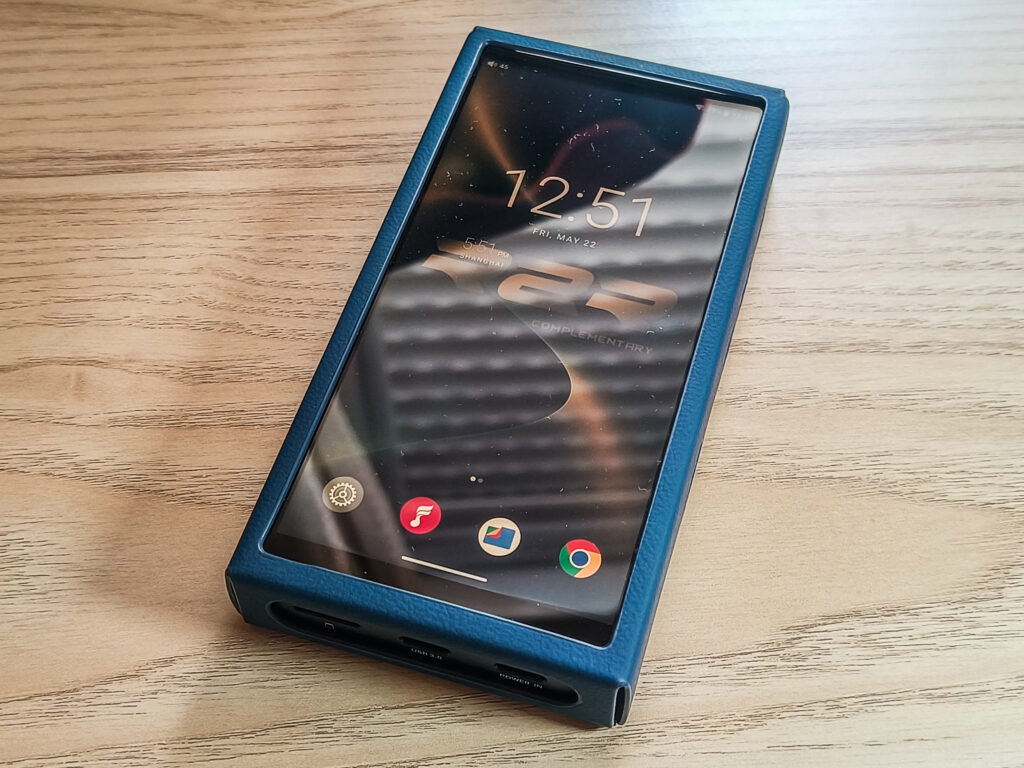
Yes, it runs Android. But FiiO has done some changes with it. No unnecessary apps. No bloat. No unnecessary settings. Just enough options specific to a DAP. It stays fast and responsive. Very different from a smartphone’s Android.
The downside of running Android is longevity. Software support cycles don’t last forever. I hope FiiO eventually builds their own OS with better battery optimization and longer support. I understand it’s not easy. Android already works, and it keeps the cost down. But it’s worth keeping in mind.
Sound
The sound is just great. No noise, no hiss at all. Completely silent background. I tested it with sensitive IEMs and headphones and never had an issue. It’s clean and detailed. There is just something charming about R2R DACs. I love it! FiiO knows what they’re doing here.
The resolution is great. I never felt like it was struggling to reproduce the full spectrum or push my headphones to their best.
I used it mostly in OS mode. Feels more detailed and refined to me personally. A lot of people love NOS mode and I totally get it. My advice is to try both and see what works for you.
Equalizer
The EQ is one of the best features on this device. One of the best FiiO features that make their products stand out and worth buying, in my opinion, is the ability to customize the sound profile. The Auto EQ is extremely useful in practice. If you have a FiiO product that supports the app, it will also support the autoEQ, and it pulls the right curve automatically. There are some things to keep in mind, like it sometimes changes the master volume and tweaks the sub bass and the very highs to compensate for differences, but it mostly overshoots there, and you will have to adjust it manually to correct it. But it most definitely does the job very nicely, and it’s hard for me to imagine life without such a feature.
Desktop and Mobile Use
Desktop Mode is great to have. You actually can have one device for both portable and desktop use. No need for two separate setups. Desktop Mode also extends the practical life of the device. It bypasses the internal battery. You get a lot more mileage out of it before ever thinking about replacing it.
The M33 R2R gives you five different ways to use it. Android Mode is your full experience with all your apps and streaming services. Pure Music Mode is just the dedicated, self developed FiiO player. USB DAC Mode connects it to a computer and uses it as an external DAC and amp. AirPlay Mode streams wirelessly from Apple devices. Bluetooth Reception Mode turns it into a receiver from your phone or any other Bluetooth source.
Also, worth mentioning too, the M33 R2R is compatible with FiiO’s new RETRO BOX. It’s a retro cassette deck styled speaker dock. You open the front cover, drop the player inside, and it can even trigger a tape mode theme on screen.
Bluetooth works great. Good range, no dropouts, no issues.
The screen looks good. Nice resolution, good brightness. My only wish is a light sensor for auto brightness. Going from indoors to outside without adjusting first can make it hard to see what’s going on on the screen. Small thing. But it comes up more than you’d expect.
Physical Aspect
The physical feel is solid. A bit chunky, but expected for a device with this much inside. The one thing that really bothered me is the power button at the top. Nobody puts the power button at the top anymore. Every smartphone moved on to the side years ago for good reason. It’s awkward to reach in daily use. Small thing again, but a real one that can be annoying.
Battery Life
Battery life matches what FiiO claims pretty closely. I had no issues sitting with it for almost a full day, but it’s expected that you will need to charge it once in a day or two days. The 80% charging cap is a nice option too. It’s a good way to extend the battery life long term and, when using it in desktop mode, to not overcharge it when the battery drops below 15% and starts charging again.
Comparison: FiiO M33 R2R vs FiiO M21
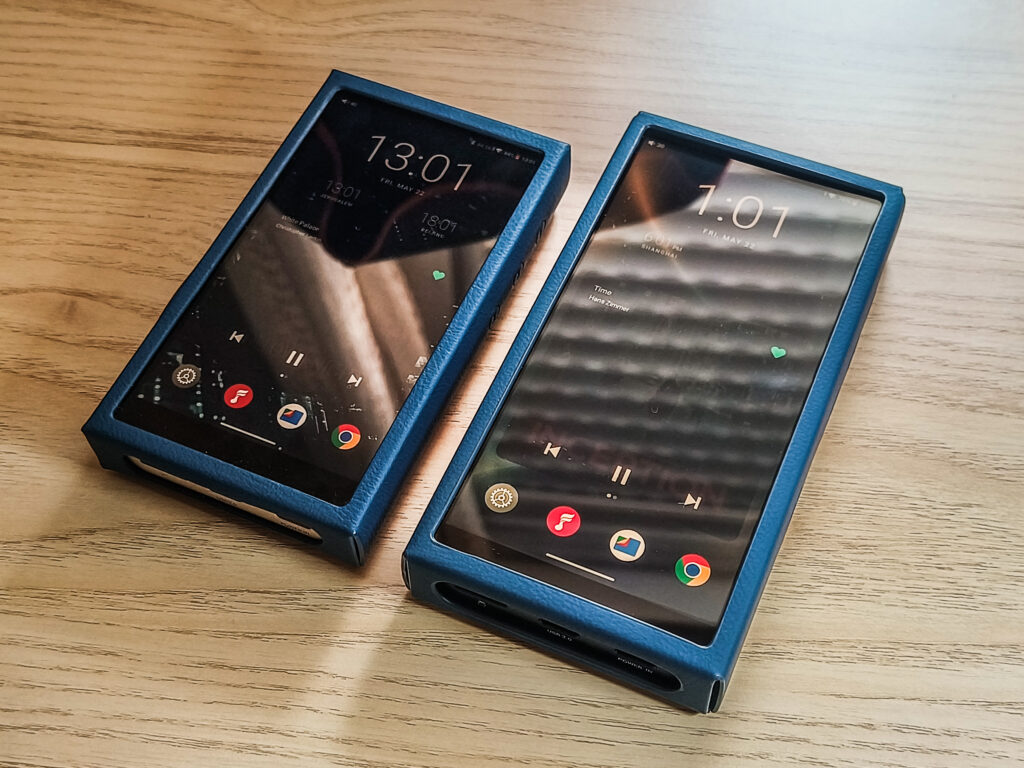
This isn’t a fair comparison, and I know that. The M21 costs around $300. The M33 R2R is $700. But I’ve seen a lot of people asking about upgrading from the M21, and it is a step up in FiiO’s lineup. So let’s talk about it.
DAC & Sound
The biggest difference on paper is the DAC. The M21 uses four Cirrus Logic CS43198 chips in a quad delta-sigma configuration. The M33 R2R uses FiiO’s own R2R DAC. But honestly, in OS mode both sound great. The differences aren’t huge. Both are clean, detailed, and well powered. It really comes down to features more than “pure sound quality”.
Hardware & Performance
Both run the same Snapdragon 680 processor. But the M33 R2R has 8GB of RAM and 128GB of storage. The M21 has 4GB RAM and 64GB. The differences are there in daily use. The M33 R2R stays smoother with more apps running.
The display is a real step up. The M21 has a 4.7-inch screen at 750×1334. The M33 R2R is 5.5 inches at 1080×2160. Bigger and sharper. Both lack auto brightness, which I complained about in my M21 review too. Still waiting on that one, FiiO.
Power output is slightly better on the M33 R2R. 1100mW balanced versus 950mW on the M21. Both have Desktop Mode and both need a PD2.0 or PD3.0 charger to unlock Super High Gain. In my M21 review I mentioned not all chargers work for this. Same story here. Check your charger, as you might need to buy a charger as well, which is something I wish FiiO would include out of the box.
Build & Accessories
The M21 ran pretty warm during heavy use. The M33 R2R is noticeably better on that front, maybe thanks to the metal grill on the case and maybe even internal changes.
For accessories, the M33 R2R comes with a leather case. The M21 comes with a silicone case (though you can buy an additional leather case). The M33 R2R is heavier at 258g versus 193g on the M21 and also much bigger.
Verdict
Is the extra $400 worth it? In my opinion, yes. You get more RAM, more storage, a better display, more power, and a cleaner overall experience. The R2R architecture is also something the M21 simply doesn’t offer. If you’re happy with the M21 and just want more of the same, maybe think twice. But if you want a real step up in the overall package, the M33 R2R makes sense.
Conclusion
FiiO’s first R2R DAP. For a first attempt, I think they nailed it.
The sound is clean, detailed, and completely quiet. No hiss, no noise, nothing. The R2R DAC is great. I’m happy FiiO brought it to a portable at this price.
8GB of RAM, a great display, real power output. Desktop Mode works well. Battery holds up very nicely. The leather case is a nice bonus too.
A few things I wish were different. No charger in the box at $700 is a miss. The power button at the top is a bit uncomfortable. No auto brightness is still annoying. Small things, but worth knowing going in.
Most R2R portables cost a lot more. FiiO made it work at $699. If you’re thinking about your first R2R DAP, or stepping up from the M21, the M33 R2R is worth keeping in mind. I enjoyed my time with it. I think you will too.
Pros
- FiiO’s own R2R DAC
- Clean, detailed sound with silent background
- 8GB RAM and 128GB storage
- Large, sharp 5.5″ display
- Strong power output, 1100mW balanced
- Desktop Mode with full battery bypass
- Five operating modes
- Pre-installed screen protector
- Leather case included
- 25W fast charging
Cons
- No charger included
- Basic accessories (except for the case)
- Power button at the top is awkward
- No auto brightness sensor
- Price increased from $649 to $699 post launch
Q&A
Who is the FiiO M33 R2R for?
Someone who wants an R2R DAP without flagship prices. If you want clean, detailed sound produced by an R2R DAC, good power for both IEMs and power hungry headphones, and the flexibility to use it portably and at a desk, this covers all of that. A good pick for anyone stepping up from the M21 or jumping into the mid range DAP space for the first time.
Who should avoid the FiiO M33 R2R?
If the budget is tight, the M21 at around $300 sounds great and does most of the same things for a lot less. If you don’t care about R2R architecture specifically, the price gap is harder to justify.
What are some good alternatives to consider?
Staying in FiiO’s lineup, the M21 at around $300 is the natural step down if you are not willing to pay this much. If you want to go further up the R2R portable ladder, the iBasso DX270 R2R is a pretty close comparison. It costs more than double, though… And if you prefer R2R on the desktop side, FiiO’s own K11 R2R and K13 R2R are excellent options at much lower price points.
For more Info: (Non-affiliated! None of my reviews use affiliated links!)
FiiO Official Website








No Comment! Be the first one.