
































































Disclaimer
Hello, everyone! Before we jump in, I want to let you know that FiiO sent me the M21 so I could test it and share my thoughts with all of you. I’m not getting paid by FiiO, and they haven’t told me what to say, asked to preview this write-up before publishing, or set any deadlines.
Table Of Content
Everything you’re about to read is 100 % based on my own time with the M21. I always aim to be as fair and objective as possible, but remember, this is just one person’s take, and we all hear things differently. All the discussion about sound preference is exactly what keeps this hobby exciting (to some point, haha)!
Huge thanks to FiiO for trusting me with the M21, and an even bigger thank you to you for stopping by and taking your time reading this. Your support truly means the world to me!
Introduction
Ok, so actually, it’s my first ever FiiO DAP, and honestly, I’m surprised. After a couple of weeks with the M21, I’m having a hard time thinking of anything I actually miss. It just got so much in it and does it so well, and all for $300.
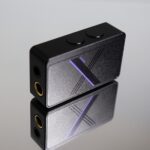
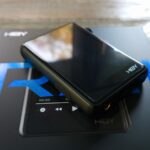
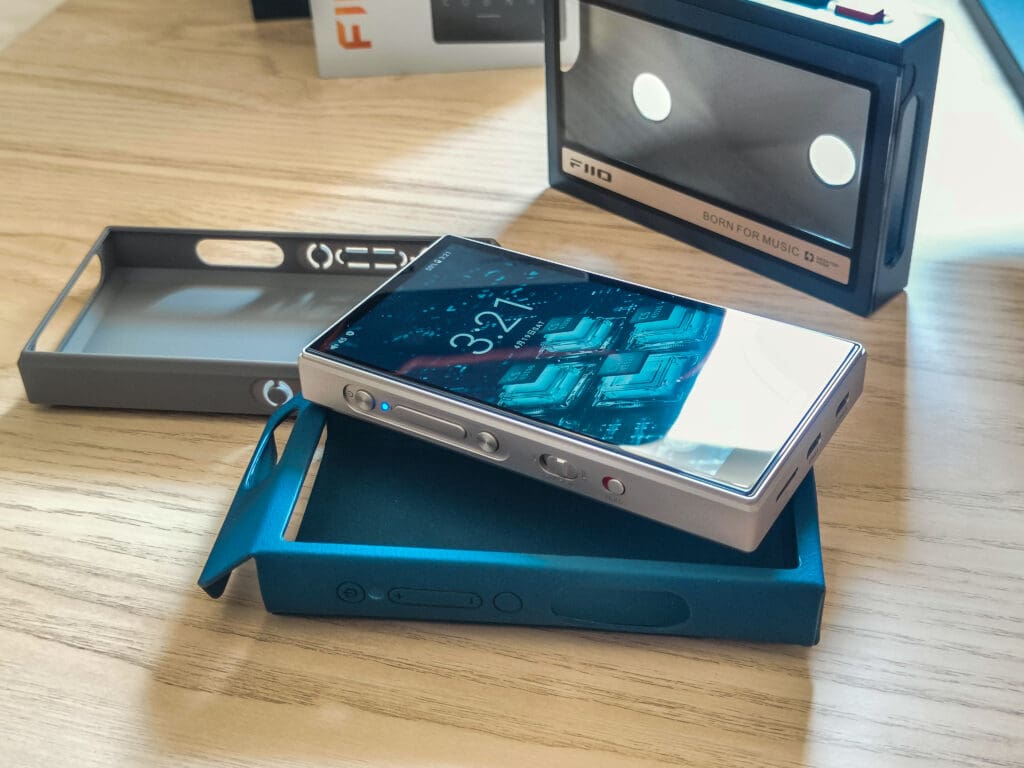
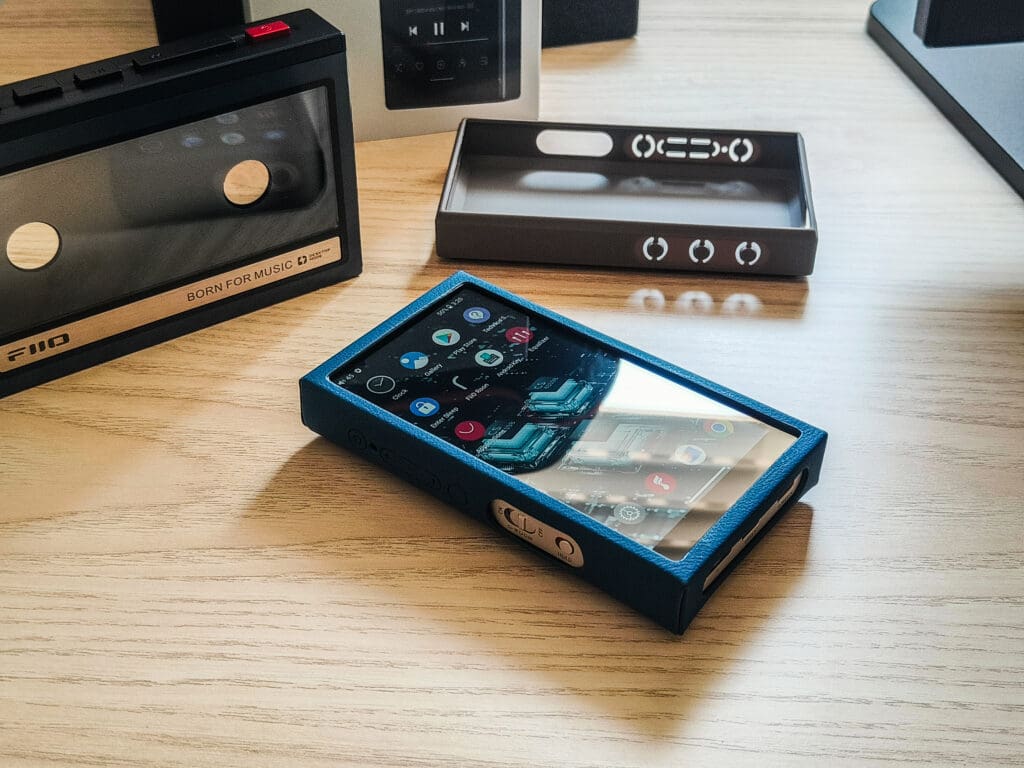
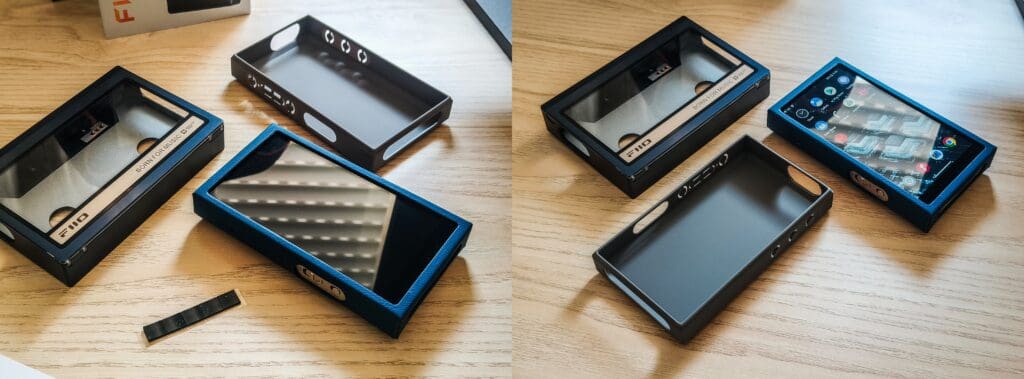
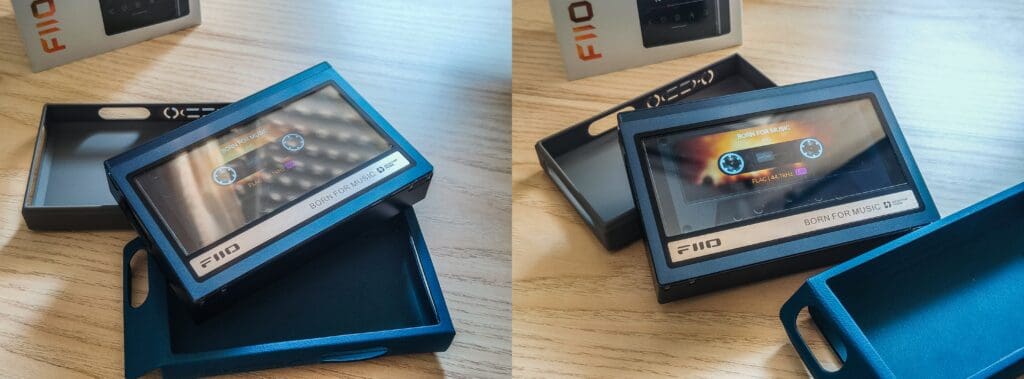
On paper, it looks great: Android 13 on a Snapdragon 680, four CS43198 DACs running in parallel, a dual-stage balanced amp that brings up near a watt (950mW), and two USB-C ports, where one is just for a clean power feed so you can charge it while using the other USB as a source. It also got a 4.7-inch screen and a full metal chassis that ends up weighing like a phone. The cool part is that it has a good amount of accessories that you can buy, and one of them is a retro cassette case. It’s nice and all, but I feel like it is more of a gimmick, but we will talk about it more later on.
I’ve been daily-driving the M21 for a couple of weeks now, whether streaming over Wi-Fi, using it as a Bluetooth receiver when I’m watching something on my PC or my TV, or even powering a pair of hungry planars straight from its 4.4 mm jack on the sofa. First impressions? This little guy basically does it all for me. But let’s not jump ahead too fast, and in the sections to come I’ll break down the build, the UI, and, most importantly, how it actually sounds and performs. So stay tuned.
Unboxing
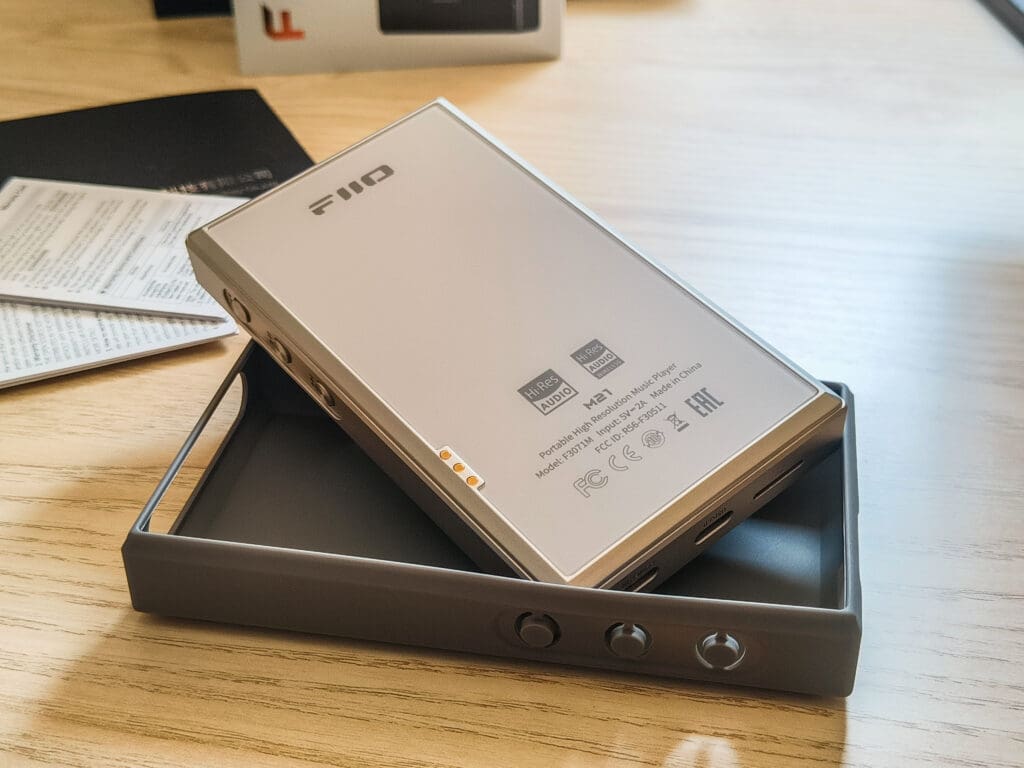
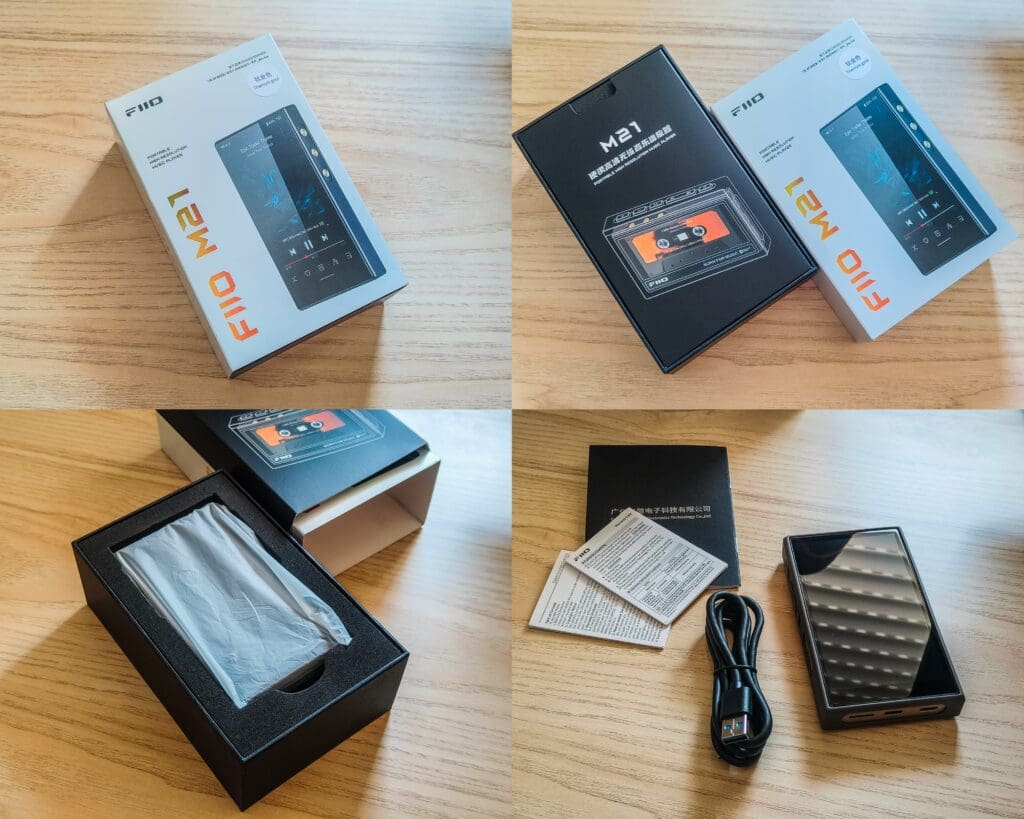
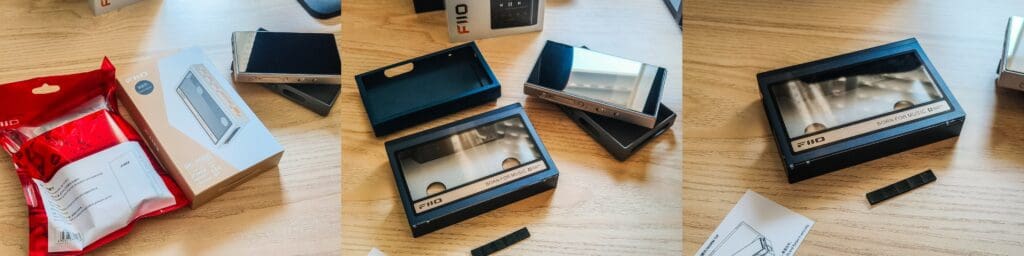
When I opened the M21 box, it honestly felt pretty straightforward, just clean and simple. The DAP was sitting in a soft plastic wrap and in a foam cutout. Underneath that was a very simple, and in my opinion, overly simple and cheap-feeling USB-C cable, some paperwork, and a quick-start guide. I really liked right away that FiiO already put a screen protector on it, which saves me from finding a right-fitting one and doing it myself. They also ship the M21 in a silicone case, which is a very nice touch, and every DAP should come like this, but of course you can get other cases separately, like that retro cassette one I mentioned earlier and a leather-like case. All in all, nothing over-the-top, but it felt thoughtful, practical, and ready to go.
Technical Specifications
- Operating system / SoC – Android 13 riding on a 6 nm Snapdragon 680 (octa-core up to 2.4 GHz)
- DAC array – Four Cirrus Logic CS43198 chips working in parallel (eight channels summed to two)
- Amplifier stage – OPA1692 × 2, SGM8262-2 × 2; three gain levels plus “Super-High-Gain” in Desktop Mode
- Output power (balanced 4.4 mm)
- 950 mW + 950 mW @ 32 Ω (Desktop / Super-High-Gain)
- 540 mW + 540 mW @ 16 Ω
- 185 mW + 185 mW @ 300 Ω
- Output power (single-ended 3.5 mm) – 405 mW + 405 mW @ 32 Ω; doubles as SPDIF-coax and line-out
- Battery / runtime – 4000 mAh; ≈ 15 h (3.5 mm) / 11.5 h (4.4 mm); 20 W PD3.0 fast-charge; optional Desktop Mode bypasses the battery entirely.
- Screen & chassis – 4.7-inch 750 × 1334 IPS; full metal body, 68 × 121 × 17 mm, ~193 g
- Memory – 4 GB RAM, 64 GB on-board (≈ 52 GB free) + micro-SD to 2 TB
- Wireless – Dual-band Wi-Fi, Bluetooth 5 (TX & RX) with SBC, AAC, aptX, aptX HD, LDAC, LHDC
- USB-C ports –
- USB-C 3.0 for data / charge / USB-DAC
- Dedicated POWER IN USB-C for an external supply
- For more information, you can visit FiiO’s site for the M21 full parameters via this link
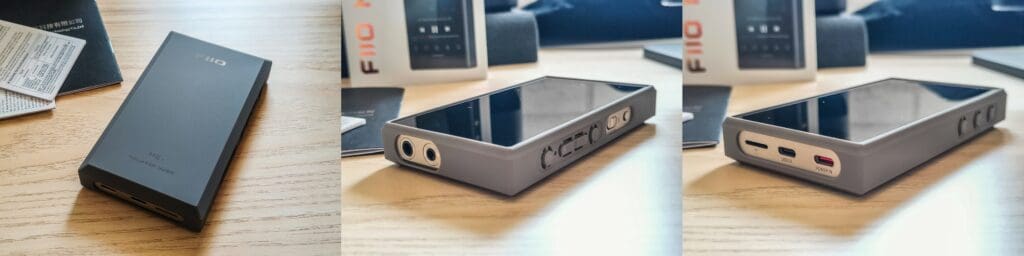
Its features:
The Quad-DAC
FiiO didn’t just drop a single chip in here. They stacked four CS43198s and ran the output channels in parallel. It’s a truly balanced output, and this quad design should lower noise, give more current, lower the impedance, and lower the distortion.
Amp & Power Delivery
Next in line are a pair of low-noise OPA1692 op-amps for voltage gain, and then it hits two beefier SGM8262-2 buffers for current. Turn the desktop mode switch on, feed it with a USB-C power input, and the DAP will use the external supply only, and the balanced output will give out nearly a watt per side into 32 Ω.
BUT! Its desktop mode is not like with the BTR17, for example, which works right away, and initially I had a huge problem where I couldn’t manage to get the Super High Gain mode to work… I have connected the external supply and turned on the D.MODE, but there is still no super high gain mode available… (Though a great thing is that it seems to really use the external power to work and not use the internal battery.) I thought maybe it’s a firmware issue, but the fact that it wasn’t working for me was annoying…
Additionally, the M21 started getting pretty warm while I was trying to get the desktop mode to work… So the most power I could get out of the M21 is 720mW with just the high gain. Fortunately, after I tried several chargers, I found a single fast charger that can really fast charge the M21, and it was a Samsung one. None of my other fast chargers get this thing to fast charge, and the super high gain can work only with a dedicated fast charger with PD2.0/PD3.0 fast charging, and apparently it isn’t as common as I thought…
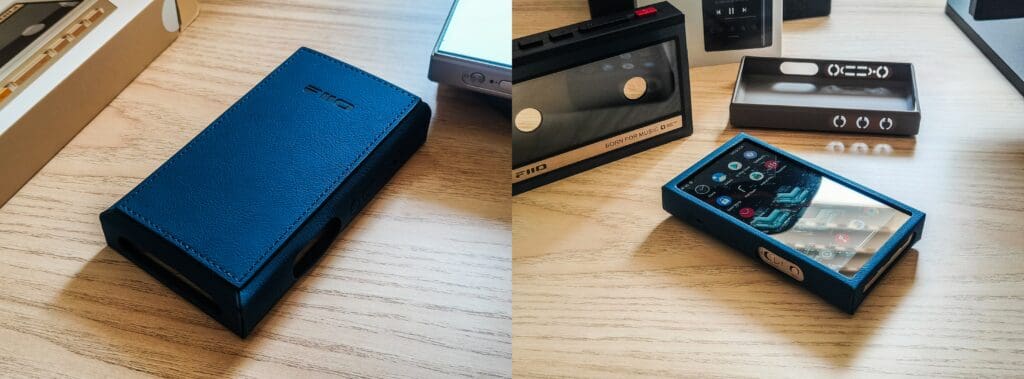
Buttons and Ports
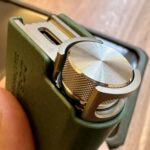
Left – power, volume up/down, Multifunction button that allows you to Add to My Favorites, Switch songs randomly, play/pause (although with Tidal, for some reason, the add to favorites, switch songs randomly and play/pause didn’t work… Its probably working only with the FiiO music app.), Delete the currently playing song. Switch filter, switch equalizer, enter USB DAC mode, enter Bluetooth receiving mode, lock screen/wake up, and enter cassette mode. Open the dropdown menu, and lastly, no function specified. The default one is Add to My Favorites. Next is the desktop mode switch, is the hold switch that disables the touch screen and buttons.
- Right – previous, play/pause, next.
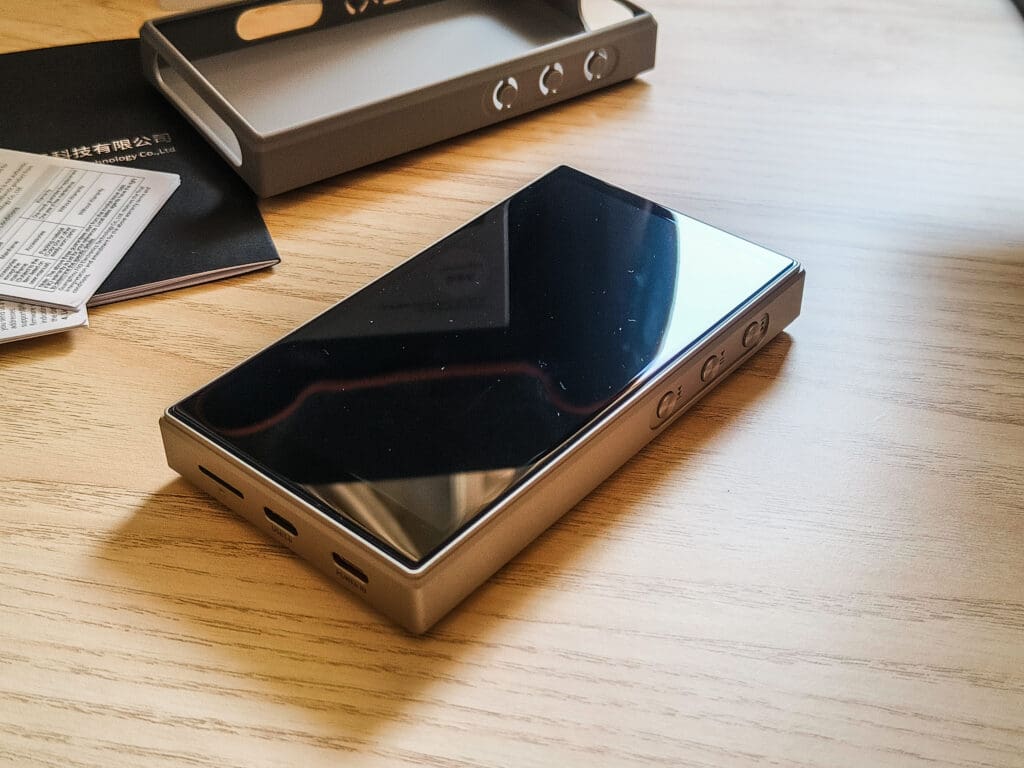
- Bottom – USB-C 3.0, that second USB-C POWER IN port, and also a micro-SD slot.
- Top – 3.5 mm combo jack (PO/LO/SPDIF), 4.4 mm balanced PO/LO.
Screen & Build
A 4.7-inch 750 × 1334 panel, it isn’t huge, but it’s big enough for what it is. Colors are nice, brightness is fine outdoors, but it’s very annoying that it doesn’t have an auto brightness, which is very useful outdoors. The M21 also weighs 193 g and has a metal casing with, I think, a plastic back panel, or maybe it’s glass, but because of the matte finish, it feels plastic to me. It also got the 3-pin connector at the back for the cassette case. It actually feels good and phone-like, but the finish is not quite on that level; it feels a bit rough, and it would have been nicer if it had a better finish. And also know that if you want to use the retro cassette case, it makes it much bigger and heavier.
Processor, RAM & Everyday Speed
The Snapdragon 680 plus 4 GB of RAM is, in my opinion, enough for pure music and for streaming apps. I can swap between Tidal, the EQ app, and the browser without any lags, as long as I don’t leave about ten apps open, of course.
UI & Operating Modes
Boot into Android Mode, and it behaves like a tiny phone: full Play Store, widgets, and many things you would expect from an Android device. In Pure Music Mode, Android hides in the background, leaving just FiiO Music open. There’s also AirPlay Mode, USB-DAC Mode, and Bluetooth Receive Mode—all selectable from the top menu.
Audio Settings and Global EQ
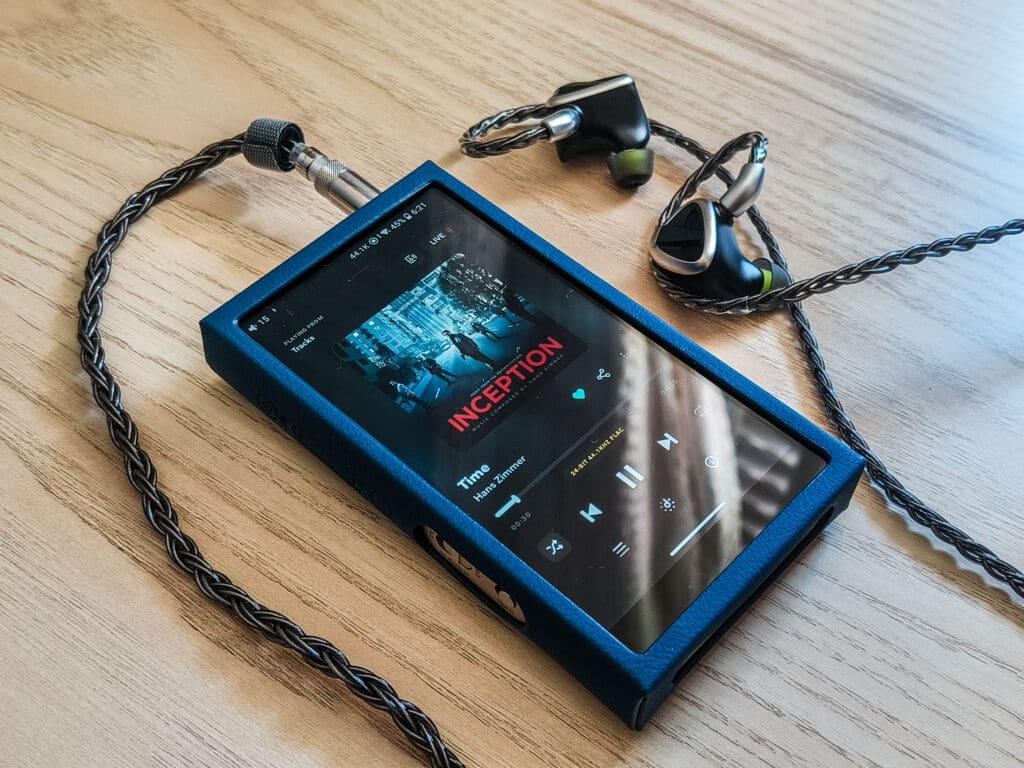
One thing worth mentioning here is that FiiO gives you plenty of control over how the M21 sounds. Inside the settings, you’ve got options like adjustable gain levels (low, medium, high), digital filters (Fast Roll-Off – Minimum Phase filter, Slow Roll-Off – Minimum Phase filter, Fast Roll-Off – Linear Phase filter, Slow Roll-Off – Linear Phase filter, Wideband flatness filter, Non over-sampling filter), All to DSD, Bluetooth Audio encoding (LDAC, LHDC, aptX-HD, aptX, AAC, SBC) and quality, Channel Balance, PO, Lo, SPDIF outputs, and of course a global 10-band EQ that works across all apps and outputs. The EQ is simple and intuitive, just like with the FiiO control app, and it’s super nice because it applies universally.
Battery Life & Charging
In real use I’m seeing close to FiiO’s claim: roughly a full day of use with the single-ended and balanced at my volumes, although what I have to point out is that it gets pretty warm after some use. A PD3.0 charger charges it up in about an hour and a half, but apparently not all phone chargers support it… So without the PD3.0, I was charging it for a long time, probably more than 2 hours.
Overall Performance
Let’s get right into the good stuff. The sound. The M21 really does deliver a clean and clear sound. It has a very minimal hiss, but you really have to use very sensitive IEMs and sit in a dead quiet room in order to somehow hear it, so to me the background noise can be called basically nonexistent, which is exactly what I would expect from a DAP with such technical specifications.
The amp got plenty of power as well. Even though initially, the Super High Gain didn’t actually work for me… No matter what chargers or ports I tried, the standard high-gain mode from the balanced 4.4 mm output (which is rated at around 720mW) was the maximum I could get… And yet, this still drove everything I threw at it easily, including my more power-hungry planars. After I was trying everything and all of my chargers for the super high gain, I found a single Samsung charger with PD2.0/PD3.0 fast charging to activate the super high gain and fast charging. Apparently the PD2.0 and PD3.0 fast charging wasn’t as common as I thought it would be.
One other thing I have found, which was annoying me a bit, was the popping noise after the internal components entered standby mode, or maybe its an electronic switch. But whenever I hit play again, there’s a quick but noticeable pop, which can get pretty annoying…
Also worth noting: As I have mentioned earlier, the M21 can get pretty hot after some use, but when I was trying (unsuccessfully) to get Desktop Mode to work, the M21 got noticeably warm, much warmer than during normal use. So I can suggest you use only a PD2.0 or PD3.0 fast charger.
Despite these minuses, the M21’s overall sound is impressive. It’s clean, transparent, and powerful enough for all my gear. So yeah, there are some annoyances, but when it comes down to just listening, it’s hard to complain about how good this thing performs.
Conclusion
Wrapping things up, my experience with the FiiO M21 was positive, especially as it’s my first experience with a FiiO DAP. It got a lot of great tech into its not so big body, sounds super clean and transparent, and easily powers everything I throw at it. Yeah, there are a few minuses here and there that quite bothered me, like the popping noise after standby/electronic switch turns on/off, and the not easy to manage Desktop Mode (which only works with very specific chargers). But honestly, at around $300, the M21 nails all the important stuff: sound, usability, and portability. I have talked with FiiO, and they told me that they are working on a solution for some of those issues, so keep an eye on it. Then you’d be looking at a daily driver DAP that checks nearly every box.
Pros
- Sounds clean, transparent, and detailed with almost nonexistent background noise.
- Plenty of power.
- Solid build quality with a pretty compact design.
- Android 13 OS with a smooth, not laggy, and responsive UI.
- Two USB-C ports, including one dedicated for clean power supply.
- Global EQ, which is working across all apps.
- On desktop mode it’s not using the internal battery.
Cons
- I feel like the finish of the metal could have been nicer.
- clicking noises when starting playing after some time, after the chips enter standby mode, or an electronic switch turns on/off.
- The multifunction button, add to favorites, switch songs and play/pause doesn’t work when I use it with Tidal, and works probably only with the FiiO music app.
- No auto-brightness.
- It gets pretty warm after some use.
- The super high gain mode requires a PD2.0/PD3.0 fast charging.
Where to buy: (Non-affiliated! None of my reviews use affiliated links!)




Hi Sean,
thank you for your review. As I’m planning to buy this DAP, I always like to digest as many reviews as possible, both video and written. I very much appreciate the different perspectives on the sound experience as many people have their own priorities and therefore their own way of reviewing and testing. I’m planning to use it (mostly) with the Meze 109 pro and have a good feeling about it.
About the super high gain problems, first thing I wondered, did you use a capable cable? If the charger(s) meet the required watts it’s most likely a cable problem.
This is also the first time I hear about de M21 getting warm, others specifically note it stays cool. Combined with the popping sound (discharge?). Sounds like your review sample might have a slight internal defect. Might want to check with Fiio about it.
First of all, thank you so much for your kind words. I’m very happy that it was helpful for you.
This kind of support keeps me going and helps me do the best for you!
Now to your saying. Its not the wattage, its the protocol of the charger (I have tired different cables).
the “warm” feeling I was experiencing, was when I plugged in a charger with a different protocol to what the M21 supports.