









































































































Disclaimer
Hello everyone! Before we get started, I want to let you know that FiiO sent me the K13 R2R to test, listen to, and share my thoughts on. I’m not being paid for this review, and FiiO hasn’t asked me to say anything specific, review my draft before posting, or set any kind of publishing schedule.
Table Of Content
Everything written here is based entirely on my own experience with the K13 R2R. I always do my best to stay as fair and objective as possible, but at the end of the day, this is still one person’s opinion, and we all value things differently. That pursuit of lifelike sound is what makes this hobby so rewarding.
A huge thanks to FiiO for giving me the chance to try out the K13 R2R, and of course, a big thank you to you for reading and supporting my reviews. Your trust and time truly mean a lot to me!
Introduction
Since I heard about the coming release of the K13 R2R, I’ve been really waiting for it and excited about what FiiO managed to do after the great success of the K11 R2R, which makes the K13 R2R FiiO’s second R2R desktop DAC and amp.
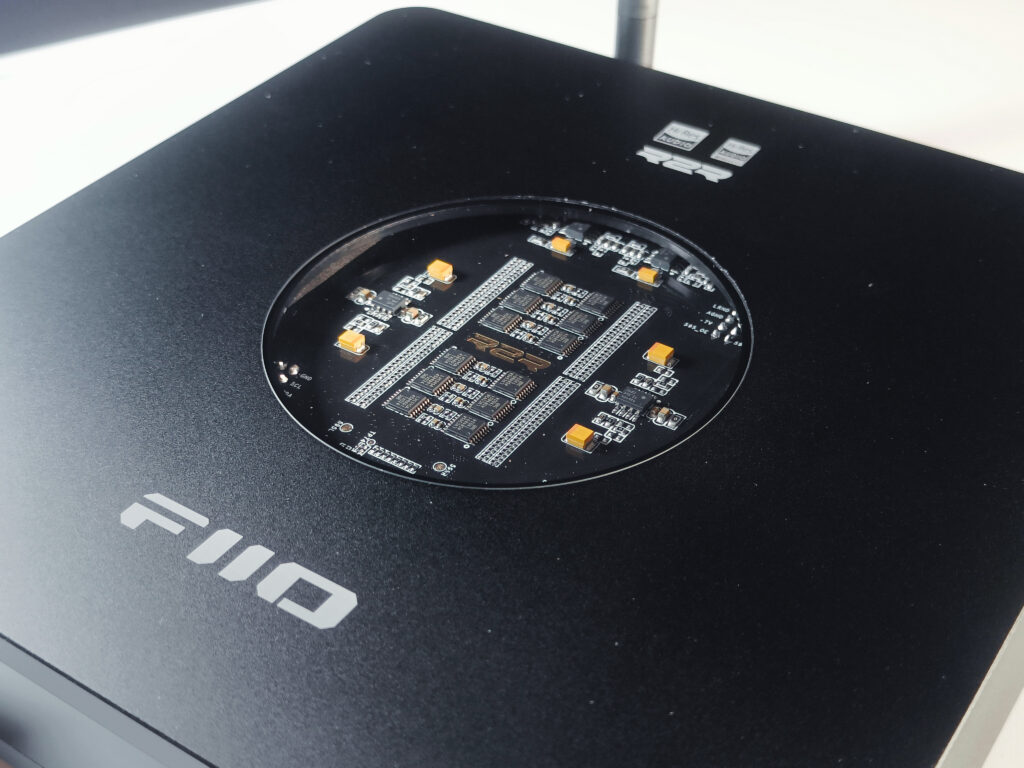
If you’re new to R2R, it is a resistor ladder way to turn digital into analog. Most DACs today use Delta Sigma chips, which shape and filter the signal in a different way. The K13 R2R leans on FiiO’s own 24-bit ladder arrays with NOS and OS modes, built-in Bluetooth 5.4 with LDAC, a 10-band PEQ, and serious output power that hits 2400 mW per channel from the balanced jack. It also adds a balanced XLR line out on the back, so it can sit as a preamp in a speaker chain. On paper and in hand, it’s really apparent that the K13 R2R is the bigger brother of the K11 R2R, with more features and more power.
Of course I will compare the K13 R2R to its little brother, the K11 R2R, later in this review, and see if it justifies the asking price of 319.99$, so stay tuned. And for now, let’s jump into the unboxing.
Unboxing
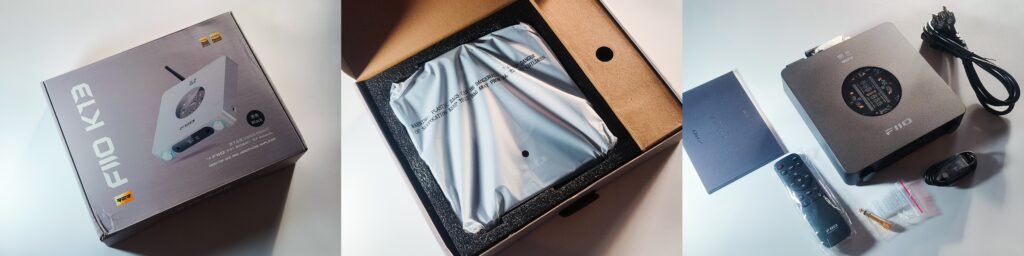
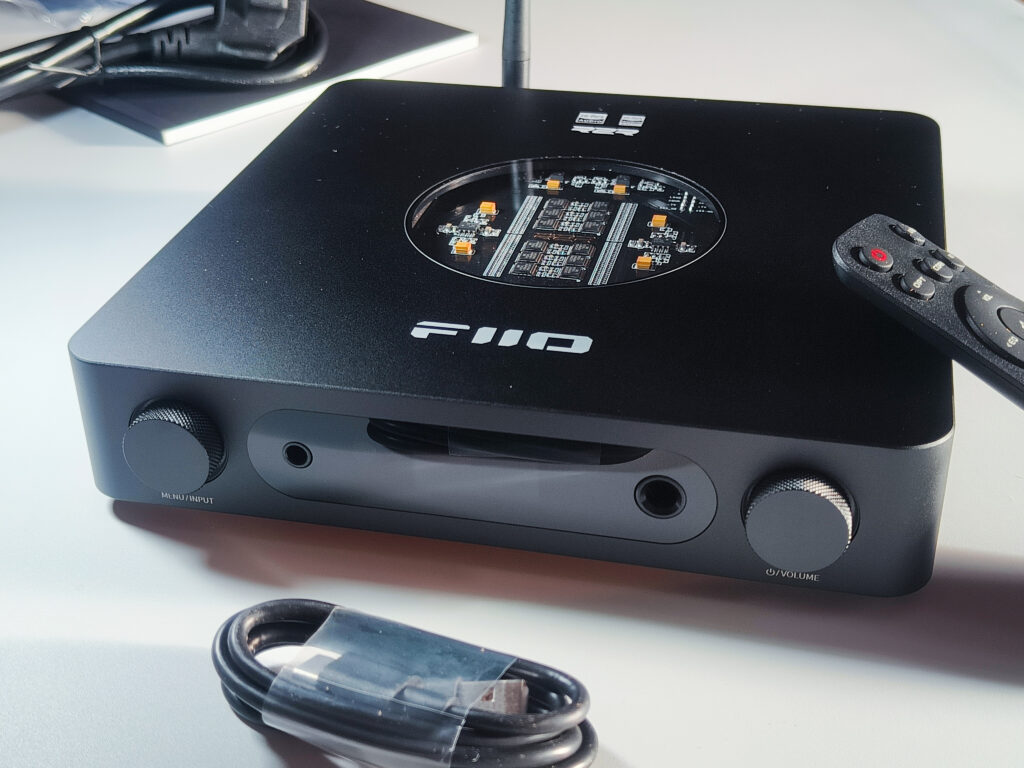
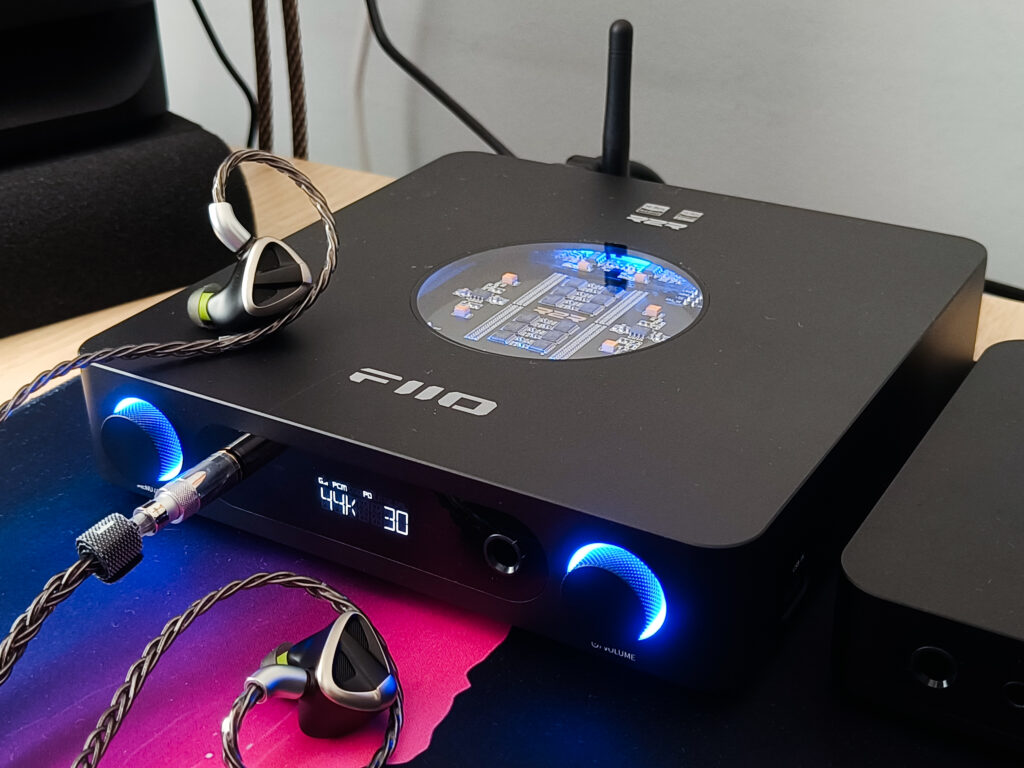
Ok, So the box itself is a very familiar FiiO box, and when I opened the box, the K13 sat snug in a thick foam. Off to the side there is a little compartment for the extras. My unit is the black one, and there is also a silver version, and inside there was the remote, a power cable, a USB cable, a 6.35 mm to 3.5 mm adapter, and the papers. The presentation is clean, and the top window that shows the resistor ladder array looks very cool in person, and I love this design.
One complaint that I have is that the remote needs two AAA batteries, and there are none in the box. For me that is a must include. If a product comes with a remote, I expect everything I need to start using it fully to be in the box.
Technical specifications
Specs
- Color: Black, Silver
- Dimensions: About 210x188x42mm (including feet)
- Weight: About 980g
- Power input: AC 100-240V 50/60Hz; DC 12V/2.5A
- Hardware configurations
- Display: Custom LCD
- Main control chip (MCU): ESP32-S3
- USB chip: XMOS XU316
- DAC: Fully differential true 24Bit R2R DAC resistor arrays
- Volume control chip: NJW1195AV
- R2R and LPF op-amp: OPA1642*4
- LO buffer op-amp: LTA8092*2
- Headphone amplifier: OPA1642*2+TPA6120A *2
- Decoding specifications
- USB input: 384kHz/32bit, DSD256
- Coaxial input: 192kHz/24bit, DSD64
- Optical input: 192kHz/24bit
- Bluetooth codec support: LDAC/AAC/SBC
- Audio specifications
- Single-ended line output level: 2.6Vrms (1kHz@10kΩ)
- Balanced line output level: 5.3Vrms (1kHz@10kΩ)
- Single-ended power output 1: L+R≥1220mW +1220mW (32Ω, THD+N<1 percent) (32Ω/SE/high gain)
- Single-ended power output 2: L+R≥150mW+150mW (300Ω, THD+N<1 percent) (300Ω/SE/high gain)
- Balanced power output 1: L+R≥2400mW+2400mW (32Ω, THD+N<1 percent) (32Ω/balanced/high gain)
- Balanced power output 2: L+R≥600mW+600mW (300Ω, THD+N<1 percent) (300Ω/balanced/high gain)
- Frequency response: 20Hz to 80kHz: Attenuation<2.9dB
- SNR: ≥116dB (A-weighted)
- Noise floor: PO<5uV (A-weighted, M gain); BAL<8uV (A-weighted, M gain)
- Output impedance: PO<0.7Ω (32Ω load); BAL<1Ω (32Ω load)
- THD+N: About 0.0173 percent (1kHz/-6dB@32Ω)
DAC and amp section
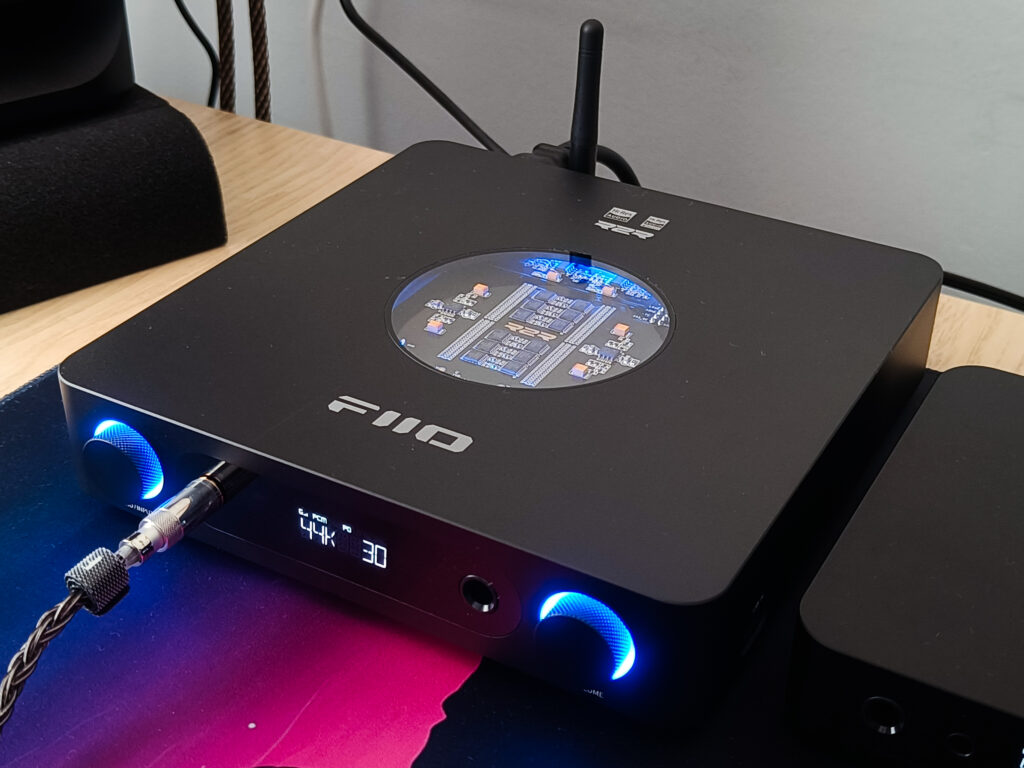
At the core, the K13 uses a fully differential R2R ladder per channel, which you can see through the top of the unit, and the whole path stays balanced from the DAC to the balanced outputs. You can switch between NOS or OS that upsamples to 384 kHz. Personally I’ve been using OS, as it just sounds better for me. USB runs on the XU316, and the analog stage uses OPA1642 into TPA6120A. In theory this is supposed to give low noise and fast transients with big headroom for planars and other hard to drive headphones, but in practice, with very sensitive IEMs, I do hear some very low static noise. The noise is pretty minimal and doesn’t really bother me too much, but it’s there.
Design and build
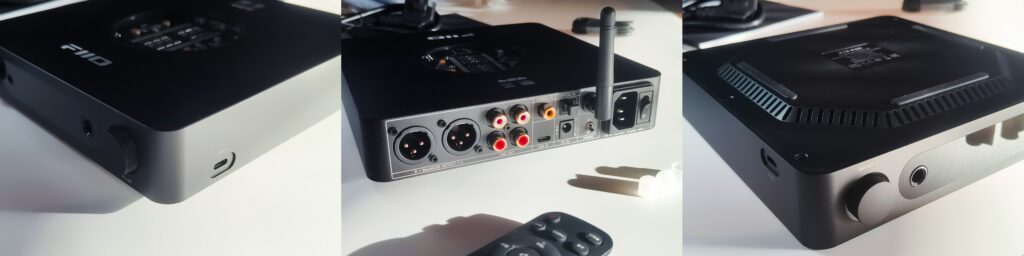
The chassis feels solid, and to me, it looks really good on the desk, with a round top window that lets me see the ladder boards and a clean front design. Up front you get the 6.35 mm single ended, 4.4 mm balanced, an IR window, and two knobs, one for volume and the other for menu. On the back, FiiO gives pretty much the full set, so I can place it on almost any chain:
Outputs: RCA line out, XLR balanced line out (fixed or pre)
Inputs: 2x USB C, optical, coaxial, Bluetooth antenna, AC power, DC 12 V input
FiiO has decided to place two sets of RCA line outs. Generally there is a set for line out and a set for line in if someone wants to use the device just as an amp. But here, you must use the internal DAC.
Features and controls
Day to day, the three gain levels and separate volume memory for headphones and pre out make life easy. The 10 band PEQ is built in, and I can run it from the app or the web tool. It has some EQ presets and also allows you to add up to 10 custom EQs, which is great. The RGB logo can show the sample rate or a custom color. There is a sleep timer, and the unit has thermal and overload protection. Bluetooth 5.4 works as a receiver with LDAC support, and the remote lets you control volume, input, output, screen, and lighting. Firmware updates can be installed using the USB C or through the app.
You can turn the unit on or off using the volume knob (just hold for a short time), the remote, or the main power switch at the back, if you are using the AC cable.
FiiO Control app and PEQ
The PEQ gives me ten fully adjustable bands with frequency, Q, and gain, plus quick save and preset slots. I can import or share curves, and there are some presets. The control app is very handy when I am on USB with EQ enabled, as I can control it through my phone even when it is not the source of the audio. I use it for small fixes for different headphones or a small adjustment for the speakers.
Power and use cases
I have been using the internal supply, and it is perfectly fine and works very well (although I have heard some concerns about it, because it is very small and might not be good enough…). There is a DC input if I want to try a third party linear PSU. With 2.6 Vrms on RCA and 5.3 Vrms on XLR, it will work greatly as a pre into powered monitors. For headphones, I keep low gain for IEMs, medium for most dynamics, and even hungry planars. I have never felt like I don’t get enough power, and I’m very positive that this thing will run pretty much any headphones.
How it performs
I see the source as the supporting and managing part of the system rather than a real player. It matters for the sound, just not as much as the headphones or speakers. Modern DACs and amps from reputable brands are so good that the sound differences between them are too small to really be concerned about. They exist, I am not saying they do not, but for most people they are too small to justify constant sidegrades, or if you want to call them “upgrades”. What matters more to me are the features, the versatility, the connectivity, the ease of use, the size, the look, and the overall quality.
Here is where the K13 R2R fits my use. It looks great to me, it is easy to use, and the controls are intuitive. I hooked it up to a few things, and it just worked: TV to optical and then to my speakers, PC to USB C with my headphones connected, and phone to Bluetooth. With the remote I can switch inputs and outputs from across the room with one click. That convenience alone makes a device feel worth the money before I even talk about sound.
The sound
About the sound. The K13 R2R sounds really good. It drives every IEM and every headphone I own with ease. Compared to a Delta Sigma unit like the Fosi K7, the K13 might be a touch warmer, and with very sensitive IEMs, I hear some background hiss noise during quiet phases, but it is not something that changes the experience in real listening, and it really doesn’t bother me too much. Especially in OS mode. If we go back a few years, I might have said that you will hear bigger differences. Today the differences between good DACs and amps are too small for a casual listener to pick up. That is why I put more weight on the total package. On that front the K13 is strong, and at 319.99$ the value makes sense for what it offers.
The R2R DAC is also part of the fun. It feels cool and a bit vintage in concept, but the sound here is modern. With OS mode on, I’m very positive that in a blind test, almost no one will ever tell that it’s an R2R and not a Delta Sigma DAC, especially when the more critical role is played by the AMP section.
K13 R2R vs K11 R2R
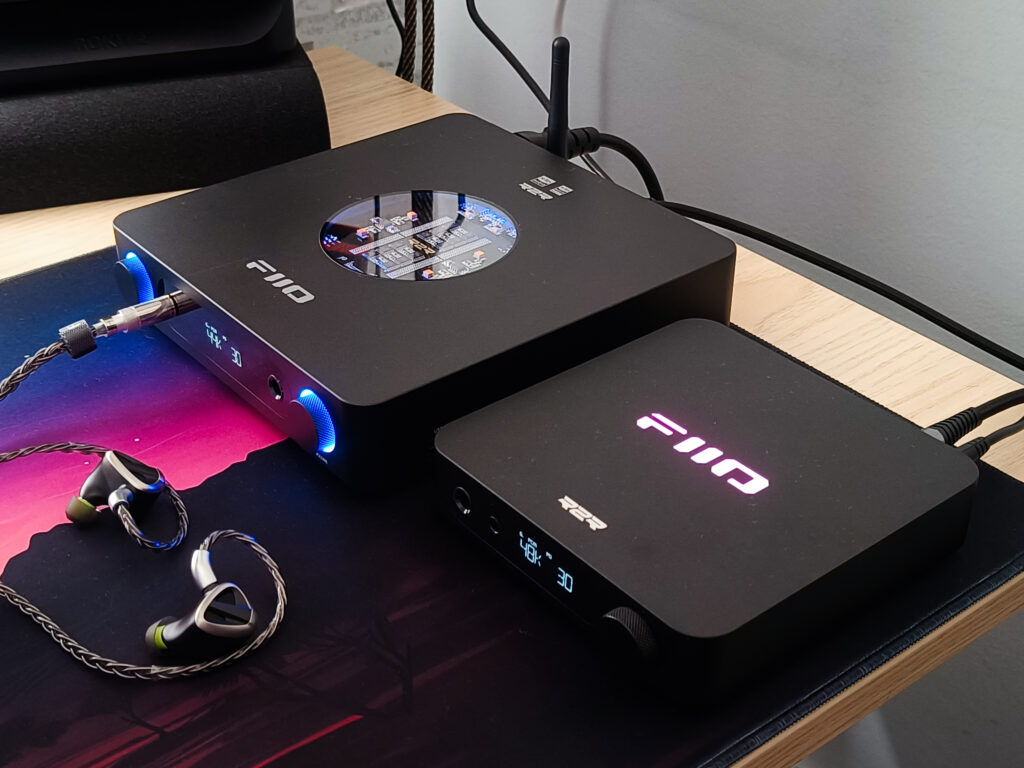
The K13 is larger and heavier, and it brings more features and connectivity. You get Bluetooth, fully balanced XLR line outputs, two pairs of RCA line outs, an extra USB C input, and a second front knob for more convenient control. You also get an internal power supply with the option to use a 12 V external supply if you want, as long as it is rated at 2.5 A or higher. The K11 R2R is simpler, with fewer ports and a smaller footprint.
Sound wise they are very similar at normal listening levels, but maybe the K13 R2R gives me a sense of a better resolution and technical performance, but it might as well just be a placebo. The difference shows up on hard to drive headphones. The K13 has more headroom and a stronger amp, so planars in particular feel more controlled on peaks and dense passages. The K11’s 1.1 W balanced output can drive many headphones, but pushing any smaller amp to the limit is not ideal. You are closer to clipping and distortion, and living at max is not healthy for the AMP either. With the K13 I stay on the comfortable side of the dial even with big planars.
Bottom line
If you want a one and done desktop DAC amp that is easy to live with, has real power, and covers a lot of use cases, the K13 R2R is easy to recommend. The R2R part makes it cooler to me, and the sound is very modern.
Conclusion
After living with the K13 R2R, I see it as a one and done desktop hub. It looks good on the desk, it is easy to use, and it plugs into everything I need without fuss. The remote switching, the extra I/O, the PEQ, and the power are what make it worth the money to me. The sound is clean and overall very good, especially in OS mode, and it drives all the headphones I own with plenty of headroom. Although not the cheapest, at 319.99$ the package feels right for what it offers.
I do have a few small drawbacks. The remote needs two AAA batteries, and the box does not include them. There is no analog RCA line in, so anyone who wants to, cannot use it as an amp only. With very sensitive IEMs there is a little noise during quiet phases. It is also bigger and heavier than the K11 R2R, so it takes more desk space, but nothing extraordinary. Outside of that, it does exactly what I want. I would pick it again tomorrow, the day after, and so on, as my all rounder desktop DAC amp (or until FiiO releases a new banger!).
Pros
- Clean and very good sound
- Good amount of power and headroom for planars
- Versatile I/O: 2x USB C, optical, coax, RCA line out x2, balanced XLR line out, Bluetooth 5.4
- Remote lets me switch inputs and outputs quickly and far from the unit
- PEQ that I can run from the app or web
- Nice build and beautiful design with the top window
- Internal PSU with optional 12 V DC input
- Three gain levels and separate volume memory for PO and PRE
Cons
- No AAA batteries in the box for the remote
- No analog RCA line in, so no amp only use
- Slight noise with very sensitive IEMs
- Larger and heavier than the K11 R2R
Where to buy:(Non-affiliated! None of my reviews use affiliated links!)




Hola buen día, crees que hay diferencias significativas entre el fiio m33 r2r y el K13 r2r? Gracias