








































































Disclaimer
Hello everyone! Before we start, I want to let you know that FiiO sent me the QX13 to test, listen to, and share my honest thoughts. I’m not being paid for this review, and FiiO hasn’t asked me to say anything specific, checked my draft before posting, or set any publishing date or deadlines.
Table Of Content
- Disclaimer
- Introduction
- Unboxing
- Technical Specifications
- Specs
- Build quality and materials
- Screen and interface
- Internal technology and audio architecture
- Ecosystem and modular use
- ESTICK Technical Specifications
- Specs
- Power Output and Performance with the QX13
- How it Performs
- QX13 vs KA17
- Conclusion
- Pros
- Cons
Everything you will read here is based entirely on my own experience with the QX13. I always try to stay as fair and objective as possible, but at the end of the day, this is just my opinion, and we all value things differently. And that’s exactly what makes this hobby so enjoyable.
Big thanks to FiiO for giving me the chance to try out the QX13, and of course, a huge thank you to you for taking the time to read and support my reviews. It truly means a lot to me!
Introduction
If you have been following me for a while, you probably know how much I love FiiO, and I truly think that they mostly are making very competitive products in every price segment, from ultra budget to top tier products. Lately they have announced a new line of dongles, which will be their more premium line after the KA, and it will be the QX, with the first dongle in this lineup being the QX13. And today I will review it for you.
The KA line already had some premium releases, so hearing that the QX series is meant to be the more premium step up made me pretty excited to see what they were going for here. The QX13 comes in two versions. The carbon one is priced at 240$ and the titanium gold version is 220$, which already puts it above the KA17 that sits at around 150$.
Since I’ve spent a lot of time with the KA17, it makes perfect sense to compare them directly and see how much of a jump this new model really brings. And to make things even more interesting, I will also be reviewing today the ESTICK alongside it. The ESTICK is a small portable power supply that works with both the QX13 and the KA17, and it basically lets you enter desktop mode while still staying portable. So this review will cover the QX13 by itself, how it performs with the ESTICK, and why it might be a preferred option for some people over the KA17.
Unboxing
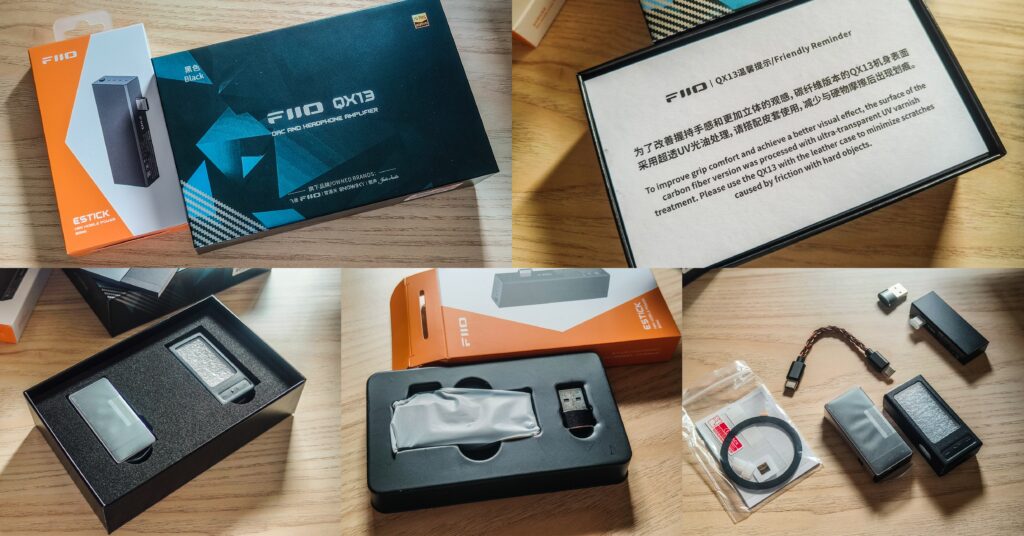
When I received and opened the QX13 box, the presentation really reminded me of the KA17 packaging. And this is a typical FiiO box, which they use for more premium products. I got the carbon version of the QX13 for this review, and right at the top there is a reminder card telling you to be careful with this finish. It explains that the surface has a special UV coating and that it is better to use the included leather case to keep it nice for the long run. I actually appreciate little touches like that, because it shows how much attention went into the product.
Everything inside is packed in thick, dense foam, so nothing moves at all during shipping. On the top layer you have the QX13 itself placed inside its slot, and right next to it is the leather case. Under that layer you have the accessories. FiiO included their premium Type C to Type C cable, which is a very nice thing, and then a small plastic bag with all the extra stuff.
Inside that bag you get the warranty card, silicone dust covers for the Type C ports, a Hi-Res sticker, an extra screen protector on top of the one already installed on the QX13, and even a magnetic ring sticker that you can place on your phone. That sticker works with the magnets inside the leather case, so you can carry the QX13 by attaching it to your phone. And of course, there is the user manual as well.
The ESTICK comes in a simpler, more straightforward box. When you open it, you basically get the unit itself, a USB A to USB C cable, and the warranty and manual cards. It is a much more minimal unboxing compared to the QX13, but for a portable power accessory, this is exactly what I would expect.
Technical Specifications
Specs
- Color: Black (carbon fiber)/Titanium (aluminum alloy)
- Weight: About 33g (carbon fiber)/About 39g (aluminum alloy)
- Dimensions: About 64.2×30.7x13mm
- USB chip: XMOS XU316
- DAC: ES9027SPRO
- Op-amp: OPA16922
- Headphone amplifier: TI INA16204
- Sampling rate support: Asynchronous 768kHz/32bit, DSD512 (Native), MQA full decoding
- USB DAC driver-free mode: Supported
- Display: 1.99-inch IPS, Corning third-gen high-strength glass
- Headphone output: Single-ended 3.5mm + balanced 4.4mm
- Output power 1: L+R≥310mW+310mW (32Ω/THD+N<1%/SE/desktop mode)
- Output power 2: L+R≥900mW+900mW (32Ω/THD+N<1%/BAL/desktop mode)
- Output power 3: L+R≥250mW+250mW (32Ω/THD+N<1%/SE/non-desktop mode)
- Output power 4: L+R≥570mW+570mW (32Ω/THD+N<1%/BAL/non-desktop mode)
- Output power 5: L+R≥35mW+35mW (300Ω/THD+N<1%/SE/desktop mode)
- Output power 6: L+R≥115mW+115mW (300Ω/THD+N<1%/BAL/desktop mode)
- SNR: ≥124dB (A-weighted)
- Noise floor: PO<2μV (A-weighted); BAL<3.4μV (A-weighted)
- THD+N: <0.0004% (1kHz/-2dB@32Ω)
Build quality and materials
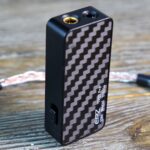
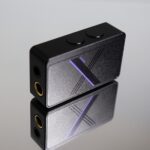
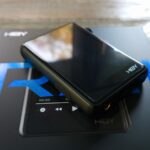
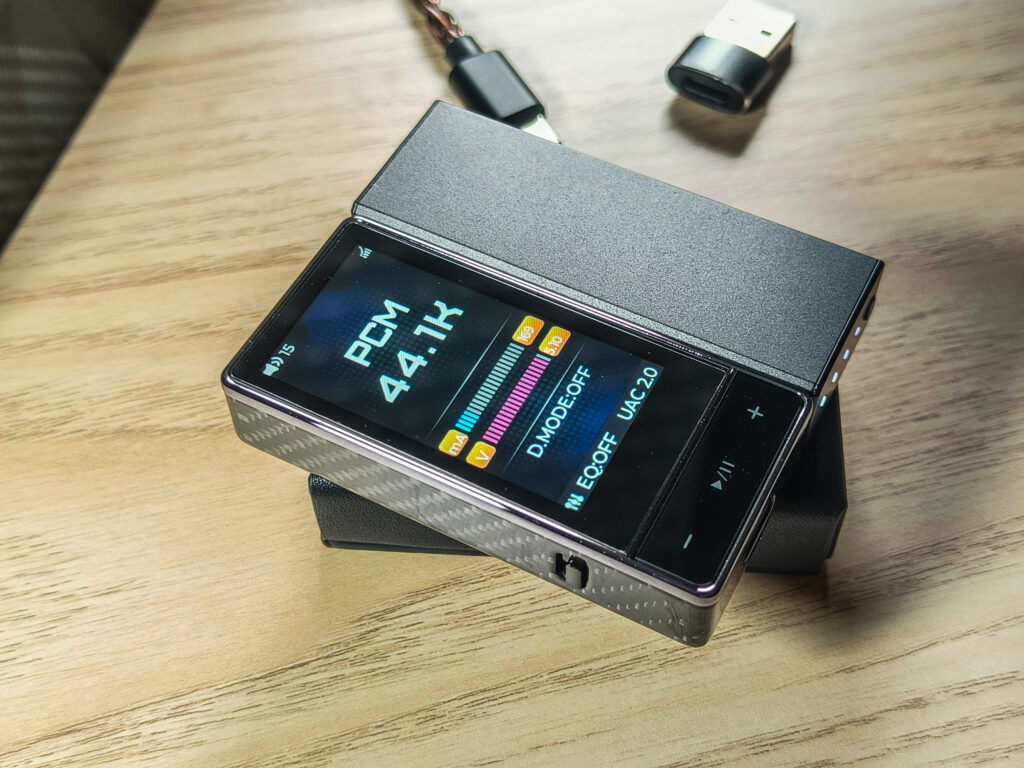
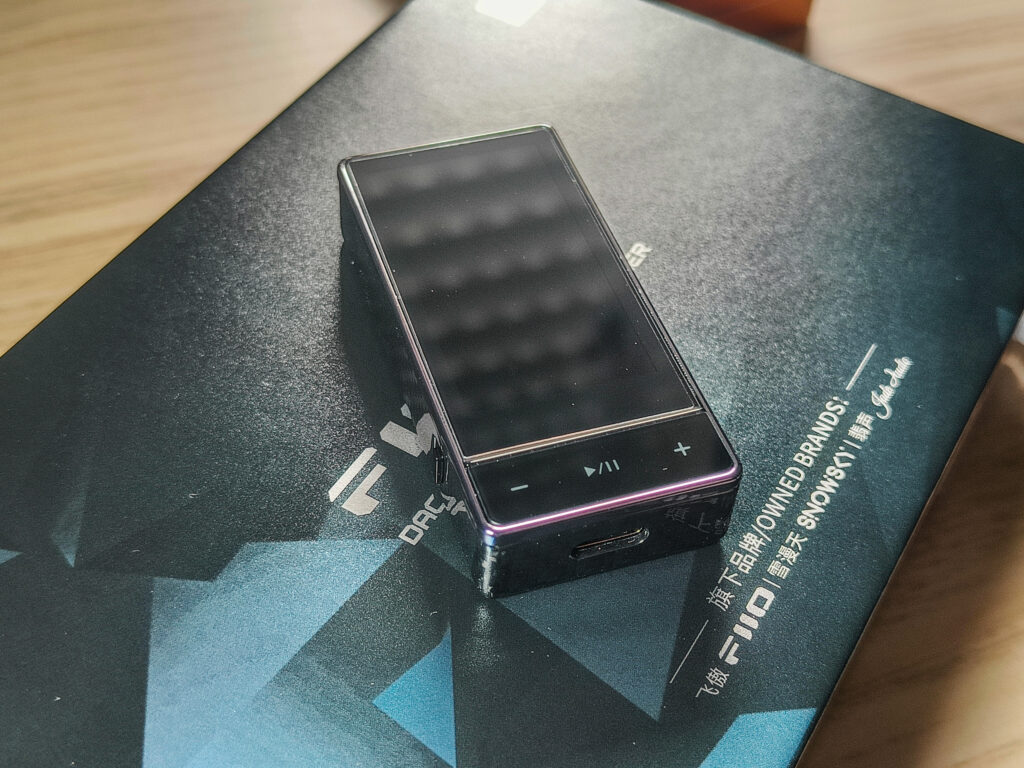
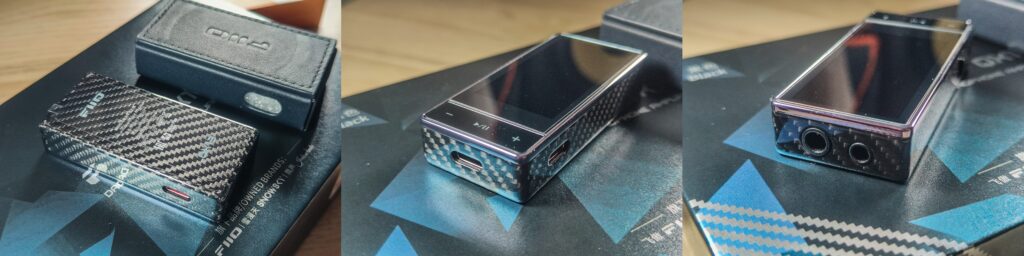
When I took the QX out of its wrap, I really realized how good this carbon fiber looks. It really gives me a very unique feeling when holding it. It is kind of strange to see carbon fiber on a dongle, but it actually reduced the weight a lot. The titanium one weighs 39.2g and the carbon fiber one 33.7g, which is quite a big difference, but it’s still very nice that they give two options with such different builds and not just a different color, and it’s really apparent that it’s a premium device. FiiO wrapped almost the entire body in carbon fiber, with only the front for the screen, and the rest has this very clean and beautiful finish. The carbon shell gives it a smoother and slightly warmer feel in the hand compared to full metal dongles, like the KA17.
To me, the bigger screen and the carbon fiber body really look more modern and more high end compared to the standard, normal dongles. The glossy UV coating gives it a clean, reflective look, but it also means you need to take a bit of care not to scratch it. That is exactly why FiiO includes a warning card asking you to use the leather case. And honestly, with a device this expensive and this pretty, I think to myself, “That beautiful carbon fiber needs to be entirely covered to not get scratched? If I don’t see and don’t feel this carbon fiber, then how can I enjoy this carbon fiber look?” Yeah… But still, I would use the case to protect it.
Screen and interface
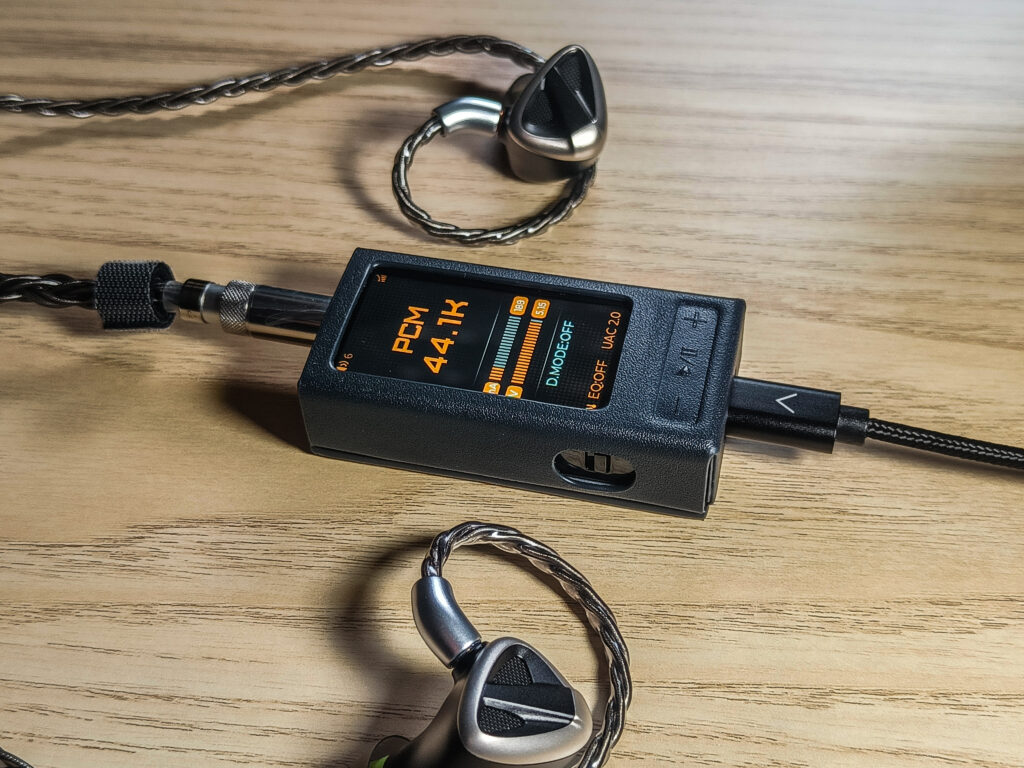
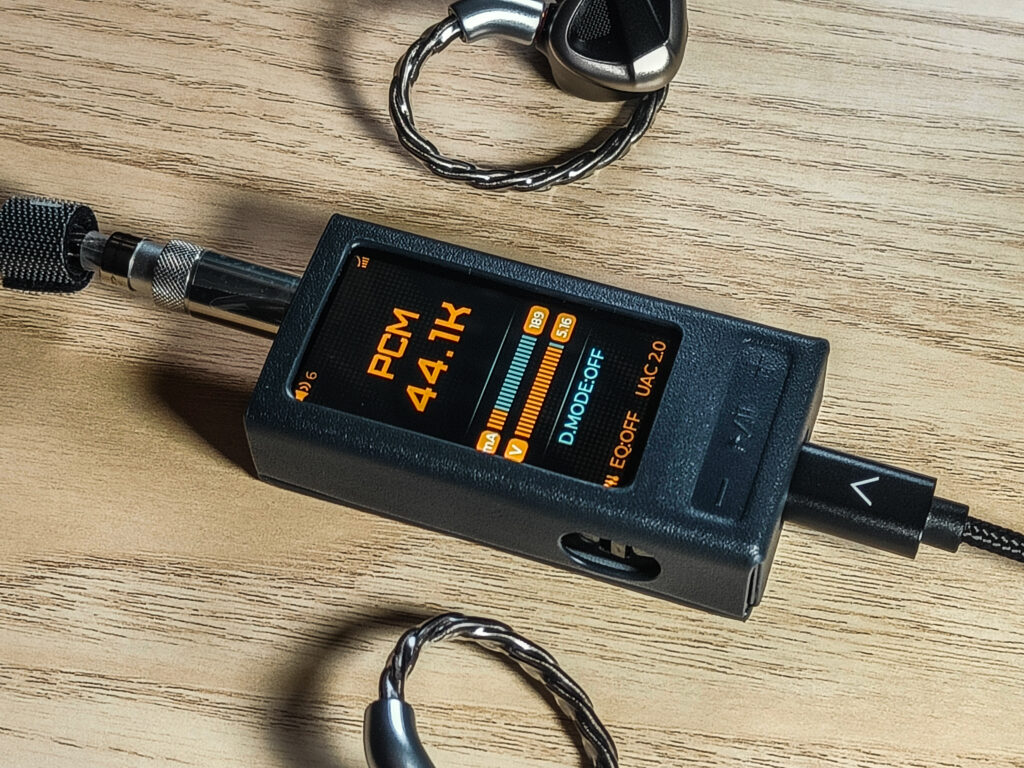
The full front display is something I didn’t ever see on such a small device, and I absolutely love it! At first it feels strange on a dongle, but very quickly it becomes completely natural. The 1.99 inch IPS screen is bright and sharp and makes everything feel easier to interact with. Instead of guessing what mode you are in or checking your phone for every change, the QX13 simply tells you right on the device. You see the gain level, the sample rate, the voltage and current usage, and all the menu settings right in front of you.
All the settings on the device include Gain, Filters, Volume level, Coaxial output, Chanel balance, Brightness, PEQ mode, Max Volume, Screen rotaion, Theme, Sreen timeout, UAC mode, Hid button, USB-OTA, CHarge settings, Language, Factory reset and Version.
I guess you will think that this huge screen will eat your phone’s battery, right? You are actually right, haha. But it doesn’t have to be on all the time. If you put it on a timer, then when it’s off, it uses minimal power.
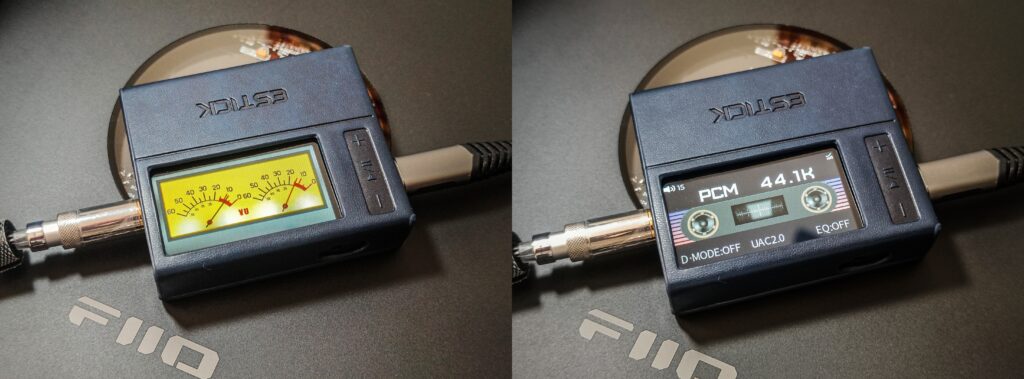
What I really like here is that FiiO did not add a screen just to look cool. It has an actual purpose. You can change settings directly on the unit in a very convenient and easy way, and it even has some icons near the setting, which also looks cool. And for visuals, they even included with the new firmware update some fun interface themes like VU meters and cassette style displays.
Internal technology and audio architecture
Inside the QX13, the biggest highlight is definitely the ESS ES9027SPRO DAC. This is part of the SABRE PRO line, and this is the first time I’ve used a dongle with this DAC chip. FiiO paired it with dual OPA1692 op amps plus four TI INA1620 amplifiers that work together in either normal or desktop mode. When you switch to desktop mode, two extra op amps join in to boost the power, which is how the QX13 reaches up to 900mW balanced at 32 ohms, which is very high for such a small device.
What makes this device interesting is how smart the power system is. It does not always run at full voltage. Instead, it switches power levels depending on what headphone you plug in and what the real time voltage and current are. You can even see the voltage displayed as a bar graph on the screen, which gives you a good idea of how the device manages power during use. This helps keep heat lower and saves battery from your phone, which is something the KA17 struggled with sometimes.
Ecosystem and modular use
FiiO clearly wants the QX13 to be more than just a dongle. For phones that do not have strong magnets, they included a metal ring sticker so the case sticks without issues. This way you can walk around with your phone without the dongle pulling on the connector and potentially unplugging from the phone or even breaking.
But the real highlight is how well the QX13 works with the ESTICK. When you connect them together, you get a compact portable stack that can still enter desktop mode, and you can power the whole system from the QX13’s bottom USB port. What’s also cool is that through the QX13 menu, you can choose to enable ESTICK charging. That means the ESTICK charges while you are using it. It is a smart and very practical design that makes the whole system feel like one piece instead of two separate accessories.
ESTICK Technical Specifications
Specs
- Model: ESTICK (Mini Power Bank for KA17/QX13)
- Battery capacity: 1100 mAh (Lithium-ion)
- Rated input: DC 5V = 1A
- Rated output: DC 5V = 0.6A
- Output circuit: AVX Low-ESR Tantalum Capacitor Series
- Charge/discharge chip: SW6003
- Connector: USB-C male (in/out)
- Dimensions: Approx. 64 × 23.5 × 13 mm
- Weight: Approx. 30.8 g
- Playback Time: 4-5 hours in desktop mode
Power Output and Performance with the QX13
When I started using the ESTICK with the QX13, the first thing I wanted to understand was whether this little capsule could actually feed the QX13 enough power to let it hit full desktop mode. On paper, the ESTICK gives you a 5V output at up to 0.6A, which is not a huge number, but it is clearly built with the QX13 and KA17 in mind. In real use, it does power the QX13 into desktop mode, and you can feel the extra strength right away when switching from phone power to the ESTICK.
Now, will it let the QX13 go to the full 900mW balanced output at all times? In practice, it depends. For IEMs and most portable headphones, the ESTICK has no problem giving the QX13 enough power to feel strong, dynamic, and full. With harder to drive headphones, I’m pretty positive that you might not always get the absolute maximum numbers that FiiO lists, simply because the ESTICK is still a small power source. But the important part is that it gets you very close, and it keeps the whole setup portable while still boosting power a lot compared to using your phone alone.
But the big selling point of the ESTICK is the fact that it gives you the option to make the QX13 drain less power from the phone. And you can turn it on by pressing the button 1 time and 2 times to turn it off. and also control if you want it to charge from your phone/device or not.
How it Performs
Talking about the sound of a DAC/AMP is always a bit hard, because nowadays most good DACs sound very close to each other. The differences are not in the tuning, like with headphones or IEMs. Instead, you judge them by how clean they are, how quiet the background is, how much power they have, and how stable they stay under load or on low volume without distortion or clipping. And this is exactly where the QX13 is really great.
The first thing I noticed was the background. It is completely quiet, with no hiss at all, even with sensitive IEMs. Just a pitch black background that makes everything feel cleaner, and you can hear the tiny details without any noise that could mask them. The QX13 sounds very clean, very full, and very dynamic. It just gives you this feeling that everything sounds at its best.
The power is honestly the part that surprised me the most. This thing is tiny, but when you switch it into high gain and desktop mode, it becomes a monster. It really pushes hard. I tested it with many of my headphones, including my big planars, and it managed to drive them better than I expected. Some of the hardest ones reached around 80 percent volume at my normal listening level, but the important thing is that the QX13 never felt like it was really struggling, and I never heard any distortion or clipping, even on low volume. Maybe there are a few extreme headphones out there that will still need a big desktop amp, but for most headphones people actually use, this little device can drive them just fine. And obviously, any IEM will be driven perfectly.
Using it with the ESTICK, is a real pleasure. The ESTICK is designed in such a smart and convenient way. You never need to unplug anything. You can choose if you want the QX13 to charge the ESTICK through the connected device or not. And you can power on and off the ESTICK while still using the QX13, and all of this is done by simply changing a setting or pressing the button on the ESTICK. It makes the whole system feel very complete with fewer cables.
The screen also plays a big part in the experience. It is big, clear, and colorful, and it makes controlling everything much easier. You can change gain, switch modes, check voltage, and see exactly what is going on. And if you want deeper control, the FiiO control app gives you access to the 10 band PEQ, which is now included with almost all of FiiO’s DACs/AMPs. It is nice to have both options, and it lets you use the QX13 in a way that fits you best.
QX13 vs KA17
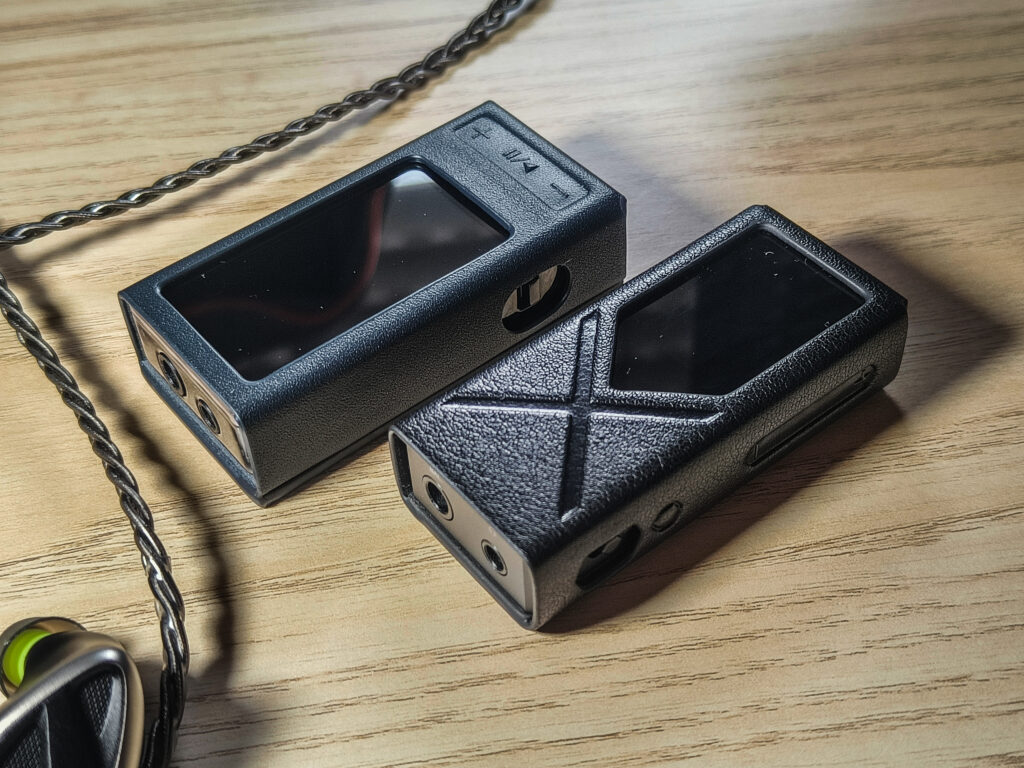
When I placed the QX13 side by side with the KA17, the first thing I noticed was how similar their size is. They are both compact dongle DAC/Amps that feel portable in hand, but of course they are not the smallest, because you still want the power, and it takes space. But still, the QX13 is just a little larger, but when you hold them both, you don’t get a massive size difference. What makes a big difference is the screen. The KA17 has a small dot matrix display, while the QX13 gives you a bright full color screen that is much easier to read and control, with the buttons placed right under it. It feels more modern and much more convenient.
Both have a desktop mode, but the QX13 is clearly more powerful. The KA17 uses dual ES9069Q with THX AAA 78+ and tops out at around 650 mW balanced, and the QX13 uses ES9027SPRO with OPA1692 op amps and a TI INA1620 amp and jumps to 900 mW balanced. What is even more impressive is the power consumption difference. According to FiiO, the QX13 not only increases power output by about 46 percent compared to the KA17 but also reduces its own power consumption by about 23 percent. That is a big improvement for a dongle, because it gives you more driving power while draining less from your phone and running cooler. And in real use, the QX13 definitely stays cooler than the KA17.
In terms of sound quality, they are both excellent. Clean, clear, and quiet, with a pitch black background even with sensitive IEMs. The real advantage of the QX13 is not sound tuning but the extra headroom, the better interface, and the improved efficiency. It drives more headphones with more power and spare headroom, stays cooler, and just feels more refined overall. If someone wants a more premium and more modern feeling one, the QX13 is the clear upgrade, while the KA17 still remains a strong value option at the lower price and can even sometimes be found for much less than its suggested price of 150$.
Conclusion
After spending a good amount of time with the QX13, I honestly feel like FiiO managed to create something really special here. It is a really strange, unique, and fun experience because the amount of power you get from this tiny dongle feels closer to something you would normally expect from a desktop device. The clean background, the full sound, the power, the screen, the controls, and the whole package are just very convenient, fun to use, and, of course, premium feeling.
It has a tiny body, a beautiful display, a very good DAC, and enough power to drive pretty much everything I own, including some of my power hungry planars. And what makes it even better is that it stays pretty cool and doesn’t drain my phone. When I added the ESTICK into the mix, it felt even more complete, because the QX13 was designed from day one to work as part of a little ecosystem, and it’s very comfortable because you just need fewer cables and don’t need to search for a power supply. You just have everything ready to work on desktop mode.
If someone asked me why they should choose the QX13 over other dongles, I would say that it is not just about power or specs. Its the experience. It is the convenience. It is the feeling of using something that was designed with a lot of thought. The QX13 makes everything feel more modern, more premium, and honestly, more fun to use every day.
For me this is one of the best portable DAC AMPs I have tried so far, and I think anyone who wants a powerful, modern, and very clean sounding device will be very happy with it.
Pros
- Excellent power output for its size, easily driving most headphones.
- Very quiet background with clean, detailed sound.
- High quality, full color display.
- The internal design is more efficient with less heat and more power than older models.
- Very good build quality, premium materials.
- Great ecosystem with support for accessories like the ESTICK.
Cons
- The carbon finish is coated, so you need to be more careful with that.
- Price is relatively higher.
- really can’t think of anything else…
Where to buy:(Non-affiliated! None of my reviews use affiliated links!)




No Comment! Be the first one.